Last updated:
Linting Slog: A Complete Guide to sloglint
Go's log/slog package gives you a clean, structured logging API out of the
box. But it also gives you enough rope to hang yourself with. The loosely typed
key-value interface compiles happily even when you pass an odd number of
arguments, mistype a key name, or forget to use context-aware methods entirely.
These aren't hypothetical mistakes; they're the kind of thing that shows up in
production logs as !BADKEY entries right when you need your
structured logging
to actually help you debug issues.
sloglint is a static analysis tool that catches these problems before they ship. It plugs into golangci-lint and enforces whatever conventions your team agrees on, whether that's argument style, key naming, context usage, or all of the above.
This guide covers every option sloglint provides, how to configure each one, and which combinations work well together.
Why slog needs a linter
If you've used log/slog for more than a few weeks, you've probably run into at
least one of these:
// Compiles fine. Produces a !BADKEY entry at runtime.
slog.Info("user login", "user_id", 42, "ip_address")

// Two developers, two conventions, same codebase.
slog.Info("request", "method", "GET", "status", 200)
slog.Info("request", slog.String("method", "GET"),
    slog.Int("status", 200))

// Forgot to use InfoContext, trace correlation breaks.
slog.Info("processing order", "order_id", id)
The first example silently corrupts your log data, the second creates
inconsistency in the codebase, and the third breaks the correlation between logs
and traces in your
observability pipeline
because no context.Context value is being passed through.
While code review can catch some of these, linters are purpose made to catch them every time, locally and in every pull request, without anyone needing to remember the rules.
Setting up sloglint
The recommended way to use sloglint is through
golangci-lint. Once you've installed it
on your machine, ensure to enable it in your .golangci.yml:
# .golangci.yml
version: "2"
linters:
  default: none
  enable:
    - sloglint
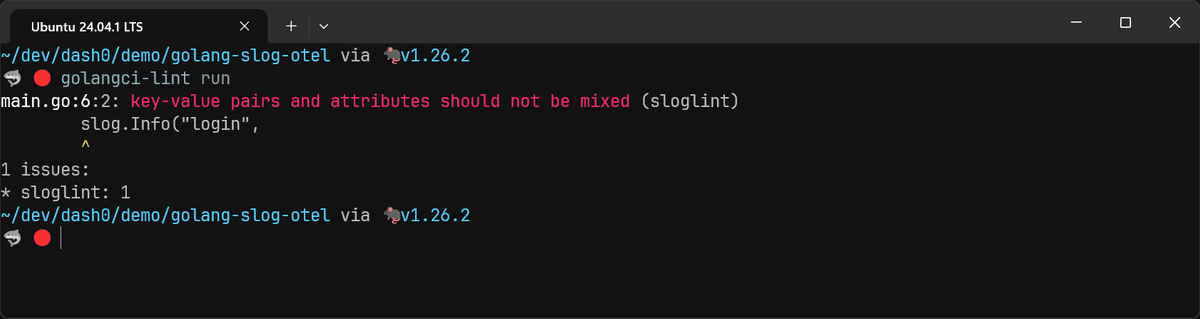
With zero configuration, sloglint already enforces one rule: it won't let you
mix key-value pairs and slog.Attr constructors in the same log call. That's a
reasonable default since mixed styles within a single statement are almost
always a mistake.
// sloglint: key-value pairs and attributes should
// not be mixed
slog.Info("login",
    "user_id", 42,
    slog.String("ip", "192.0.2.0"),
)
You can disable this check with no-mixed-args: false, but I haven't seen a
good reason to do so.
# .golangci.yml
version: "2"
linters:
  settings:
    sloglint:
      no-mixed-args: false
Enforcing argument style
The biggest style decision with slog is whether your team uses key-value pairs
or typed slog.Attr constructors. Both work, but as we covered in our
slog guide,
slog.Attr constructors catch type errors at compile time so they should be
preferred. sloglint lets you pick a side and enforce it everywhere.
If you want the safety of typed attributes, set attr-only:
# .golangci.yml
version: "2"
linters:
  settings:
    sloglint:
      attr-only: true
This flags any use of loose key-value pairs:
// sloglint: key-value pairs should not be used
slog.Info("request handled", "method", "GET")

// This is fine:
slog.Info("request handled",
    slog.String("method", "GET"))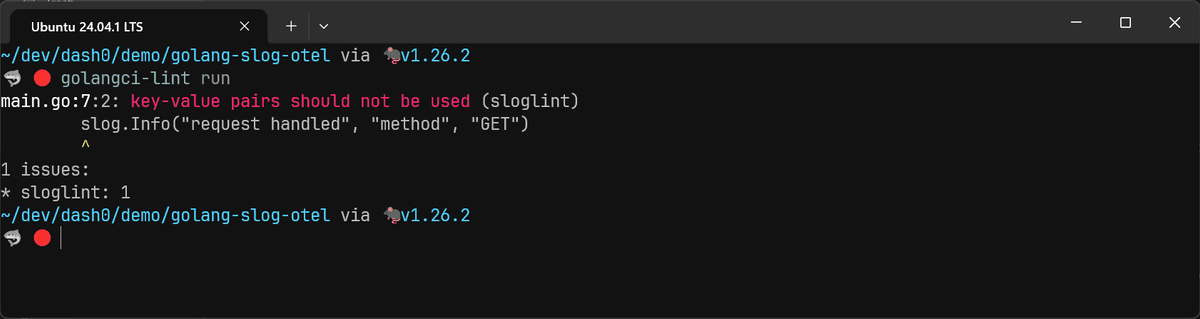
This eliminates the entire class of !BADKEY bugs because
slog.String("method") won't compile without its second argument. The trade-off
is more verbose logging calls.
If your team prefers conciseness and you trust your review process (or other
checks) to catch mismatches, you can use kv-only:
# .golangci.yml
version: "2"
linters:
  settings:
    sloglint:
      kv-only: true
This flags any use of slog.Attr constructors:
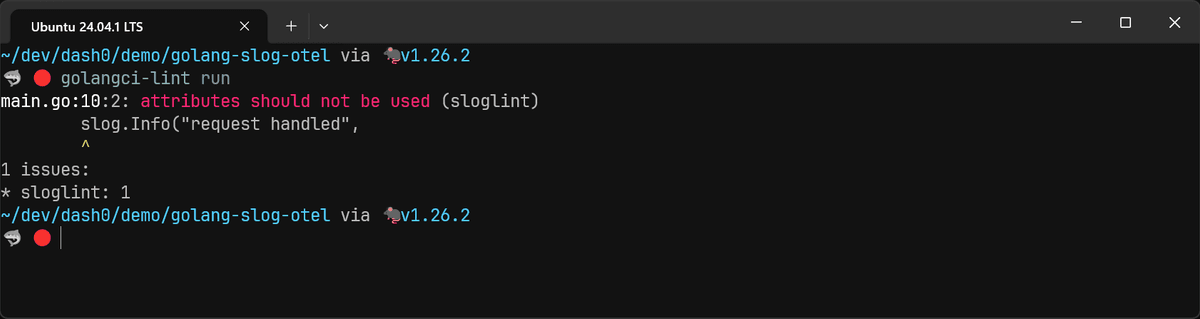
You can only enable one of attr-only or kv-only, not both.
Requiring context-aware methods
If you're using a context-aware slog.Handler (like
slog-context or the
otelslog bridge
for OpenTelemetry trace correlation), then calling slog.Info() instead of
slog.InfoContext() means that your log records won't carry the contextual data
they should have.
The context option catches this:
# .golangci.yml
version: "2"
linters:
  settings:
    sloglint:
      context: all
With context: all, every log call without a context.Context argument gets
flagged:
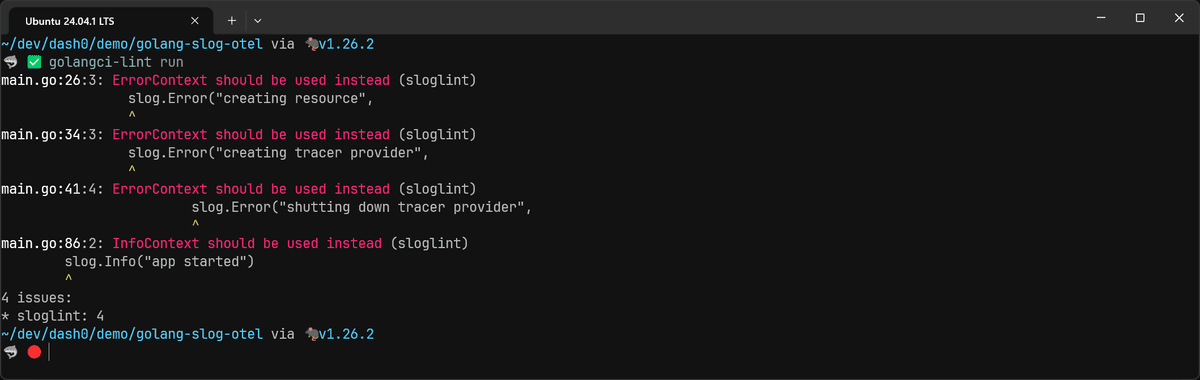
This is the right setting if you're running an OpenTelemetry-native logging pipeline and want every log record correlated with a trace.
There's also a softer mode, context: scope, that only flags contextless calls
when a context.Context variable exists in the enclosing function's scope. This
catches the "I had a context and forgot to pass it" case without forcing context
plumbing into utility functions that genuinely don't have one.
Banning global loggers
Some teams prefer explicit dependency injection over the convenience of
slog.Info() and slog.Default(). The no-global option enforces this:
# .golangci.yml
version: "2"
linters:
  settings:
    sloglint:
      no-global: all
With this set, any call to the top-level slog functions triggers a warning:
// sloglint: global logger should not be used
slog.Info("starting server", "port", 8080)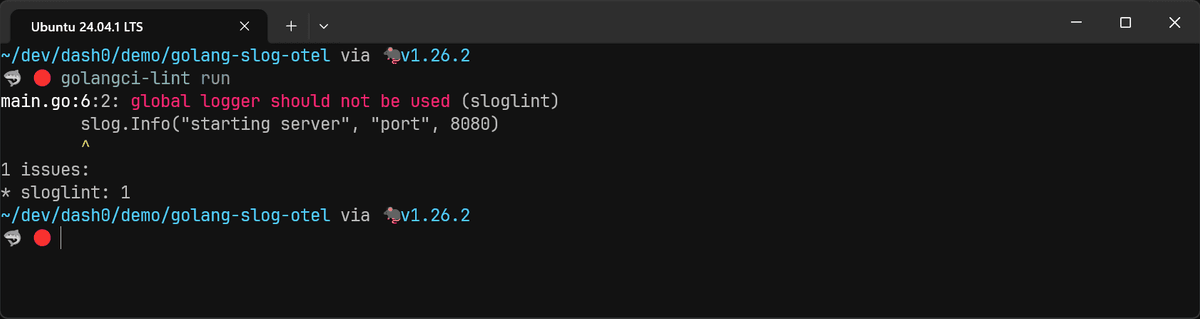
You'd instead pass the logger as a dependency:
func startServer(logger *slog.Logger, port int) {
    logger.Info("starting server",
        slog.Int("port", port))
}
If you only want to ban the default logger but allow custom globals (say, a
package-level logger), use no-global: default instead.
For more on the trade-offs between global, context-embedded, and injected loggers, see the contextual logging patterns section of our slog guide.
Enforcing static log messages
Structured logging works because your fields are separate from the message, which means you can filter, group, and alert on them independently. The moment you interpolate a value into the message string, it stops being a queryable field and becomes just another substring buried in text that your observability platform can't do much with:
// Bad: the user ID is trapped in the message string
slog.Info(fmt.Sprintf("user %d logged in", uid))

// Good: the user ID is a structured attribute
slog.Info("user logged in", "user_id", uid)
The static-msg option catches this pattern:
# .golangci.yml
version: "2"
linters:
  settings:
    sloglint:
      static-msg: true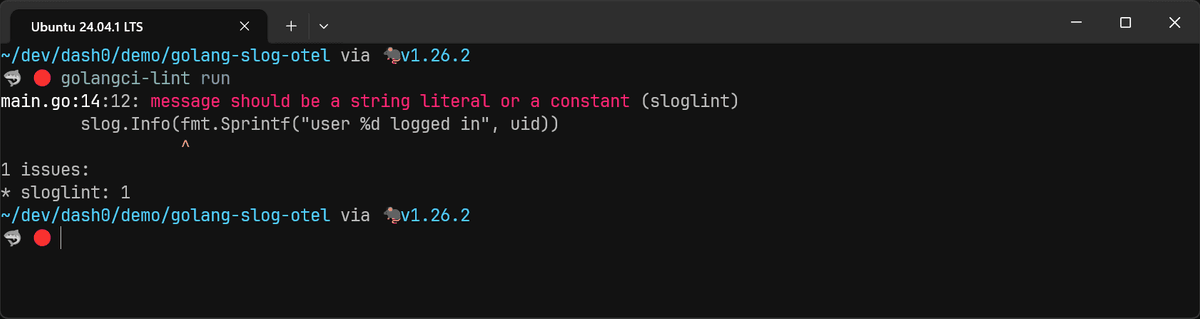
It flags any message that isn't a string literal or a constant. This includes
fmt.Sprintf calls, string concatenation, and variable references.
msg := "user logged in"

// sloglint: message should be a string literal
// or a constant
slog.Info(msg)
One nuance is that constants are allowed. So if you define your messages as
const values, sloglint won't complain.
Controlling message style
Teams often disagree about whether log messages should start with an uppercase
or lowercase letter. sloglint settles this with the msg-style option:
# .golangci.yml
version: "2"
linters:
  settings:
    sloglint:
      msg-style: lowercased
With lowercased, any message starting with an uppercase letter gets flagged:
// sloglint: message should be lowercased
slog.Info("User logged in")

// This is fine:
slog.Info("user logged in")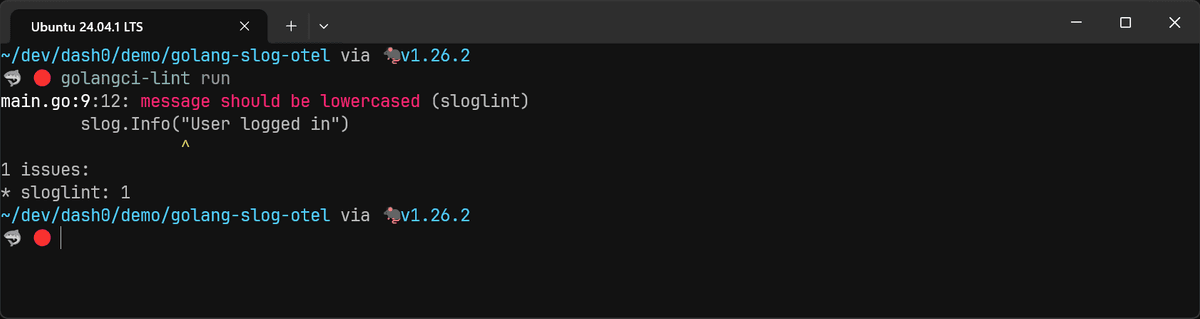
You can also use capitalized for the opposite. Acronyms like HTTP and U.S.
are recognized as special cases and won't trigger false positives.
Lowercase messages are the more common convention in Go (it's what the standard library uses), but pick whatever your team prefers and let the linter enforce it.
Enforcing attribute naming conventions
Inconsistent key names across a codebase make log data harder to query. When one
service logs user_id, another logs userId, a third logs user-id, your
observability backend treats these as three different fields.
The key-naming-case option ensures that everyone's at least using the same
casing.
# .golangci.yml
version: "2"
linters:
  settings:
    sloglint:
      key-naming-case: snake
Supported values are snake, kebab, camel, and pascal.
// sloglint: keys should be written in snake_case
slog.Info("request", "userId", 42)

// This is fine:
slog.Info("request", "user_id", 42)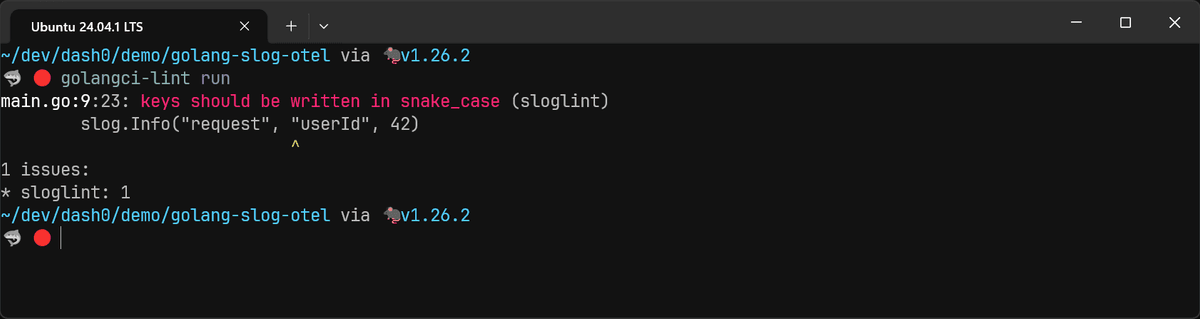
There's a tension here if you're working with
OpenTelemetry semantic conventions,
which use dot-namespaced keys like http.request.method and server.address.
None of sloglint's four case options account for this format, so enforcing
snake would flag valid OTel attributes as violations.
If you're following OTel semantic conventions in your logging code, skip
key-naming-case for now. The no-raw-keys option covered in the next section
is a better fit since it works with any naming scheme, including dot-namespaced
keys.
Preventing raw keys
The key-naming-case option catches casing mismatches, but it can't tell
user_id from usr_id since both are valid snake_case. And as we just saw, it
also doesn't play well with OTel semantic conventions either.
The no-raw-keys option solves both problems by forbidding string literals as
keys entirely:
# .golangci.yml
version: "2"
linters:
  settings:
    sloglint:
      no-raw-keys: true
This forbids string literals as keys entirely:
// sloglint: raw keys should not be used
slog.Info("login", "app.user.id", 42)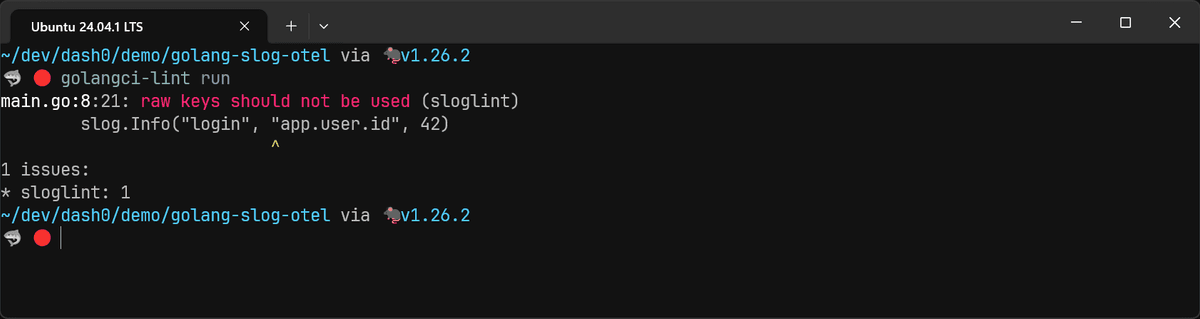
Instead, you define your keys as constants:
const KeyUserID = "app.user.id"

slog.Info("login", KeyUserID, 42)
Or, for better ergonomics, you can use custom slog.Attr constructors:
func UserID(value int) slog.Attr {
    return slog.Int("app.user.id", value)
}

slog.Info("login", UserID(42))
You can also reference the constants from the OTel semconv package directly:
package main

import (
	"log/slog"

	semconv "go.opentelemetry.io/otel/semconv/v1.40.0"
)

func HTTPMethod(value string) slog.Attr {
	return slog.String(string(semconv.HTTPRequestMethodKey), value)
}

func HTTPResponseCode(value int) slog.Attr {
	return slog.Int(string(semconv.HTTPResponseStatusCodeKey), value)
}

func main() {
	slog.Info("request handled",
		HTTPMethod("GET"),
		HTTPResponseCode(200),
	)
}
The sloglint author also provides an sloggen companion project that creates typed attribute constructors from a YAML spec which works well when attribute naming consistency matters more than the overhead of managing a shared key registry.
Forbidding specific attribute names
The forbidden-keys option lets you block specific key names from appearing in
your logs. This is helpful for preventing collisions with reserved fields that
your slog.Handler already uses:
# .golangci.yml
version: "2"
linters:
  settings:
    sloglint:
      forbidden-keys:
        - time
        - level
        - msg
        - source
Both slog.JSONHandler and slog.TextHandler use time, level, msg, and
source as built-in fields. If your application code accidentally uses the same
keys, the output will contain
duplicate keys,
which can break JSON parsers and confuse observability tools.
// sloglint: "msg" key is forbidden and should not be used
slog.Info("login", "msg", "details here")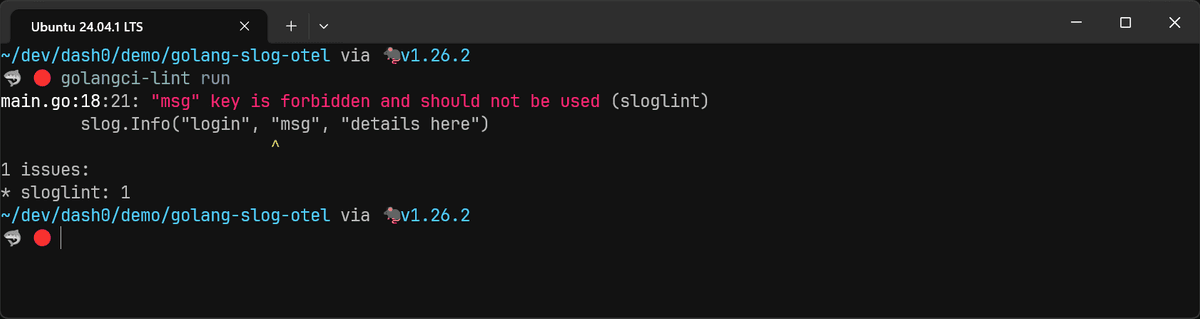
Formatting slog arguments on separate lines
When a log call has more than a couple of attributes, it gets hard to scan on a single line:
slog.Info("request", "method", "GET", "path", "/api/v1/users", "status", 200, "latency_ms", 47)The args-on-sep-lines option requires that calls with two or more arguments
place them on separate lines:
# .golangci.yml
version: "2"
linters:
  settings:
    sloglint:
      args-on-sep-lines: true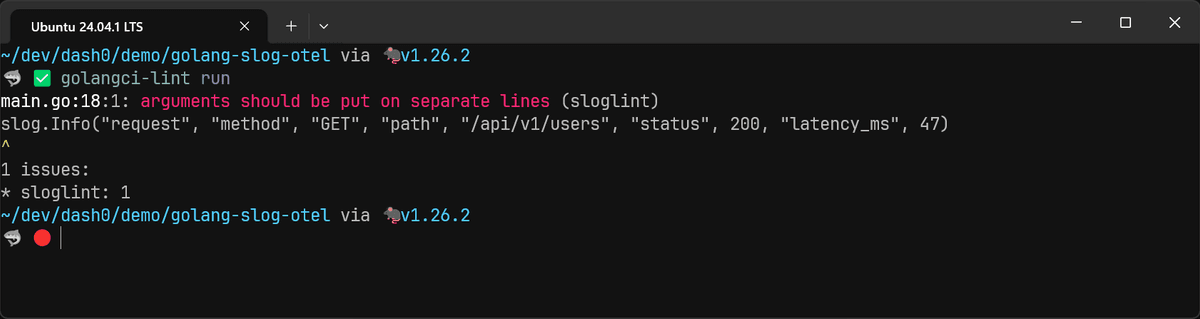
The fixed version:
slog.Info("request",
    "method", "GET",
    "path", "/api/v1/users",
    "status", 200,
    "latency_ms", 47,
)
This improves readability and makes git diffs cleaner when attributes are added
or removed. It's particularly useful when combined with attr-only, because the
typed constructors make lines even longer.
Autofixing linting violations
As of v0.11, sloglint supports autofixing through golangci-lint's --fix flag
and golangci-lint fmt command. Not every rule is autofixable, but several of
the more common violations can be corrected automatically:
golangci-lint run --fixThis is particularly handy when you're adopting sloglint on an existing codebase. You can enable the rules, run the fixer, review the changes, and commit, rather than manually updating hundreds of log statements.
Putting it together: recommended configuration
Here's a configuration that covers the rules worth enabling for most teams:
# .golangci.yml
version: "2"
linters:
  default: none
  enable:
    - sloglint
  settings:
    sloglint:
      attr-only: true
      context: scope
      static-msg: true
      msg-style: lowercased
      args-on-sep-lines: true
      forbidden-keys:
        - time
        - level
        - msg
        - source
A few notes on what's included and what's left out:
attr-only eliminates !BADKEY bugs at compile time, and context: scope
catches forgotten context arguments without forcing context plumbing into
functions that genuinely don't have one. If you're running the otelslog bridge
for trace correlation, you could tighten this to context: all.
no-global is left out because it's a bigger architectural decision. If your
team prefers dependency injection over global loggers, add no-global: all. But
that may require a significant refactor in established projects.
Running sloglint in CI
Once you've settled on a configuration, add golangci-lint to your CI pipeline. A GitHub Actions workflow looks like this:
name: lint
on: [push, pull_request]
jobs:
  golangci-lint:
    runs-on: ubuntu-latest
    steps:
      - uses: actions/checkout@v4
      - uses: actions/setup-go@v5
        with:
          go-version: stable
      - uses: golangci/golangci-lint-action@v6
        with:
          version: latest
The golangci-lint-action
handles caching and configuration detection automatically. It reads your
.golangci.yml from the repository root, so there's nothing extra to configure.
With this in place, every pull request gets the same linting checks locally and in CI.
Final thoughts
slog's API has a few rough edges that bite at runtime, exactly when you can least afford to discover them. sloglint moves those failures to compile time, which is where they belong. Start with the recommended configuration, see what your team actually bumps into, and adjust from there.
If you're building an
OpenTelemetry-native
logging pipeline, the context option alone justifies adopting sloglint.
Without it, you're relying on discipline to make sure every log call passes a
context, and discipline doesn't scale.
For more on getting the most out of log/slog, check out our full guide on
logging in Go with slog
and our comparison of
Go logging libraries.
And if you're looking for an observability platform where those correlated logs, traces, and metrics actually come together in one place, give Dash0 a try for free.