
Last updated:
Move Attributes
Move an attribute between the resource, the scope, and the record with a Move step in a transform rule.
A Move step moves an attribute, with the same key, from one context to another. Use it when an attribute arrives at the wrong level, for example a host.name sent on every log record that belongs on the resource.
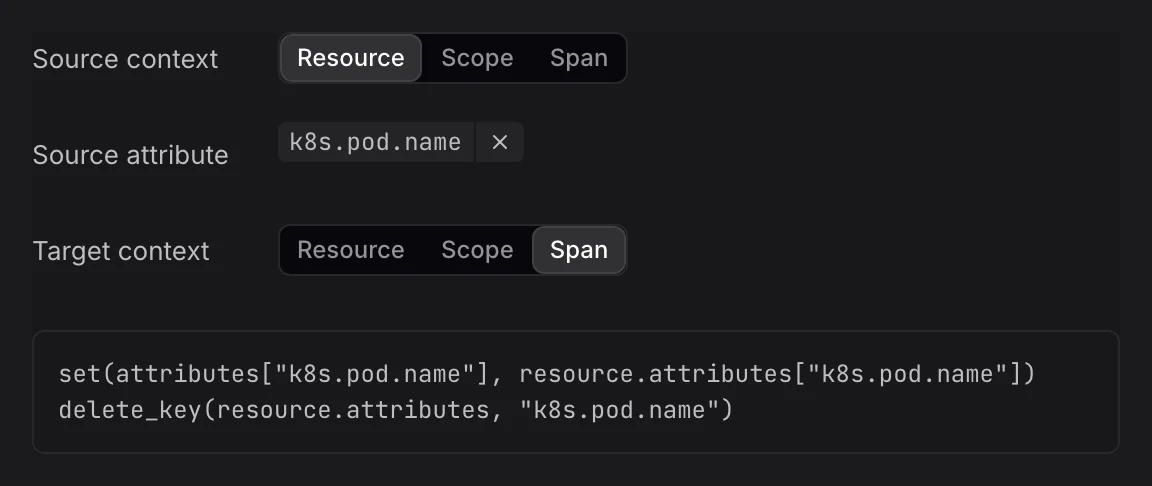
Add a Move Step
- In the rule editor, click + Transformation and set Transformation to Move. Or hover the attribute in Input sample data, click Add a transformation step, and pick Move.
- Fill in the fields:
- Source context: Where the attribute is now: Resource, Scope, or the record, such as Span or Log record.
- Source attribute: The attribute to move, for example
host.name. - Target context: Where to move it. It must differ from the source context.
- Check the Output panel: the attribute shows as removed in its old section and added in the new one.
Example
Moving host.name from the log record to the resource writes these OpenTelemetry Transformation Language (OTTL) statements:
text
set(resource.attributes["host.name"], attributes["host.name"])
delete_key(attributes, "host.name")
Limits
- Contexts the rule reaches: A rule with the Resource context has a single context, so it offers no Move. A rule with the Scope context moves between Resource and Scope.
- Attributes only: OTLP fields can't be moved. To put a field's value in an attribute, use Copy.
- Writable keys: Move changes the attribute in both contexts, so it may not be protected or read-only in either.
Further Reading
-
About Signal Transformation. Add a transform rule and learn the parts of the rule editor.
-
Copy Attributes. Keep the attribute where it is and write its value in another context too.
-
Rename Attributes. Change an attribute's key within the same context.