
Last updated:
Copy Attributes
Copy the value of an attribute or OTLP field into another attribute with a Copy step in a transform rule.
A Copy step writes the value of an attribute or OTLP field into another attribute or field, and keeps the source. Use it to make a value available under a second key, for example to put the resource's service.name on every span, or the log body into an attribute.
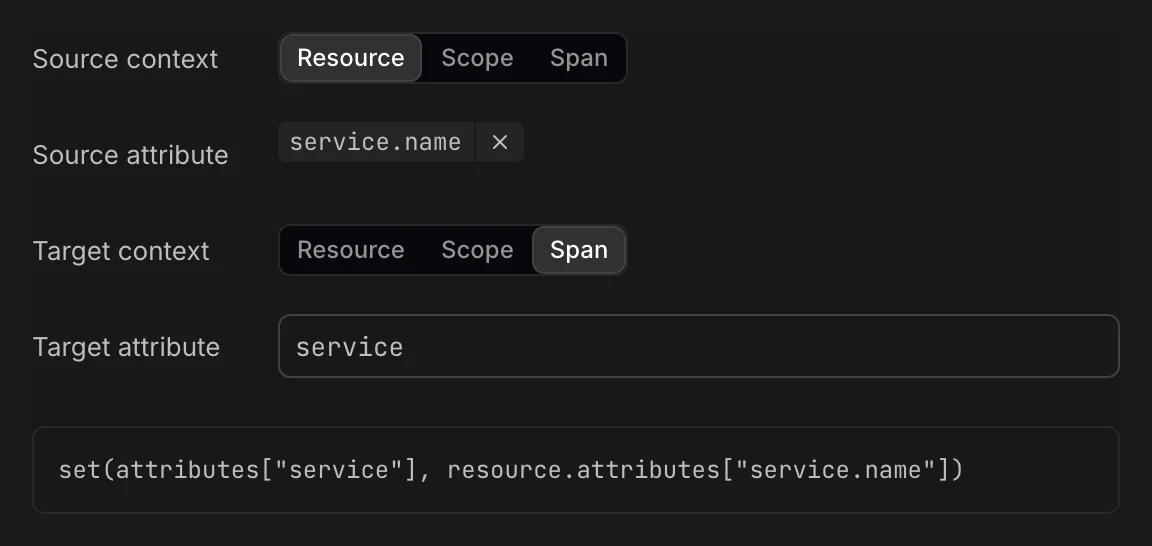
Add a Copy Step
- In the rule editor, click + Transformation and set Transformation to Copy. Or hover the attribute in Input sample data, click Add a transformation step, and pick Copy. That fills in the source for you.
- Fill in the fields:
- Source context: Where the value is: Resource, Scope, or the record, such as Span or Log record.
- Source attribute: The attribute or field to copy, for example
service.nameorotel.log.body. - Target context: Where to write the copy.
- Target attribute: The attribute or field to write. It must differ from the source.
- Check the Output panel: the target shows as added, or as modified with its previous value.
Example
Copying the log body into the message attribute writes this OpenTelemetry Transformation Language (OTTL) statement:
text
set(attributes["message"], log.body)Limits
- Overwrites the target: If the target already has a value, the copy replaces it.
- Readable source, writable target: The source may be read-only, but not protected. The target may be neither.
Further Reading
-
About Signal Transformation. Add a transform rule and learn the parts of the rule editor.
-
Extract Values. Copy only parts of a text value into new attributes.
-
Move Attributes. Move an attribute to another context instead of copying it.