

Agent0 runs
Automations are configured workflows that Agent0 executes on your behalf. You define what to watch and what to do. Agent0 runs the investigation, traces the cause, and delivers the result. No human needs to be in the loop for any of it.
Start for free or Book a demo
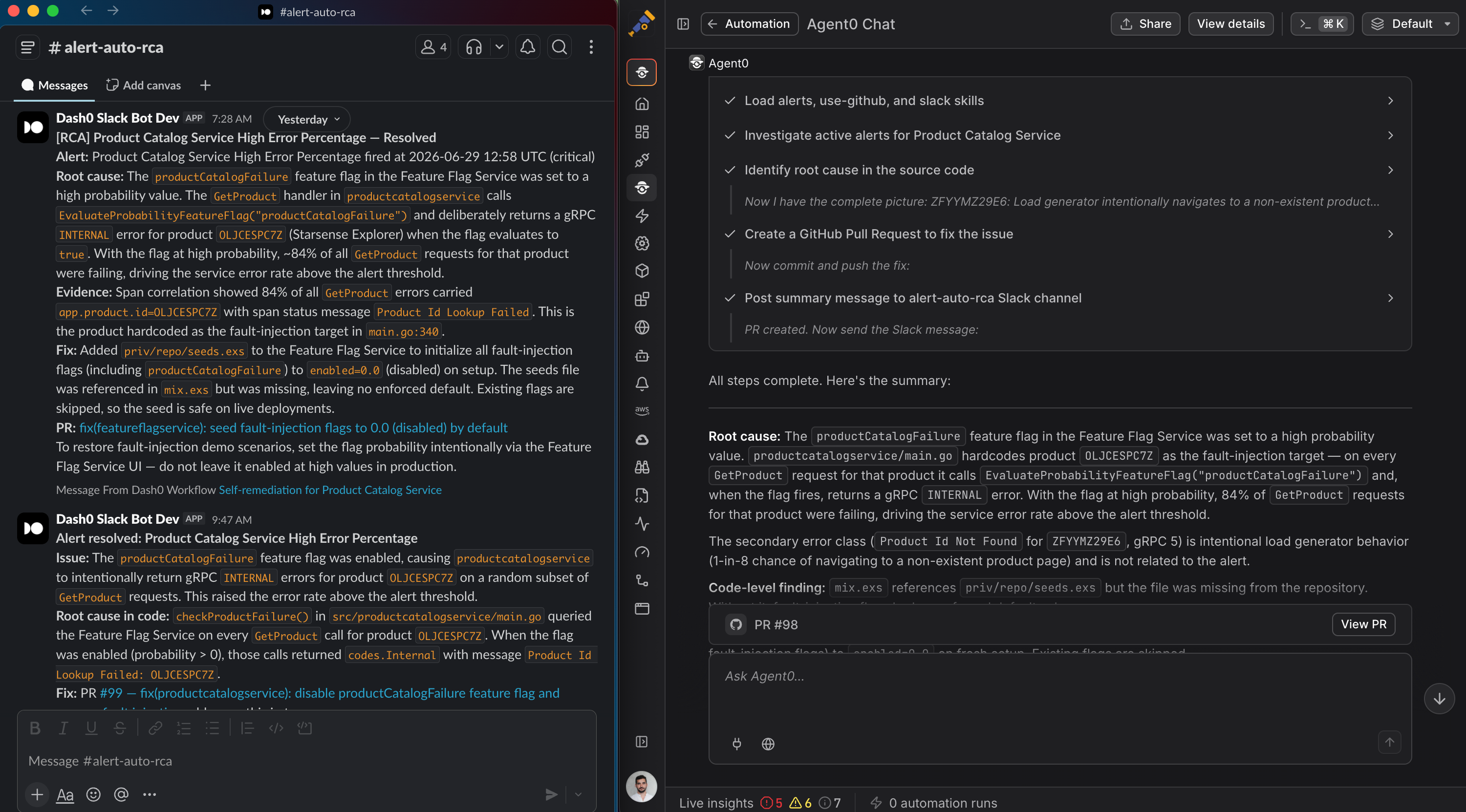
The gap between alert and fix
Runs when you need it
Agent0 starts the investigation the moment the condition fires.
Investigates and fixes, exactly how you define it
Write the prompt, pick the tools, and Agent0 follows your runbook. The automation does what you configured, nothing more.
Delivers where your team works
Connect your own tools via MCP to reach any system your team relies on. Findings land in Slack, email, or Dash0.
Guardrails you control
Read actions run automatically. Write actions like opening a pull request are off by default. You allow or deny tools per automation, explicitly, before anything runs.
What you can
A few examples of what teams are running. Each one configured once, running continuously.
Catch regressions before users do
Every deployment automatically triggers a health check. Agent0 assesses the affected services and reports back before anyone has to ask.
Turn every alert into an answer
When a check fails, Agent0 doesn't wait. It investigates, traces the root cause, and drafts the fix — so the alert and the resolution arrive together.
A daily production briefing, without the manual work
Schedule a morning sweep or a pre-release check. Agent0 scans for degrading services, coverage gaps, and unresolved issues and delivers the report on your cadence.
Continuous PII monitoring
Agent0 scans logs and traces for sensitive data exposure on a schedule. If it finds something, it flags it immediately.
Know your blind spots before they become incidents
A scheduled scan identifies services with no alert coverage. The gap report lands in Dash0 automatically.
Browse, build, and
Everything you need to configure, manage, and audit your automations in one place.
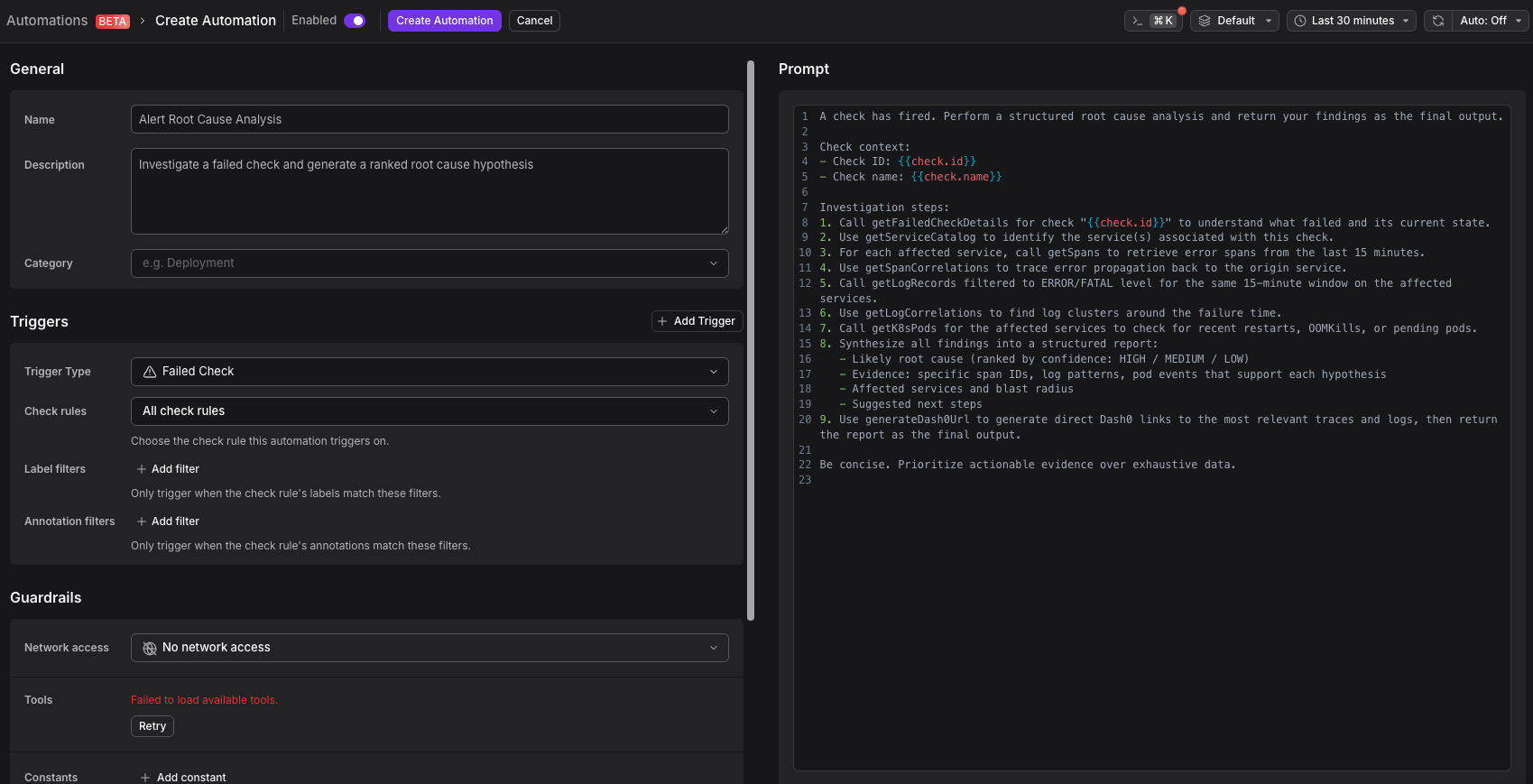
Your triggers, your runbooks, your tools.
Build automations from scratch with a full-view prompt editor. Connect your MCP servers, configure which tools Agent0 is allowed to use per automation, and organize everything into folders as you scale. The entire automation is yours: prompt, tools, triggers, and notification destination.
- Full-view prompt input editor
- Per-automation tool allow/deny configuration
- MCP server connections for tools already in your ecosystem
- Trigger selection: failed check, schedule, GitHub event, or webhook
- Notification destination: Slack, email, or Dash0
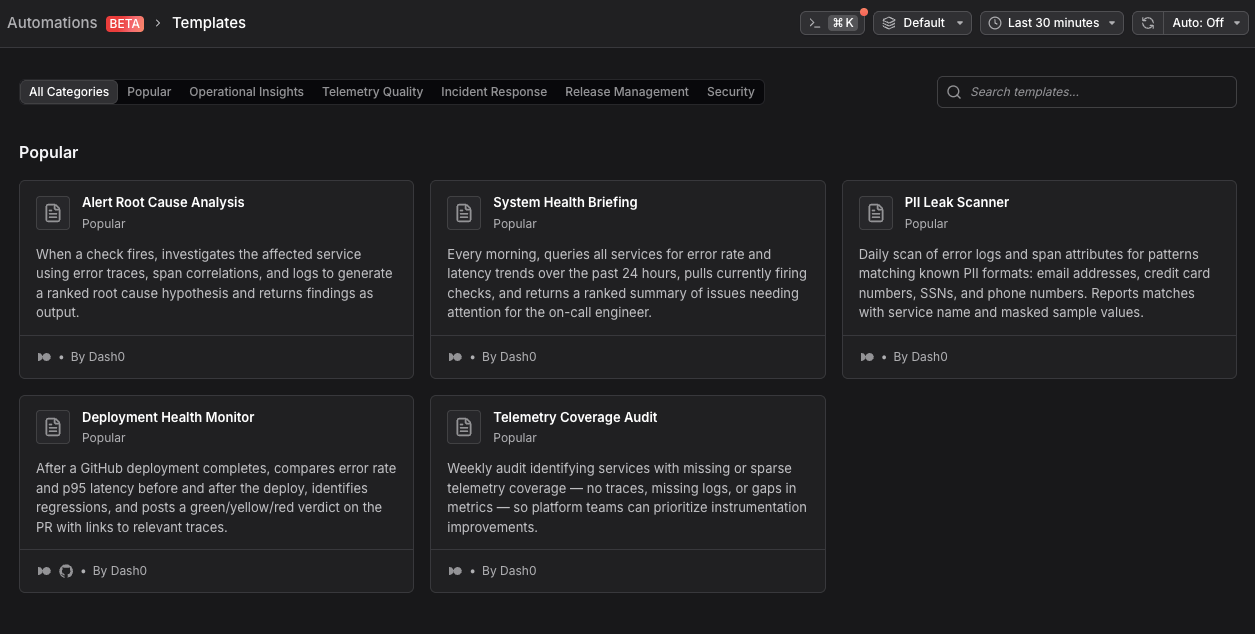
Start from the catalog. Ship in minutes.
Automations ships with a library of pre-built templates. Browse, preview before you install, turn on, and adjust. No blank page, no guesswork. Organize your automation footprint into folders as you scale.
- Pre-built templates covering common production scenarios
- Preview dialog before installation: inspect trigger, prompt, and tool configuration
- One-click install with environment-specific adjustments
- Automation folders for organizing at scale
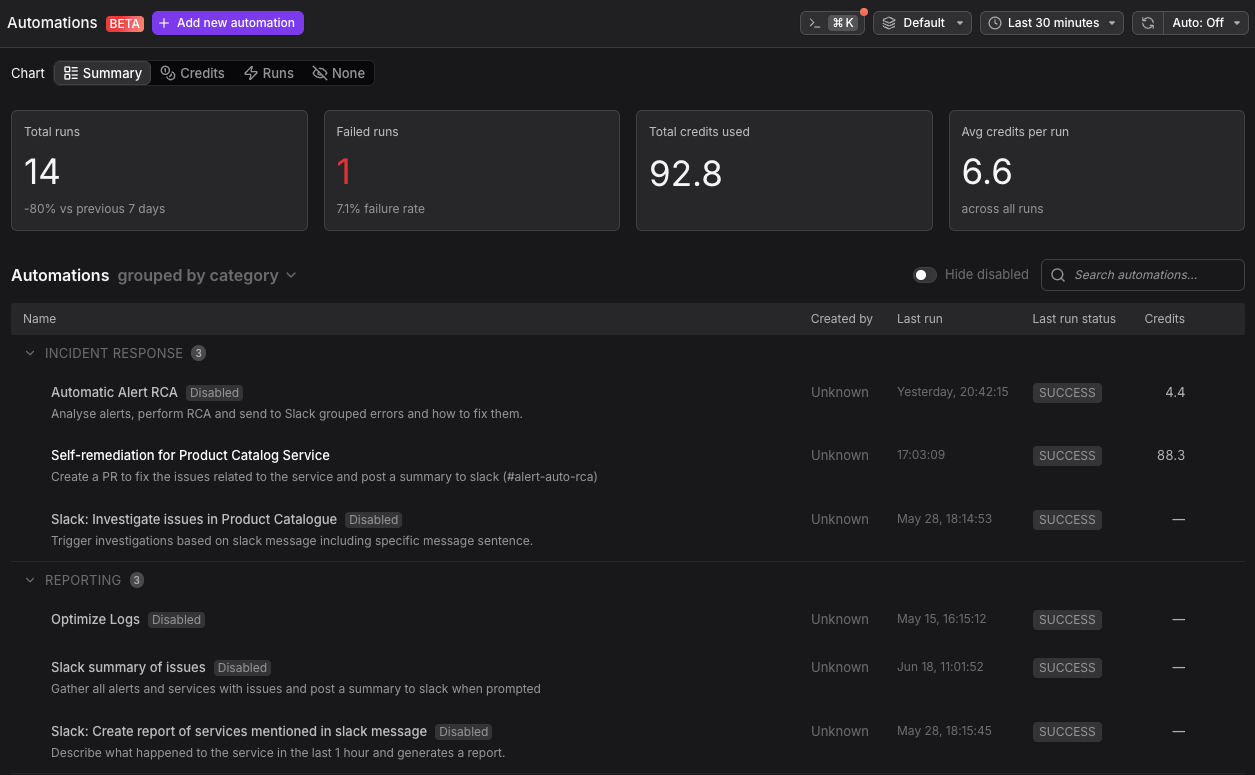
Every run recorded. Nothing runs silently.
Full run history with status per automation. Findings are delivered to your notifications channel with a direct link to the full investigation in Dash0. You always know what ran, what it found, and what triggered it.
- Full run history with per-automation status and clear credit consumption indication
- Pending run visibility in the UI
- Findings delivered via Slack, email, or Dash0
It's 2:17am. A check fails.
Here is what happens next, without anyone opening a laptop.
The automation triggers
The failed check fires the automation immediately. Agent0 starts the investigation before the alert has reached anyone's phone.
Signals correlated
Agent0 scans logs, traces, and metrics across every relevant service, finding what is degrading and what changed in the last hour.
Root cause traced to the commit
Agent0 reads your repositories and follows the trace into the code. The specific commit is identified. No human has touched a keyboard yet.
Fix drafted as a pull request
Agent0 generates the pull request on a new branch. Write actions only run if you have explicitly enabled them for this automation.
Finding delivered to Slack
Your on-call engineer wakes up to a Slack message with the root cause, the fix, and a link to the full investigation. The work is already done.
Go deeper.
Observability for the AI Era starts here: Agent0 is GA
The full picture of what Agent0 does at GA, how Automations fits in, and what the task-based credit model means in practice.
From OpenTelemetry-Native to Observability for the AI Era
Why Dash0 is evolving for a world where agents write, ship, and operate software, and what the autonomous production platform looks like.
Agent0 AI for SREs: 5 Capabilities That Matter
How Agent0 investigates incidents, surfaces coverage gaps, and generates dashboards and alerts without manual toil.
Set it once. Agent0 handles the rest.
Agent0 Automations is live in Dash0 today. Start free and run your first automation against real production data. No new pipelines. No per-seat AI fees. Task-based credits.