
Last updated:
Delete Attributes
A Delete step removes an attribute from the record, the scope, or the resource. Use it to drop attributes that carry sensitive data or that add cardinality without value, such as a pod UID.
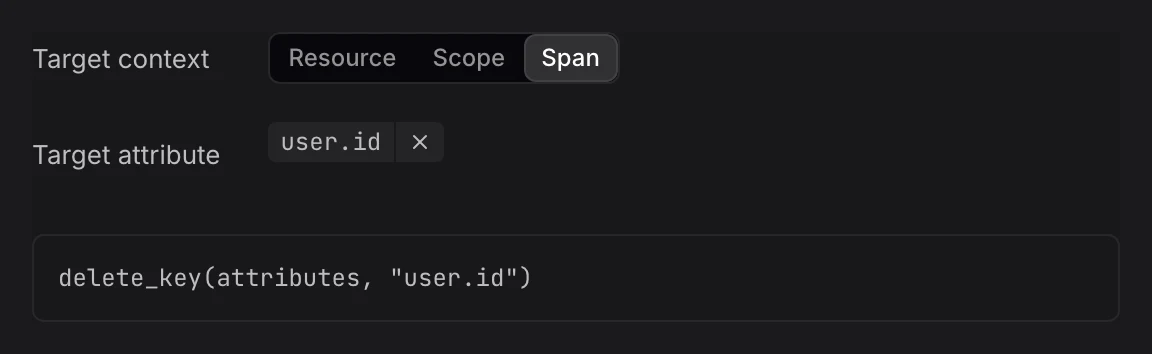
Add a Delete Step
- In the rule editor, click + Transformation and set Transformation to Delete. Or hover the attribute in Input sample data, click Add a transformation step, and pick Delete.
- Fill in the fields:
- Target context: Where the attribute is: Resource, Scope, or the record, such as Span or Log record.
- Target attribute: The attribute to remove, for example
k8s.pod.uid.
- Check the Output panel: the attribute shows as removed.
Delete a Field
OTLP fields can't be removed. Deleting a field resets it to its default value: an empty text, SPAN_KIND_UNSPECIFIED for otel.span.kind, STATUS_CODE_UNSET for otel.span.status.code, and SEVERITY_NUMBER_UNSPECIFIED for otel.log.severity_number.
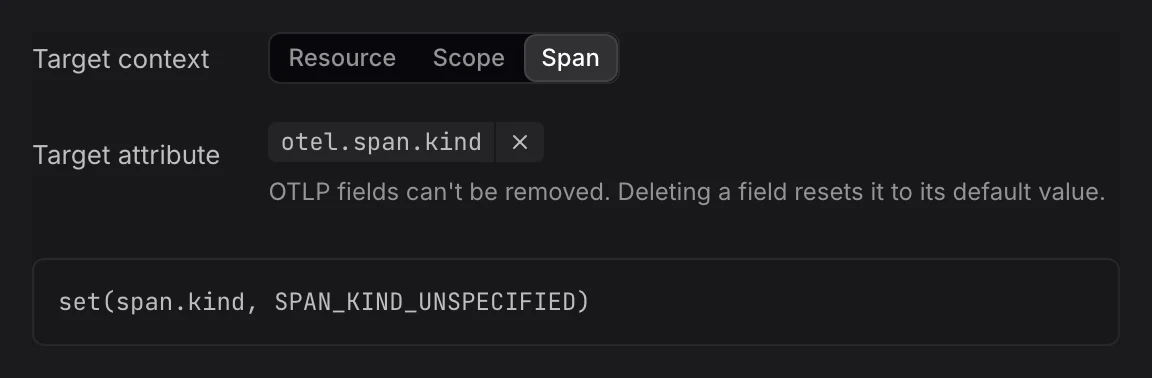
Example
Deleting k8s.pod.uid from the resource writes this OpenTelemetry Transformation Language (OTTL) statement:
delete_key(resource.attributes, "k8s.pod.uid")Deleting otel.span.status.message writes:
set(span.status.message, "")Limits
- Writable keys: You can't delete a protected or read-only attribute.
- No undo after storage: A deleted attribute is not stored. Check the Output panel before you save the rule.
Further Reading
-
About Signal Transformation. Add a transform rule and learn the parts of the rule editor.
-
Mask Values. Hide part of a value instead of removing the whole attribute.
-
Set Attributes. Add an attribute or overwrite its value.