
Last updated:
Mask Values
Hide sensitive parts of a text value, such as an email address or a card number, with a Mask step and a pattern.
A Mask step replaces parts of a text value with ***** and keeps the rest. Use it to hide sensitive data, such as an email address in a log body or an ID in a URL, while keeping the value readable.
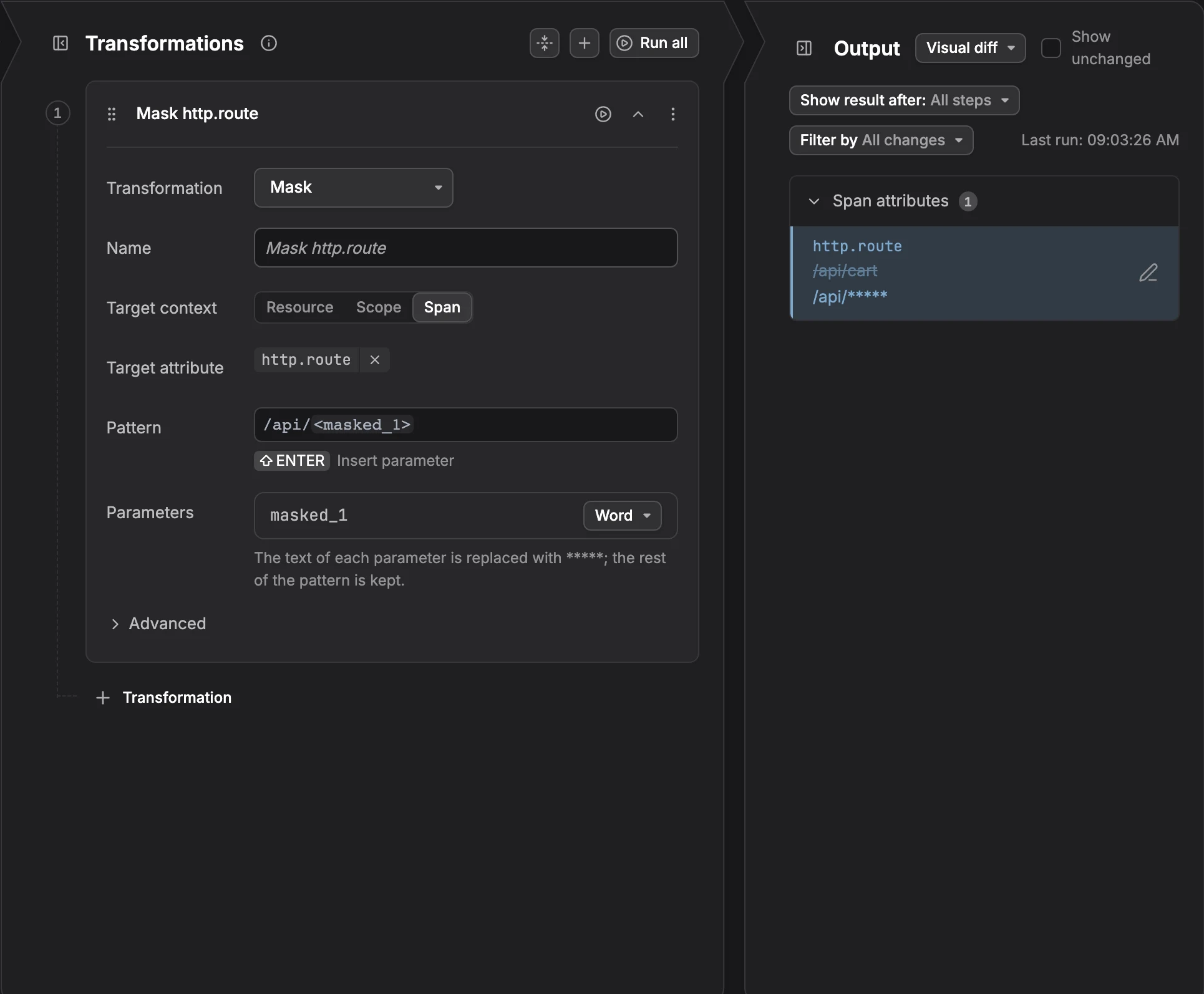
Add a Mask Step
- In the rule editor, start the step in one of these ways:
- Select text: In Input sample data, select the part of a value to hide, then click Mask. The pattern is filled in from the selection. Select another part of the same value to mask it too.
- Mask the whole value: Hover the attribute, click Add a transformation step, and pick Mask.
- Start empty: Click + Transformation and set Transformation to Mask.
- Fill in the fields:
- Target context: Where the text is: Resource, Scope, or the record, such as Span or Log record.
- Target attribute: The text to mask, for example
user.emailorotel.log.body. - Pattern: The shape of the text, with a parameter in angle brackets for each part to hide, for example
user=<email>. - Parameters: One row per parameter. Pick what each parameter matches, with the same options as Extract.
- Check the Output panel: the attribute shows as modified, with the masked value.
The text of each parameter is replaced with *****; the rest of the pattern is kept. With the pattern card=<digits> and Integer, the value card=4111111111111111 becomes card=*****.
Example
Masking card=<digits> in the card attribute writes this OpenTelemetry Transformation Language (OTTL) statement:
text
replace_pattern(attributes["card"], "(card=)(?P<digits>(?:[+-]?(?:[0-9]+)))", "$1*****")Limits
- Text only: Only text values can be masked.
- No
<*>: Every parameter in a mask needs a name. Parameter names can hold only letters, digits and underscores. - Writable target: The target may not be protected or read-only.
- No match, no change: If the pattern doesn't match a record's value, the value stays as it is. Check the Output panel on several samples.
Further Reading
-
About Signal Transformation. Add a transform rule and learn the parts of the rule editor.
-
Delete Attributes. Remove the whole attribute instead of masking part of it.
-
Extract Values. Keep the parts a pattern matches as new attributes.