
Last updated: October 1, 2026
AI
Configure how Agent0 responds in your Dash0 organization. Access these settings at Settings → Agent0.
Agent0 Settings
Default Model
Sets the model level and reasoning effort Agent0 runs with when nothing more specific applies. The table has one row per Agent0 surface: Agent0 Chat, Automations, Slack, and MCP.
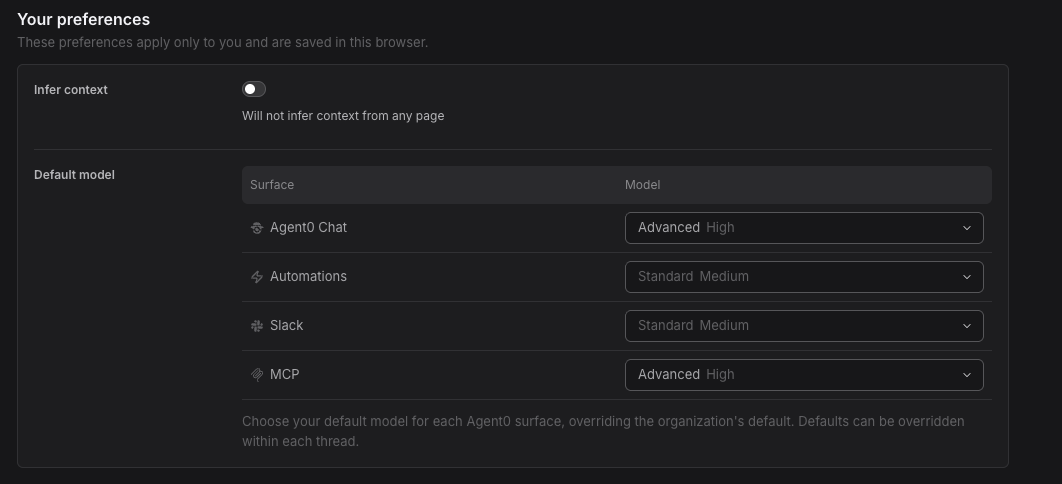
Leaving a row on Default follows the Dash0 default rather than pinning the value it currently resolves to, so a later change to that default reaches you. Every row can still be overridden within a thread or an automation. Slack answers link here from the change model link in their footer.
Higher levels and higher efforts consume more credits per turn. For what each level is for, what it costs, and how a level and an effort resolve against each other, see Model Selection.
Infer Context
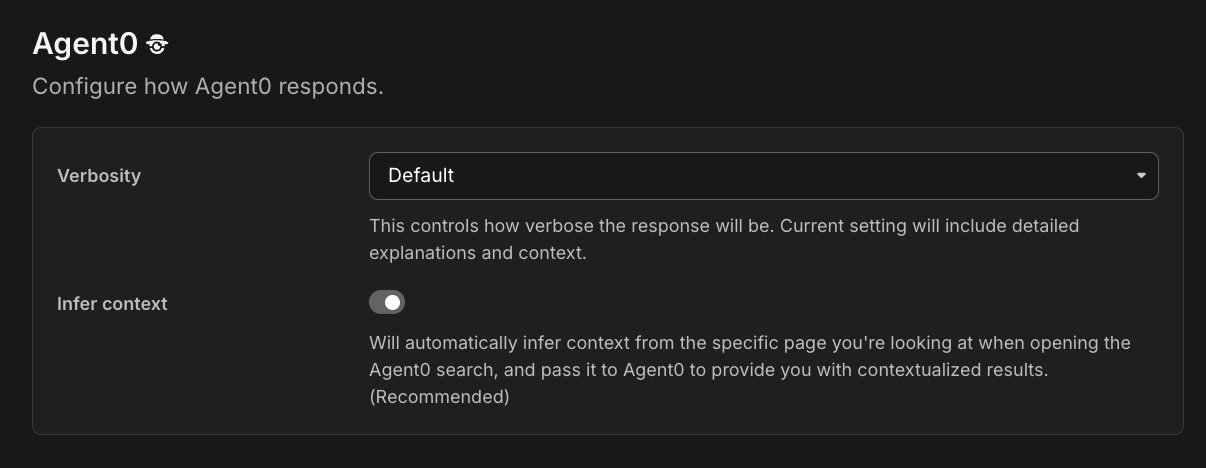
When enabled, Agent0 automatically infers context from the specific page you're looking at when opening the Agent0 search, and passes it to Agent0 to provide you with contextualized results. (Recommended)
This setting allows Agent0 to automatically gather relevant traces, metrics, and logs based on your current view, making its analysis more accurate and relevant to your investigation.
Write Action Approval
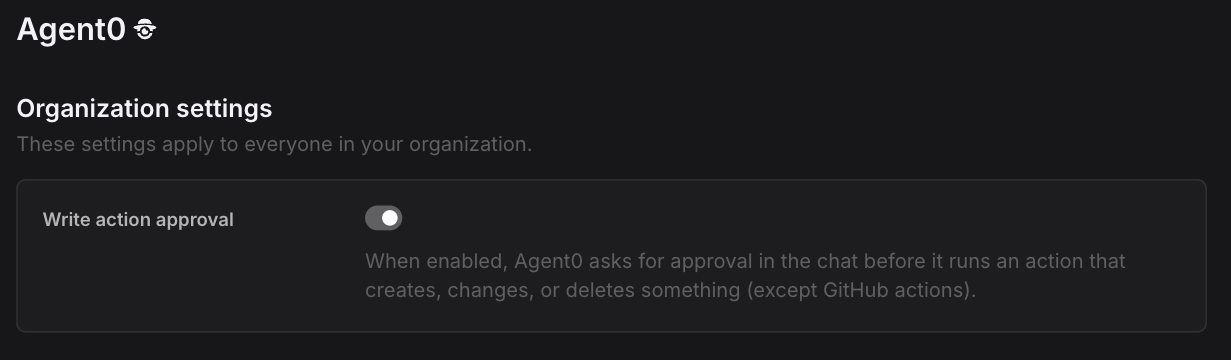
Controls whether Agent0 asks for your approval in Chat before it runs an action that creates, changes, or deletes something.
- Off (default): Agent0 runs write actions as part of answering your request.
- On: Agent0 stops at each write action, shows what it wants to do, and waits for someone to approve or deny it in the conversation.
The setting is admin-only, and it is disabled while Agent0 itself is off. GitHub actions are not covered by it.
For the approval card and what approving or denying does, see Approve Write Actions.
Agent0 via MCP
Controls whether Agent0 can be invoked through the Dash0 MCP Server, so an AI assistant such as Claude Code or Cursor can hand it a whole investigation instead of querying telemetry itself.
- On (default): assistants connected to the Dash0 MCP Server can delegate to Agent0. Each delegation consumes Agent0 credits.
- Off: the delegation tools (
runTask,waitForTask, and the thread inspection tools) are removed from the MCP Server for everyone in the organization. The read-only telemetry tools stay available and remain free.
This is the organization-wide way to guarantee that MCP usage does not consume Agent0 credits, and it applies no matter which client each person connects with. The setting is admin-only, and it is disabled while Agent0 itself is off.
For what delegation does, what it costs, and how an individual can disable it in just their own client, see Delegate to Agent0 via MCP.
This setting is about the Dash0 MCP Server, which exposes Dash0 to your AI assistant. It is unrelated to Settings → Integrations → MCP, which connects external MCP servers into Agent0 as connectors.
Further Reading
- Agent0 Overview — AI-powered observability assistant
- Model Selection — Model levels, reasoning effort, and what each costs
- Chat with Agent0 — Interactive investigation interface
- Agent0 Automations — Automated issue detection and response
- Approve Write Actions — Requiring approval before Agent0 changes anything
- Delegate to Agent0 via MCP — Handing investigations to Agent0 from an AI assistant, and what it costs