
Last updated: October 2, 2026
General
Configure general organization settings including display preferences, announcement banners, and organization management actions. Access general settings at Settings → General.
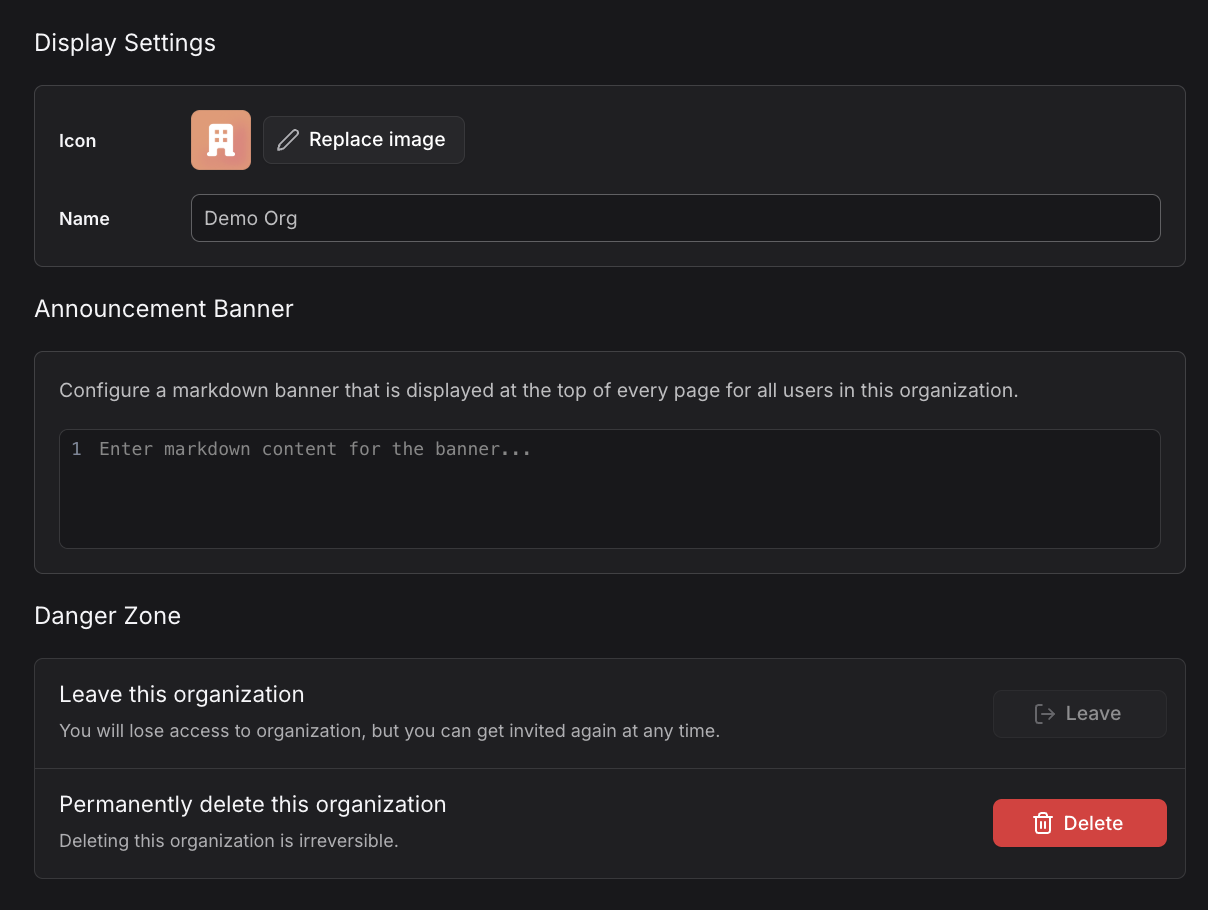
Display Settings
Configure how your organization appears in the Dash0 interface:
- Icon: Visual identifier for your organization (click "Replace image" to upload a custom icon)
- Name: The display name for your organization
Announcement Banner
Administrators can configure a markdown banner that is displayed at the top of every page for all users in the organization:
- Banner Content: Enter markdown content that will appear as an announcement
- Visibility: Toggle the banner on or off
The announcement banner supports markdown formatting, making it ideal for important announcements, maintenance notifications, or organization-wide messages.
Danger Zone
The Danger Zone contains irreversible organization management actions.
Leave This Organization
Remove yourself from the organization. You will lose access to organization resources immediately, but you can get invited again at any time.
- Available to all members
- Immediate effect
- Reversible only through admin re-invitation
Permanently Delete This Organization
Administrators can permanently delete the organization. Deleting the organization is irreversible and removes all data, configurations, and resources.
- Administrator only
- Cannot be undone
- Deletes all telemetry data, dashboards, alerting rules, and configurations
- Requires explicit confirmation
Deleting an organization is permanent and irreversible. All telemetry data, dashboards, alerting rules, and configurations will be permanently lost.
Permissions
- Display Settings: Organization administrators only
- Banner Settings: Organization administrators only
- Leave Organization: All members
- Delete Organization: Organization administrators only