
Last updated: September 25, 2026
Approve Write Actions
Agent0 can do more than read your telemetry — it can send a Slack message, create an automation, or call a write tool on one of your MCP servers. Write action approval puts you in front of those actions: Agent0 stops before it runs one, shows you exactly what it wants to do, and waits for you to approve or deny it.
This is a Chat feature. It covers the Agent0 page and the Integrated Experience side panel — the two places where Agent0 can show you a card and resume the conversation after you decide. To control what Agent0 may do in an automation, use its Allowed Tools guardrail instead.
Turn It On
Write action approval is an organization-wide setting, off by default. An organization admin enables it in Settings → Agent0 with the Write action approval switch.
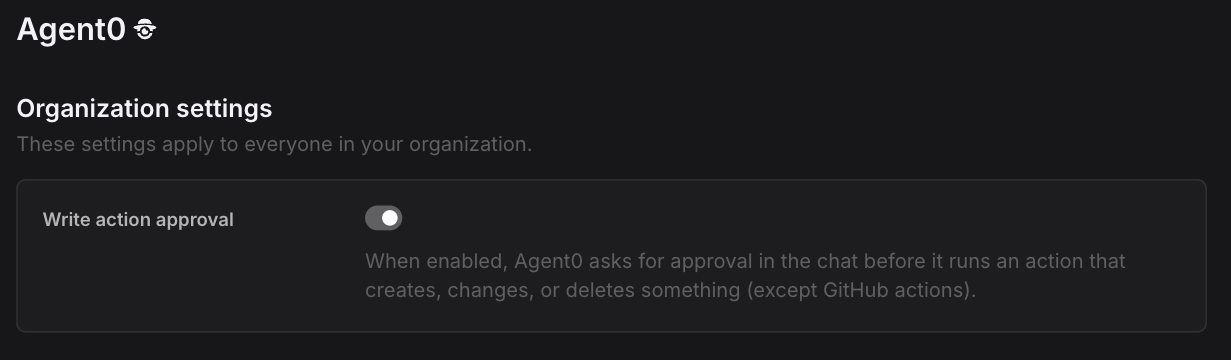
The switch applies to everyone in the organization, and turning it on or off is recorded in your audit log.
What Needs Approval
Any action that creates, changes, or deletes something — sending a Slack message, creating or updating an automation, or a write tool on a connected MCP server.
Reading your telemetry never asks for approval, so investigations, queries, and analysis are unaffected. GitHub and git actions are not covered by this setting; they are governed by the permissions of the GitHub connector itself.
Approve or Deny
When Agent0 reaches an action that needs approval, it stops there and shows a card in the conversation:
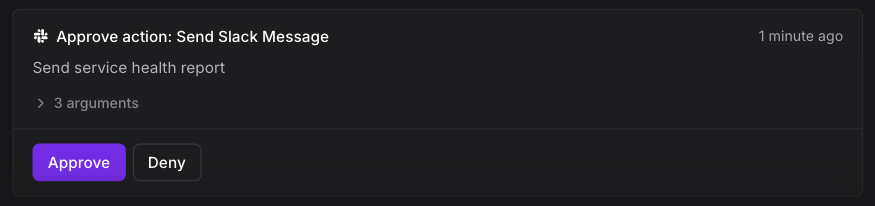
The card names the action, gives Agent0's reason for wanting to run it, and lets you expand the arguments it would run with — the exact values, before anything happens.
- Approve runs precisely the call shown on the card, then Agent0 continues from its result.
- Deny tells Agent0 the call was rejected. It carries on with the rest of your request without it.
If Agent0 wants to run several actions, you get a card for each one. Nothing runs until you have decided all of them, and then the conversation continues in one go.
The Conversation Waits for You
An approval is not a prompt you have to answer immediately. The conversation pauses where it is, so you can close the tab, check with a colleague, and come back to approve or deny later.
Each approval can be used once. Approving an action runs it exactly one time — a reloaded page or a repeated click cannot run it again.
What Gets Recorded
Chat Details logs the full lifecycle of every approval as part of the conversation's activity:
- Requested approval: {action} — where Agent0 stopped
- Action approved: {action} or Action rejected: {action} — what you decided
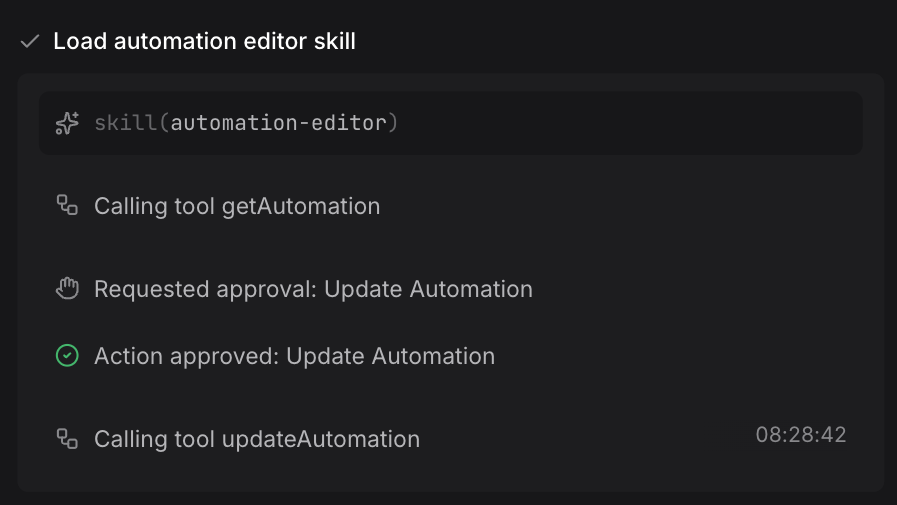
Dash0 also stores who approved or denied each action and when, so an approved write action always traces back to a person.
Further Reading
- About Chat — Overview of Agent0 Chat
- Tool Call Status — What each tool call status means
- Use External Tools — Set up connectors and MCP servers
- Set Guardrails — Restrict what an automation's Agent0 can do
- Key Concepts — Reference terminology and mental model