Last updated:
OAuth 2.0
Dash0 supports OAuth 2.0 to let third-party applications act on behalf of a user without requiring that user to share their credentials. This enables integrations, command-line tools, and other clients to authenticate against the Dash0 API using short-lived access tokens granted through a standard authorization flow.
Dynamic client registration is supported, so applications can register themselves programmatically without manual onboarding. The full specification, including the authorization server metadata, supported grant types, and available scopes, is documented in the Dash0 API reference.
How OAuth 2.0 Access Works
When a user authorizes an OAuth 2.0 client, Dash0 issues an access token that the client can use to call the Dash0 API. Tokens are scoped and subject to the following rules:
- User-scoped permissions: An access token grants the client the same permissions the authorizing user has, limited to what the user consented to at authorization time. A client cannot exceed the user's own access.
- Organization-scoped tokens: Each access token is bound to a single Dash0 organization. A client that needs to act across multiple organizations must obtain a separate token for each one.
- Dynamic client registration: Applications can self-register through the standard OAuth 2.0 Dynamic Client Registration protocol. See the API reference for endpoint details.
Audit Logging
Every use of an OAuth 2.0 client is recorded in the organization's audit logs. Organization administrators can see which users authorized which clients and which actions those clients performed on the user's behalf. This makes it possible to review third-party access alongside all other organization activity.
Where OAuth 2.0 Is Already Supported
The following Dash0 tools and integrations use OAuth 2.0 to authenticate on behalf of users:
- AI Tool Integrations: Dash0's AI tool integrations use OAuth 2.0 to authenticate, allowing AI assistants to access your observability data with your delegated permissions.
- Dash0 CLI: The CLI authenticates via OAuth 2.0 with PKCE using a browser-based login flow (
dash0 login), allowing command-line operations with your delegated permissions. Static auth tokens remain available for automation workflows. - Terraform Provider: The provider authenticates via OAuth 2.0 when loading credentials from a Dash0 CLI profile configured with OAuth, allowing infrastructure-as-code workflows with your delegated permissions. Static auth tokens remain available for CI/CD and automation.
Managing Authorized Applications
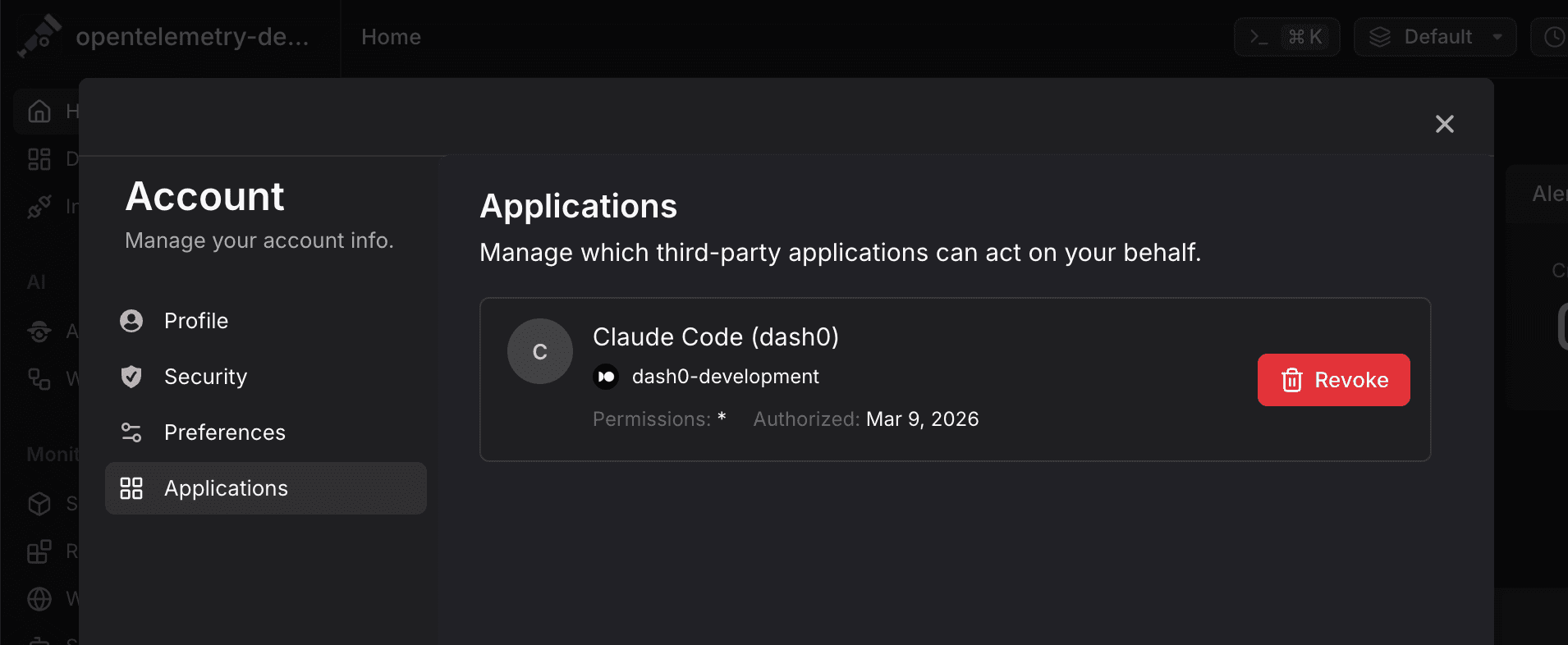
Users can review and revoke any OAuth 2.0 application they have previously authorized. Navigate to User Settings → Applications to see the list of authorized clients and revoke access for any application that is no longer needed. Revoking an application invalidates its existing access tokens immediately.