
Last updated: October 11, 2026
About Creating Check Rules
Check rules continuously evaluate PromQL expressions against your telemetry data and trigger alerts when values cross defined thresholds. By monitoring metrics, logs, spans, and web events check rules detect performance degradations, error spikes, and service outages before they impact users.
Creating check rules requires Admin privileges or a Maintainer role in the dataset. See About Alert Monitoring for details on access restrictions.
Dash0 provides you with various ways to create and manage check rules, listed below. Choose the method that fits your workflow best.
Generate with Agent0
Agent0 can automatically generate check rules based on natural language descriptions of what you want to monitor. Simply describe what you want to alert on, and Agent0 creates the query, sets thresholds, and configures notifications.
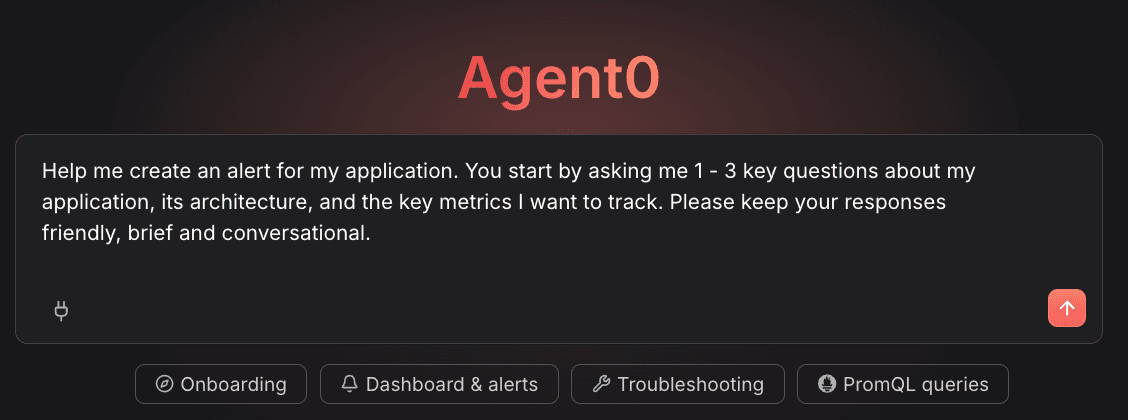
See Generate Check Rules with Agent0 for details.
Create from Charts
Create check rules directly from any chart or timeline in Dash0. This automatically captures the query and filters from the visualization, making it faster to set up monitoring for metrics you're already viewing.
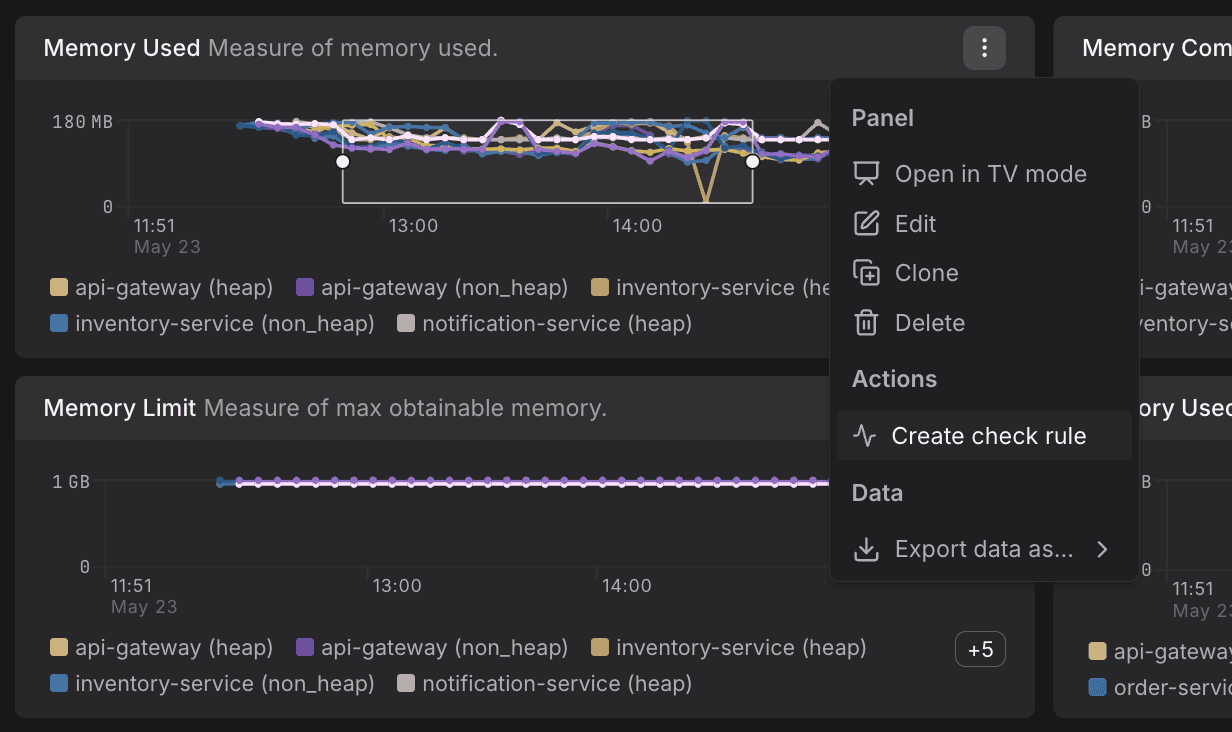
See Create Check Rules from Charts for step-by-step instructions.
Create from Scratch
Build check rules from the ground up with full control over every configuration setting, including query building, threshold configuration, evaluation settings, and notifications.
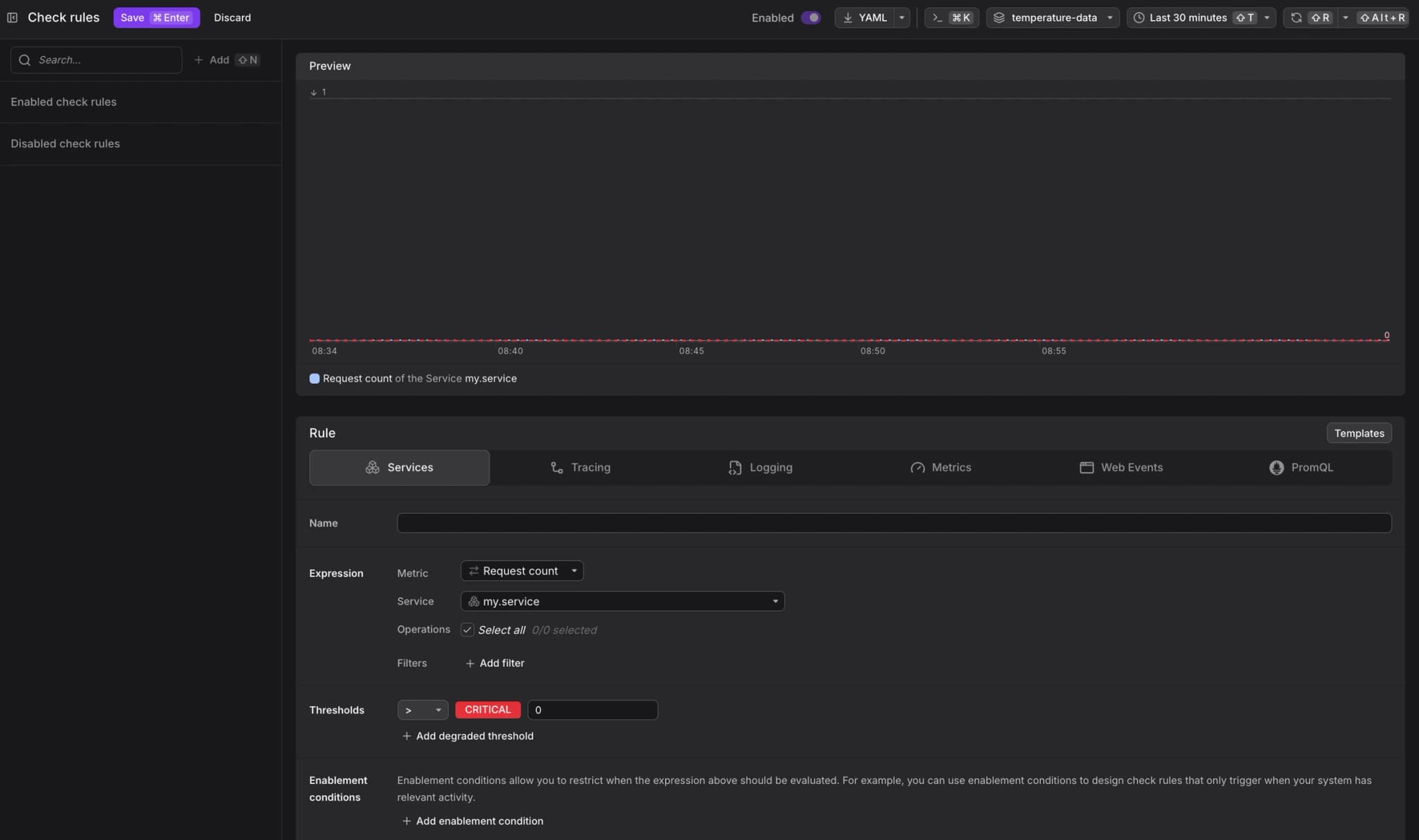
See Create Check Rules from Scratch for a complete step-by-step guide.
Manage Check Rules as Code
Instead of creating check rules interactively, you can manage them as infrastructure as code using:
- Dash0 Operator for Kubernetes - Define check rules as PrometheusRule custom resources.
- Dash0 Terraform Provider - Manage check rules in Terraform configurations.
- Dash0 CLI - Script check rule operations for automation.
See About Managing as Code for details.
Further Reading
- Create Check Rules from Scratch — Complete step-by-step guide
- Generate Check Rules with Agent0 — Use AI to generate check rules from natural language
- Investigate Failed Checks — Troubleshoot failed checks
- Optimize Alert Messages with Templates — Template variables and functions
- Route Check Rule Notifications — Configure notification routing
- Alerting on SLOs — Build burn-rate check rules against SLO metrics