
Last updated: July 28, 2026
Bind a Variable to a Query
Once a variable is defined on a dashboard, each panel decides whether to reference it. Binding a variable to a query is what makes the variable's selection actually flow into that query.
How you bind — and how much control you have over the operator applied to the value — depends on the panel's query mode. Every variable type has a Query Builder mode and a PromQL mode below.
Bind a Filter Variable
Filter variables offer the same expressive power in both modes: the operator and matching values both come from the user's runtime selection.
In a Visual Query Builder Panel
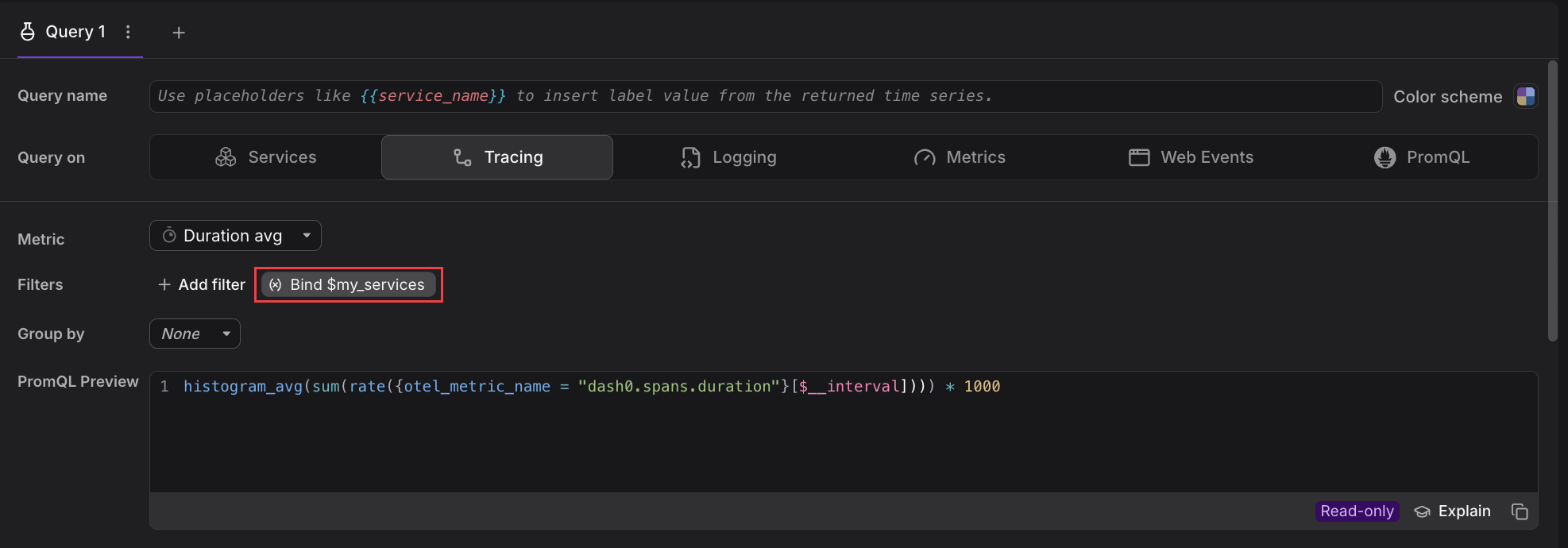
In the query editor, a matching filter variable appears in the Filters row as a Bind $variable_name button. The variable is available but not yet applied, so the PromQL preview does not reference it.
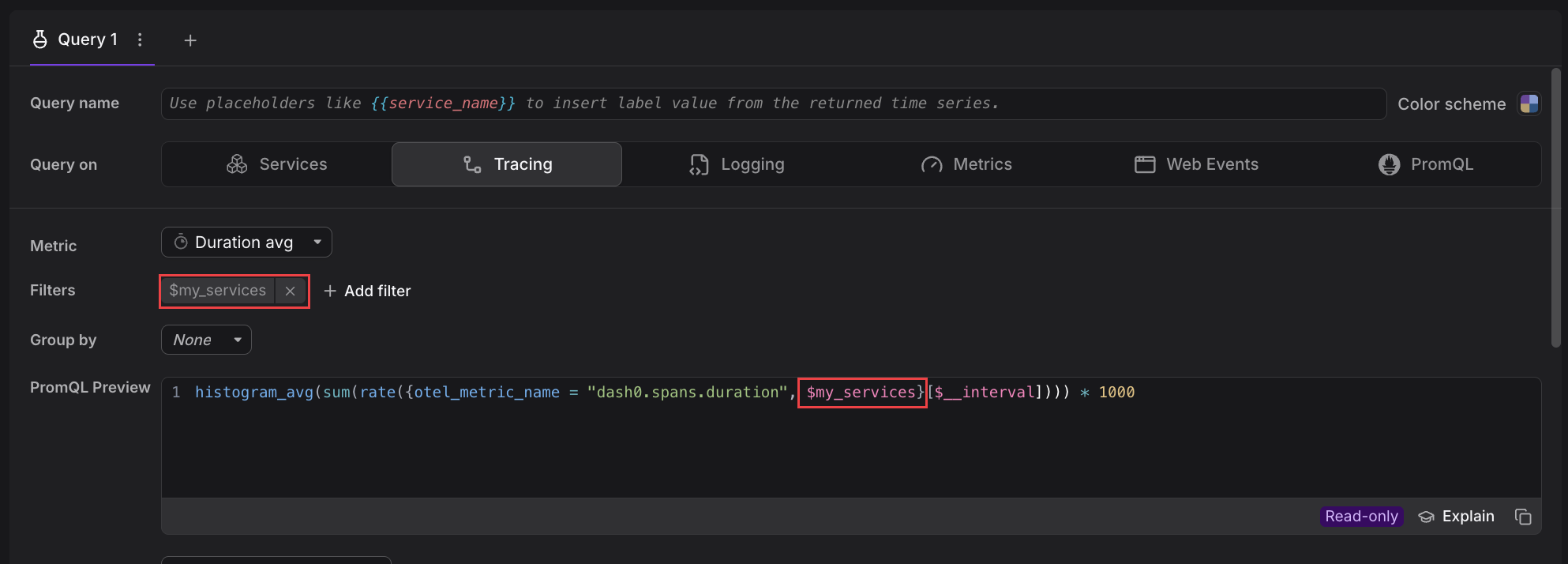
Click the button to bind the variable. It then shows as an active filter chip in the Filters row, and the $variable_name reference is interpolated into the PromQL Preview.
The Services panel's form promotes a few attributes to their own sections instead of the generic Filters row. When you bind a filter variable that targets one of those attributes, the Bind $variable_name button appears in the matching section:
- Filter variables on
service.nameorservice.namespaceare bound in the Service section. - Filter variables on
dash0.operation.nameare bound in the Operations section.
Filter variables on any other attribute still appear in the Filters row, as usual.
In a PromQL Query
Reference the variable directly by placing $variable_name inside the label matcher. It interpolates to the entire matcher — both operator and values come from the selection:
1{otel_metric_name="dash0.spans", $service_name}
Place $variable_name on its own inside the braces rather than wrapping it in a matcher of your own. A filter variable already carries the attribute key, operator, and values, so writing something like:
12# BAD — filter variables interpolate the whole matcher, not just the value{otel_metric_name="dash0.spans", service_name="$my_services"}
is the most common mistake in PromQL — the interpolation collides with the surrounding matcher and the query either fails to parse or silently returns nothing. That value-only style is what a list variable is for.
Bind a List Variable
Unlike a filter variable, a list variable is not pinned to an attribute at definition time. The attribute the variable filters on is chosen at bind time, in the panel.
In a Visual Query Builder Panel
A matching list variable appears in the Filters row as a Bind $variable_name button. Click it and pick the attribute key you want the variable's values to filter on. Once bound, the variable shows as a filter chip on that attribute, and the Query Builder writes the label matcher for you and always uses =~. Single-value selections still work, because =~"a" matches the same series as ="a".
In a PromQL Query
Type $variable_name in the label matcher yourself, choosing both the attribute key and the operator. The operator you write must match the selection method:
- Single-select: use an equality operator (
=), for examplemy_label="$variable_name". - Multi-select: use a regex-match operator (
=~), for examplemy_label=~"$variable_name". The values are interpolated as a regex alternation likea|b|c, which does not match with=.
For a list variable $env bound to service_namespace, a full single-select query looks like:
1{otel_metric_name="dash0.spans", service_namespace="$env"}
At runtime, if the user picks staging, this becomes:
1{otel_metric_name="dash0.spans", service_namespace="staging"}
A multi-select query on the same variable uses =~:
1{otel_metric_name="dash0.spans", service_namespace=~"$env"}
If the user picks both staging and production, the query becomes:
1{otel_metric_name="dash0.spans", service_namespace=~"staging|production"}
Choosing the wrong operator is a common cause of queries that silently return no data.
Bind a Text Variable
Like a list variable, a text variable is not pinned to an attribute at definition time. You choose the attribute the value applies to when you bind it in the panel.
In a Visual Query Builder Panel
A matching text variable appears in the Filters row as a Bind $variable_name button. Click it and pick the attribute key the typed value should be matched against. The Query Builder writes the matcher for you and always uses = — the typed value is matched literally, so any regex metacharacters the user types are treated as part of the value. A user who types checkout|payments expecting either service will match nothing, because no series has a literal service.name of checkout|payments.
In a PromQL Query
Type $variable_name where you want the value to appear, and pick the attribute key and operator yourself. Both operators work, and they change how the value is interpreted:
=(literal match): the value is matched as-is. Safer default when users are meant to type a plain string such ascheckoutor/api/v1.=~(regex match): the value is a Prometheus regex. Powerful (a user can typecheckout|paymentsto match either service), but any regex metacharacter (.,*,?,|,(,),[,],\) is treated as regex syntax — a user who types1.2.3expecting a literal match will also match1x2y3.
For a text variable $version bound to app_version, a literal-match query looks like:
1{otel_metric_name="dash0.spans", app_version="$version"}
If the user types 1.2.3, this becomes:
1{otel_metric_name="dash0.spans", app_version="1.2.3"}
which matches only the exact string 1.2.3. Switching to =~ changes the semantics:
1{otel_metric_name="dash0.spans", app_version=~"$version"}
Now the same input becomes:
1{otel_metric_name="dash0.spans", app_version=~"1.2.3"}
which also matches 1x2y3, 1a2b3, and any other three-character-separator variant, because . is a regex metacharacter meaning "any character."
When you bind a text variable with =~, signal in the variable's display name or default value that regex syntax applies, or default to = so plain input works as users expect.
Further Reading
- About Adding Variables — Understand the variable types and when to use each
- Build Queries — Write the PromQL that references your variables
- Use Filter Variables — Create attribute-based filters with automatic dependencies
- Use List Variables — Offer a fixed or query-driven list of selectable values
- Use Text Variables — Reuse a single text value across panels