
Last updated: October 1, 2026
Use Automations and Integrations
Agent0 extends beyond interactive chat to enable automated workflows, intelligent log parsing, and integration with external AI tools. These capabilities work together to reduce manual work, surface insights from unstructured data, and connect your observability data to the tools you already use.
Automate Workflows with Automations
Automations are event-driven AI workflows that trigger in response to external events such as Slack messages, GitHub pull requests, failed checks, or scheduled times. When an event matches an automation's triggers, Agent0 analyzes context, queries your Dash0 data, and takes appropriate actions based on your instructions.
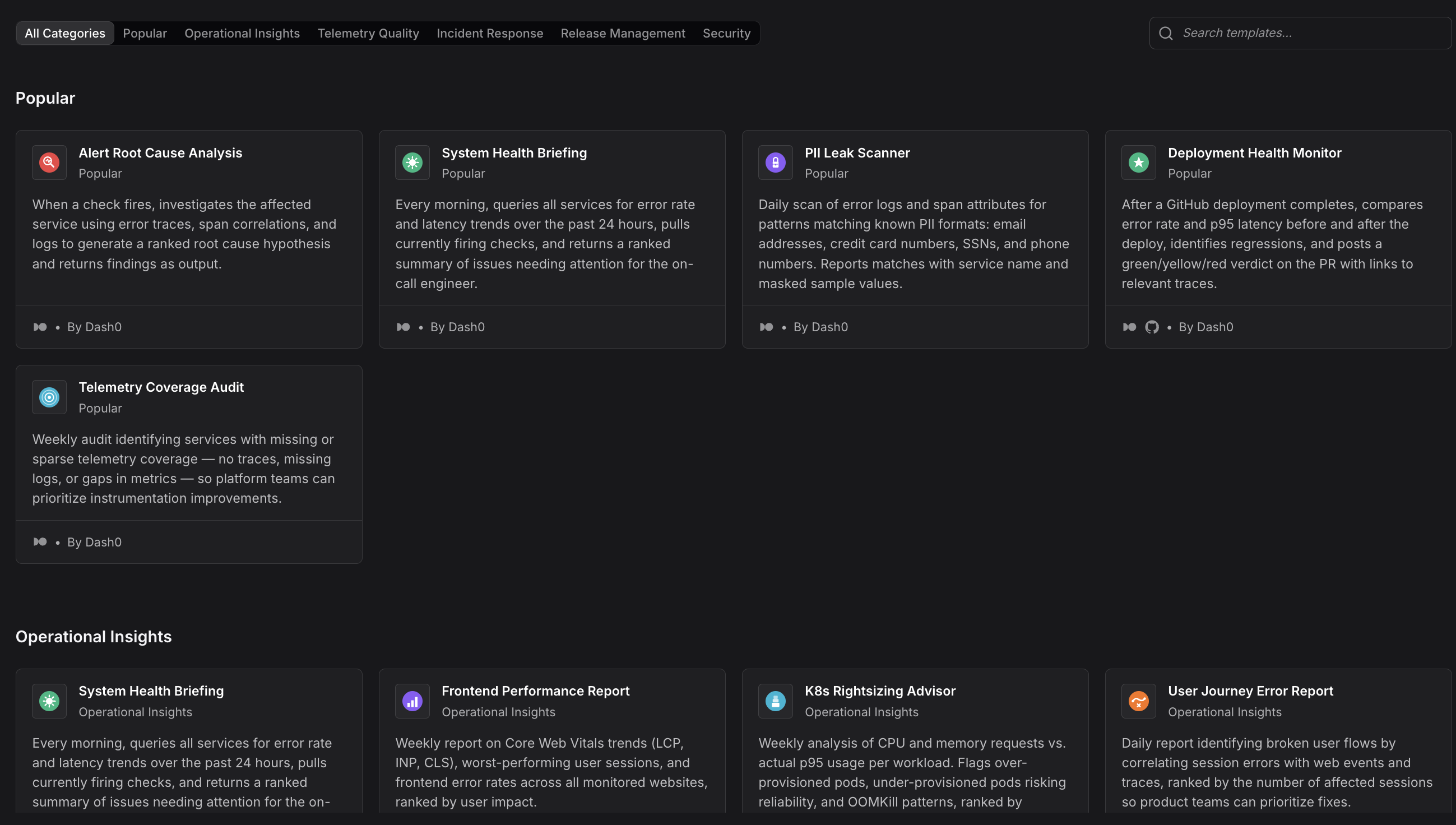
Common use cases include:
- Incident triage: Automatically investigate failed checks by querying metrics, logs, and traces, then post findings to Slack.
- PR review assistance: Analyze pull requests for potential performance issues by checking service dependencies and historical metrics.
- Scheduled reporting: Generate daily or weekly summaries of service health, error rates, and performance trends.
- SLO monitoring: Track SLO compliance and alert stakeholders when thresholds are approaching.
- Slack-driven queries: Let team members ask questions about system behavior directly in Slack, with Agent0 responding with data from Dash0.
Automations combine triggers, prompts, guardrails, and concurrency controls to ensure safe, reliable execution. Start with pre-built templates or create custom workflows from scratch.
See About Automations for detailed documentation and setup instructions.
Manage Unstructured Logs with Log AI
Log AI automatically infers severity and extracts structured attributes from unstructured log messages without requiring regular expressions or configuration. It solves two key problems: missing severity fields and embedded data trapped in free-text messages.
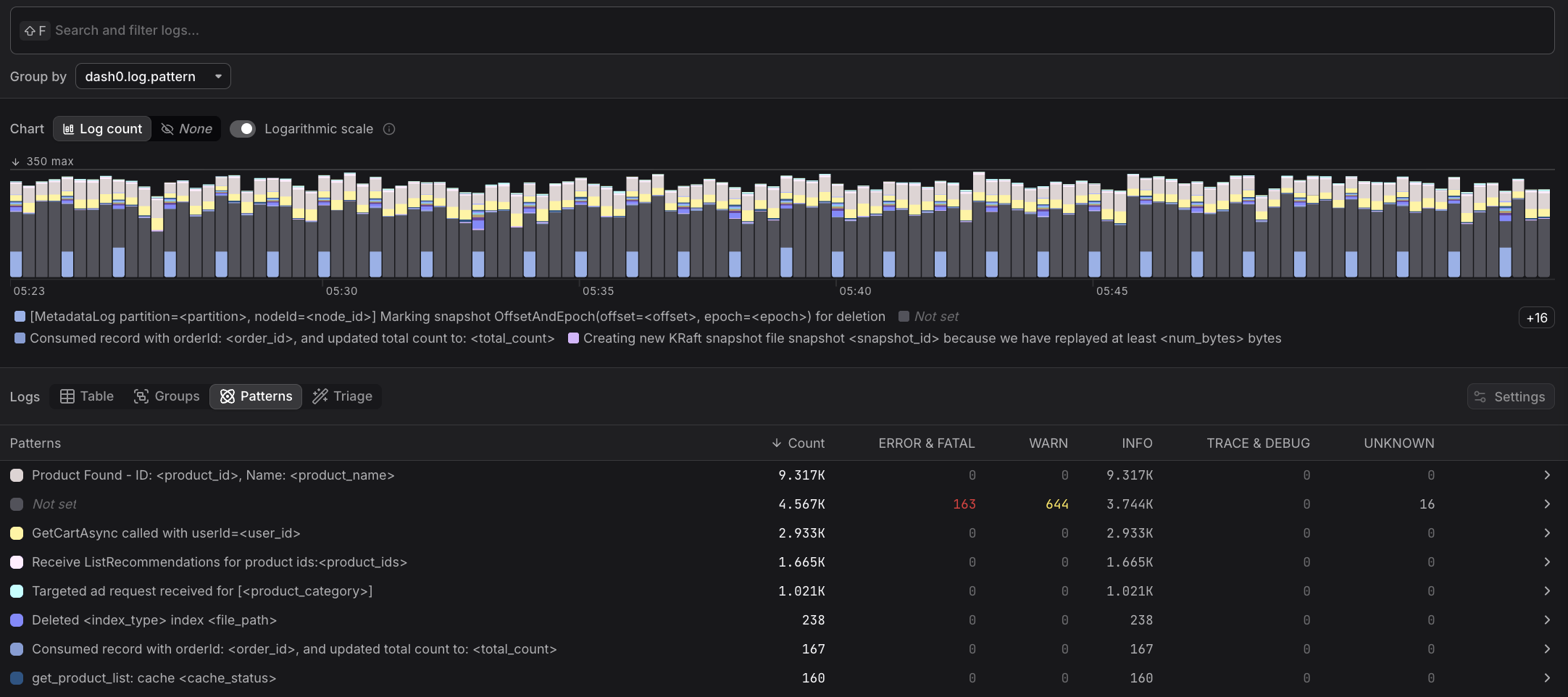
Log AI provides:
- Severity inference: Analyzes log content to classify records as error, warning, info, or other severities when the original log doesn't include severity information.
- Log pattern mining: Identifies recurring patterns in log messages and extracts dynamic segments as named attributes, such as
product_idoruser_namerather than generic labels. - Zero configuration: Log AI runs automatically on all ingested logs. No setup, no regular expressions, no maintenance.
Once Log AI extracts attributes, they become available for filtering, grouping, and analysis in the Log Explorer's Patterns tab.
See About Log AI for how severity inference and log pattern mining work together.
Connect External AI Tools
Dash0 integrates with external AI tools like Claude Code, Claude Desktop, Cursor, and other AI assistants, allowing you to query Dash0's observability data directly from your coding environment.
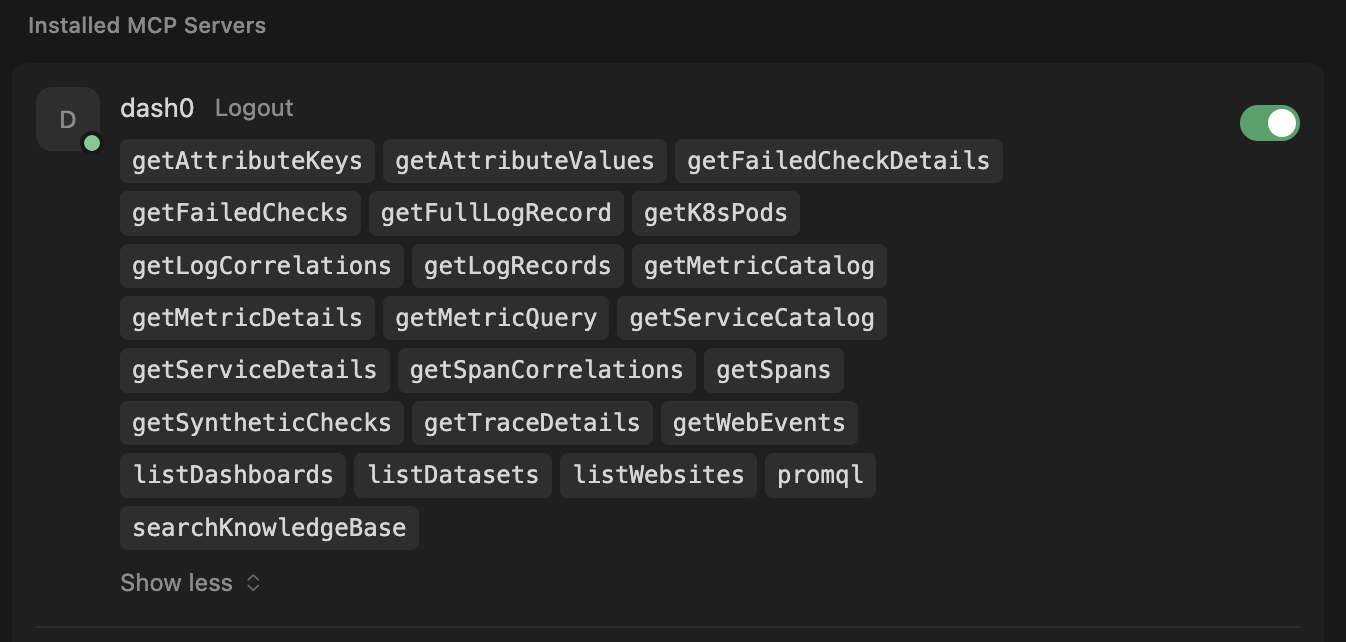
Once connected, your AI tool gains access to Dash0 tools that can:
- Troubleshoot issues: Pull error rates, latency data, or service health directly from Dash0 to diagnose problems in context.
- Retrieve statistics: Request summaries of service availability, request volumes, or error distributions without switching to Dash0.
- Inform implementation: Query Dash0 for service dependencies, existing endpoints, or performance baselines when building new features.
- List resources: Show all services, metrics, or other resources available in Dash0 with structured responses.
Your AI tool can also hand a whole investigation to Agent0 instead of assembling these queries itself, using the runTask tool. See Delegate to Agent0 via MCP for when this is worth the credits and how to turn it off.
These are integrations that let you query Dash0 from external AI tools. For information about connecting Agent0 to external MCP servers (Confluence, Sentry, PagerDuty, etc.), see Using External Tools.
See Use AI in Dash0 for setup instructions and available integrations.
Further Reading
- About Automations — Event-driven AI workflows for observability and incident response
- Create Automations — Detailed creation methods for automations
- Use AI in Dash0 — Connect external AI tools to Dash0 observability data
- Integrations — All available Dash0 integrations
- Use External Tools — Set up tools and connectors