
Last updated:
About AI SDLC Insights
AI SDLC Insights helps engineering organizations understand the adoption, impact, and cost of AI coding agents. It captures coding harness activity as OpenTelemetry spans, joins it to your pull requests, and shows both on one page.
Most engineering organizations can say what they spend on coding agents. Fewer can say what that spend buys. Do AI-assisted pull requests merge faster than the rest, or do they pile up waiting for review? Which teams and repositories have picked the agents up, and which tools, MCP servers, and skills do those agents lean on? The answers sit between agent telemetry and your pull requests, and they are hard to read together.
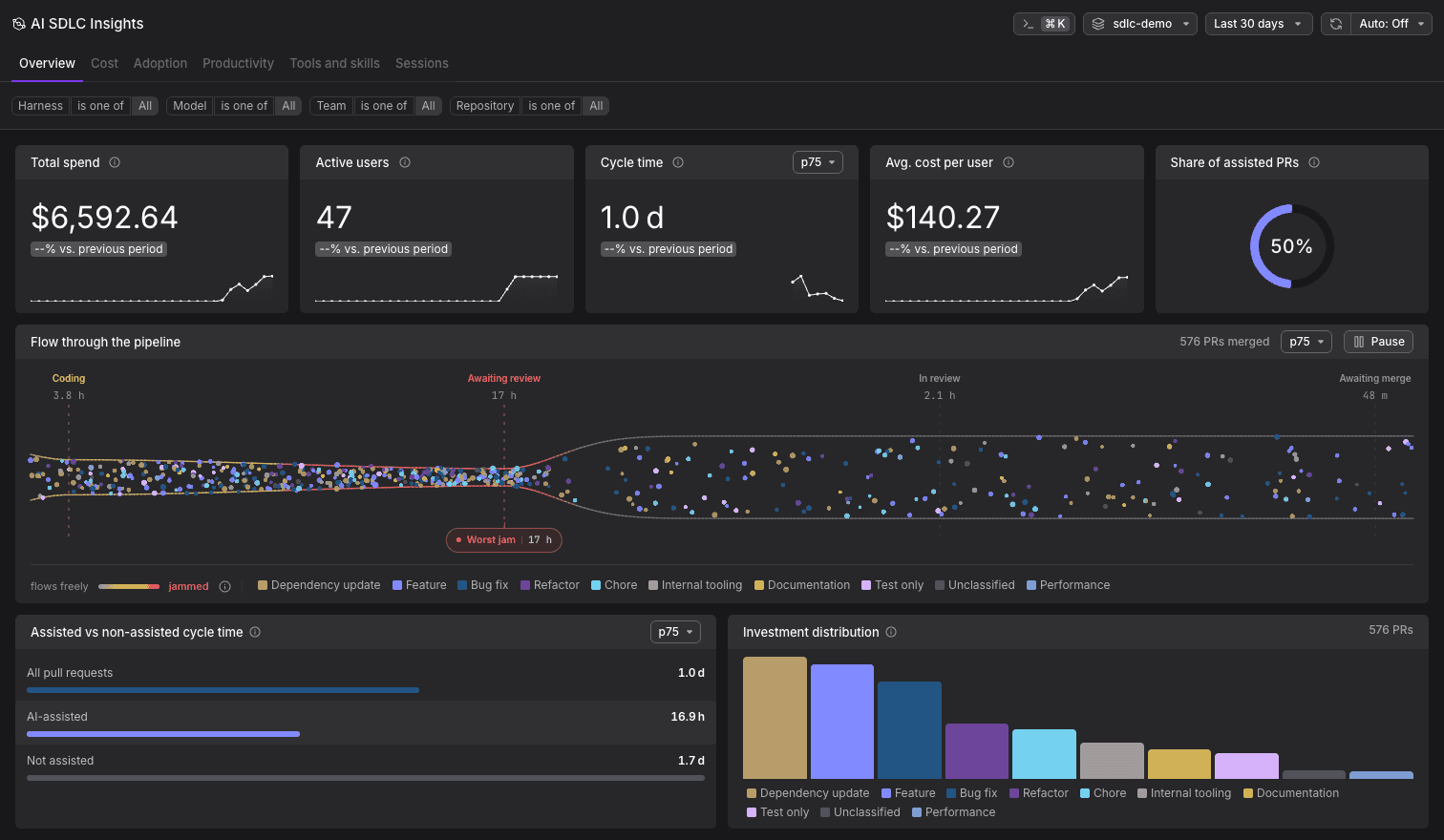
AI SDLC Insights is the successor to AI Coding Insights. Links into AI Coding Insights redirect to the new page.
Why Measure AI Coding Activity
Most organizations track AI coding spend but lack visibility into whether that investment translates to faster delivery. Cost metrics alone do not tell the full story. A model that requires more interactions but costs less per token may be more cost-effective than a premium model.
To understand the real impact, you need to trace the workflow from the initial prompt to the merged pull request, and to compare the pull requests an agent assisted against the ones it did not.
What You Can Measure
Six tabs, sharing one Harness / Model / Team / Repository filter bar:
- Read the Overview: Headline spend, adoption, and cycle time, plus where merged pull requests jam between coding and merge.
- Track Cost: Spend by harness, model, effort, team, and repository, and what a merged assisted pull request costs.
- Track Adoption: Who uses AI coding, how habitually, and how deeply.
- Measure Productivity: Pull request throughput, time to merge, review depth, and where the work goes.
- Analyze Tools and Skills: Which skills spread or fade, and how reliable your MCP servers are.
- Explore Sessions: Individual sessions with prompts, tool calls, and full conversation history.
How Collection Works
AI SDLC Insights uses the open-source Dash0 agent plugin to capture telemetry:
- Harnesses: The plugin supports Claude Code, Cursor, OpenAI Codex, GitHub Copilot CLI, the GitHub Copilot app, and OpenCode. See the Integration Hub for each one's setup.
- Spans: Each interaction generates a chat span with token usage, along with child spans for tool executions. All spans follow OpenTelemetry GenAI semantic conventions.
- Transport: Spans are sent to Dash0 via OTLP over HTTPS.
Because the plugin uses OpenTelemetry standards, every harness appears as the same signal type in Dash0 and is comparable on the same terms. Prompts and tool outputs can be filtered at the source for privacy. Token counts, model names, durations, and tool names are always captured.
What Data Is Required?
Different combinations unlock different insights:
| Data source | Cost | Adoption | Tools and skills | Sessions | Pull request metrics |
|---|---|---|---|---|---|
| Harness telemetry only | ✓ | ✓ | ✗ | ✗ Basic metrics only | ✗ |
| Telemetry + Dash0 agent plugin | ✓ | ✓ | ✓ | ✓ Full conversation replay | ✗ |
| Telemetry + plugin + GitHub integration | ✓ | ✓ | ✓ | ✓ | ✓ |
The plugin is recommended because it captures the complete set of attributes the tabs rely on.
Pull request metrics are every number that counts, times, or classifies a pull request. They fill the whole Productivity tab and parts of the Overview, Cost, and Adoption tabs, and they stay empty until the GitHub integration connects sessions to pull requests. See What Requires the GitHub Integration for the full list.
Getting Started
- Follow Set Up AI SDLC Insights to connect a coding harness and GitHub to Dash0.
- Read Key Concepts to understand how sessions, pull requests, and teams map onto the data.
- Start on the Overview, then go deeper on the tab that answers your question.
Further Reading
- Read the Overview: Headline numbers and where pull requests jam.
- Key Concepts: How sessions, pull requests, and teams map onto the data.
- Measure Productivity: Throughput, time to merge, and review depth.
- Set Up AI SDLC Insights: Connect a coding harness and GitHub to Dash0.
- Track Cost: Spend by harness, model, effort, team, and repository.