
Last updated:
Use Query Templates
Start with pre-built SQL query templates for common analysis patterns.
Dash0 SQL includes a library of built-in query templates organized by signal type. Each template is a ready-to-run query covering a common observability task.
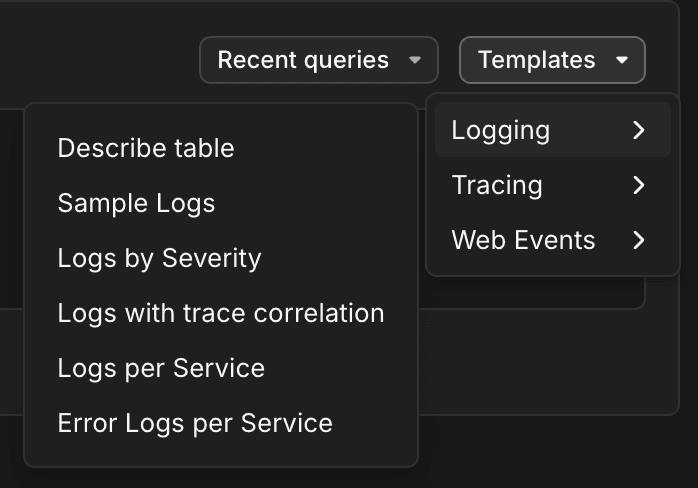
Templates are grouped into three categories, each accessible from the Templates dropdown:
| Category | Example templates |
|---|---|
| Logging | Sample Logs, Logs by Severity, Logs with trace correlation, Logs per Service, Error Logs per Service |
| Tracing | Available via the Tracing sub-menu |
| Web Events | Available via the Web Events sub-menu |
A Describe table template is also available at the top level for schema discovery.
Load and Run a Template
- Click Templates in the top-right of the editor panel.
- Select a category, then choose a template.
- The template loads into the editor.
- Click Execute to run it as-is, or edit it before running.
Templates are read-only. Any edits you make apply only to your local copy in the editor.
Further Reading
- Write SQL Queries: the editor, time window behavior, and keyboard shortcuts.
- Use Supported Functions: explore the available functionality for querying SQL in Dash0.
- Manage Saved Queries: recent query history and saved views.
- Explore Your Schema: discover available tables, columns, and supported functions.
- Troubleshoot SQL Queries: common issues and fixes.