
Last updated:
About Querying Data with SQL
Query telemetry data using SQL with support for logs, spans, and web events.
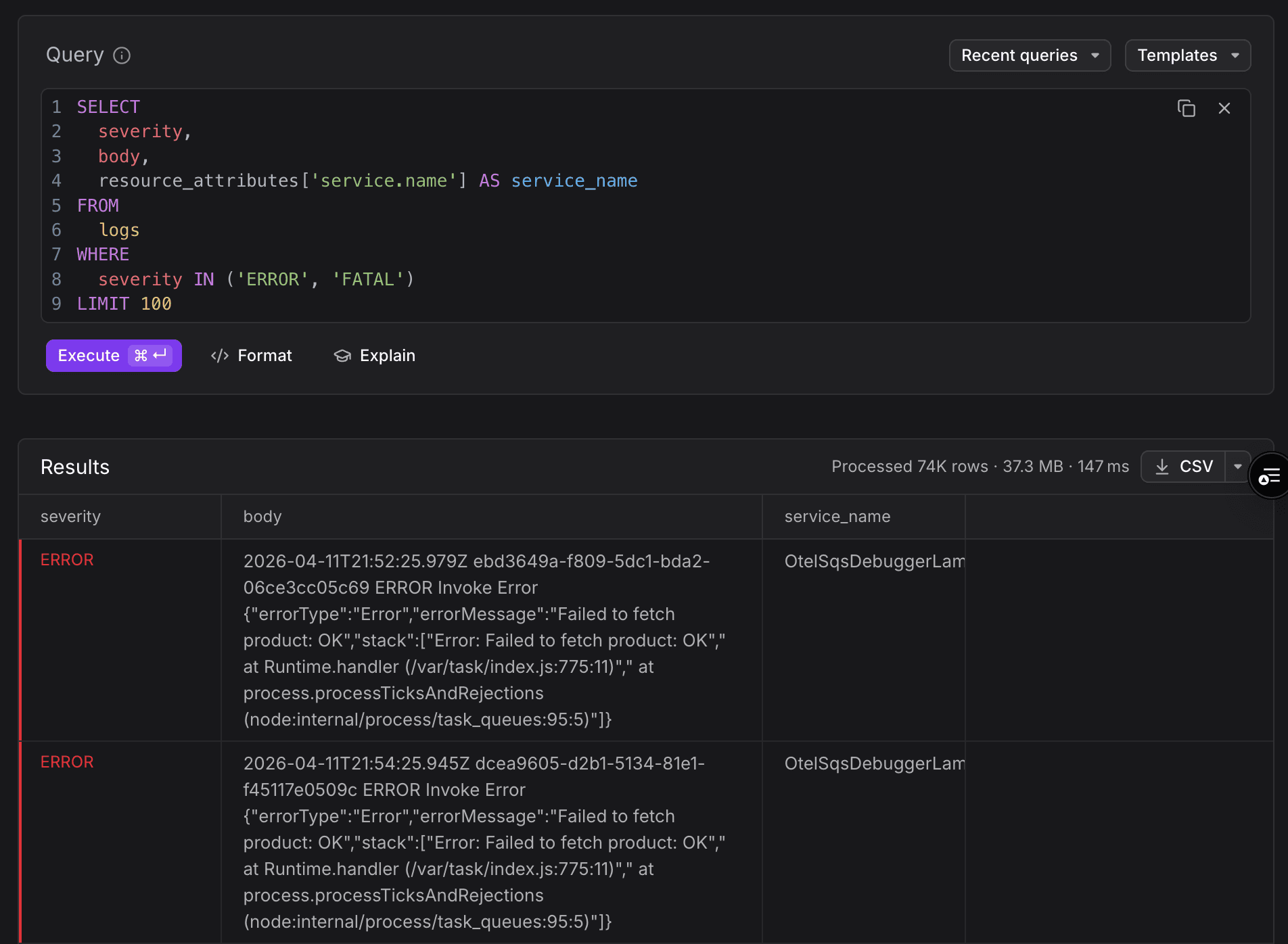
Dash0 SQL is a full-featured SQL editor for querying your observability data directly (logs, spans, and web events) using standard SQL syntax.
When to Use Dash0 SQL
Dash0 SQL is the right tool when the visual Query Builder cannot express what you need:
- Cross-signal joins. For example, you can find all root spans that trigger a correlated downstream log by joining two queries on the trace ID, then grouping by service name to count requests.
- Complex filtering and grouping. Multi-condition
WHEREclauses,HAVINGfilters, and arbitraryGROUP BYcombinations. - Ad-hoc exploration. Run one-off queries to investigate an incident or validate a hypothesis.
- Schema discovery. Use
SHOW TABLESandDESCRIBEto understand the data that is available before you write a query.
For time-series work, use the Query Builder instead.
Understand Key Concepts
- Query. A SQL
SELECTstatement executed against a Dash0 signal table such aslogs,spans, orweb_events. - Table. A queryable data source representing a single signal type. Use
SHOW TABLESto list all available tables in your environment. - Time window. The time range selected in the time picker, automatically applied to every query as an implicit filter. You do not need to add a timestamp condition manually.
- Template. A built-in, ready-to-run query covering a common observability task. Templates are read-only and organized by signal type (Logging, Tracing, Web Events).
- Recent query. A query automatically saved to your browser's local storage each time you execute. Dash0 SQL retains your last 20 queries.
- Saved view. A named query stored in Dash0 and persisted server-side. Saved views survive browser clears, work across devices, and can be shared with teammates in your organization.
Further Reading
- Write SQL Queries: the editor, time window behavior, and keyboard shortcuts.
- Use Supported Functions: explore the available functionality for querying SQL in Dash0.
- Use Query Templates: browse and run built-in templates by signal type.
- Manage Saved Queries: recent query history and saved views.
- Explore Your Schema: discover available tables, columns, and supported functions.
- Troubleshoot SQL Queries: common issues and fixes.