
Last updated: October 11, 2026
Export Synthetic Checks
Build synthetic checks visually in Dash0, then export them as YAML for version control and deployment.
Once you have created synthetic checks as defined in About Creating Synthetic Checks, do the following:
-
Click Alerting in the left navigation menu and select Checks from the submenu or click Check Rules here to go directly to the Check Rules list.
-
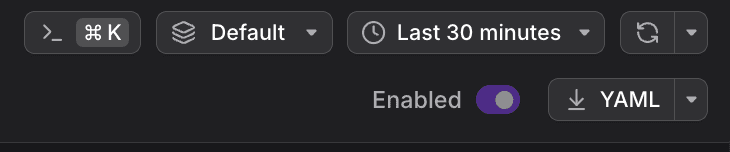
Select a check rule and click YAML in the navigation bar at the top.
Export Format
The exported YAML follows the Dash0SyntheticCheck format:
yaml
123456789101112131415161718192021222324kind: Dash0SyntheticCheckmetadata:name: api-healthspec:enabled: truedisplay:name: API Health Checkplugin:kind: httpspec:request:method: geturl: https://api.example.com/healthassertions:criticalAssertions:- kind: status_codespec:value: "200"operator: isschedule:interval: 5mlocations:- us-eaststrategy: all_locations
Further Reading
- Create Synthetic Checks — Create and configure synthetic checks in Dash0.
- Manage Synthetic Checks as Code — Deploy synthetic checks usingthe the Dash0 Operator for Kubernetes, the Dash0 Terraform Provider, or the Dash0 CLI.
- About Synthetic Monitoring — Overview of Dash0's synthetic monitoring capabilities.