
Last updated:
About Creating Synthetic Checks
Synthetic checks allow you to define HTTP requests that are executed periodically from multiple locations to monitor uptime, availability, and performance of your APIs and websites.
Together with the instructions in this section, you can manage synthetic checks as code using the Dash0 Operator for Kubernetes, the Dash0 Terraform Provider, or the Dash0 CLI. This enables version control, workflows, and consistent configuration across environments. See Manage Synthetic Checks as Code for details.
Get Started
In the navigation bar on the left, click Synthetics, and then click Create synthetic check.
The New synthetic check form opens, letting you enter the details outlined in the sections below.
Define Request Configuration
When creating a check, you define the request details, headers, parameters, authentication, and body to fully model your production workloads or test scenarios.
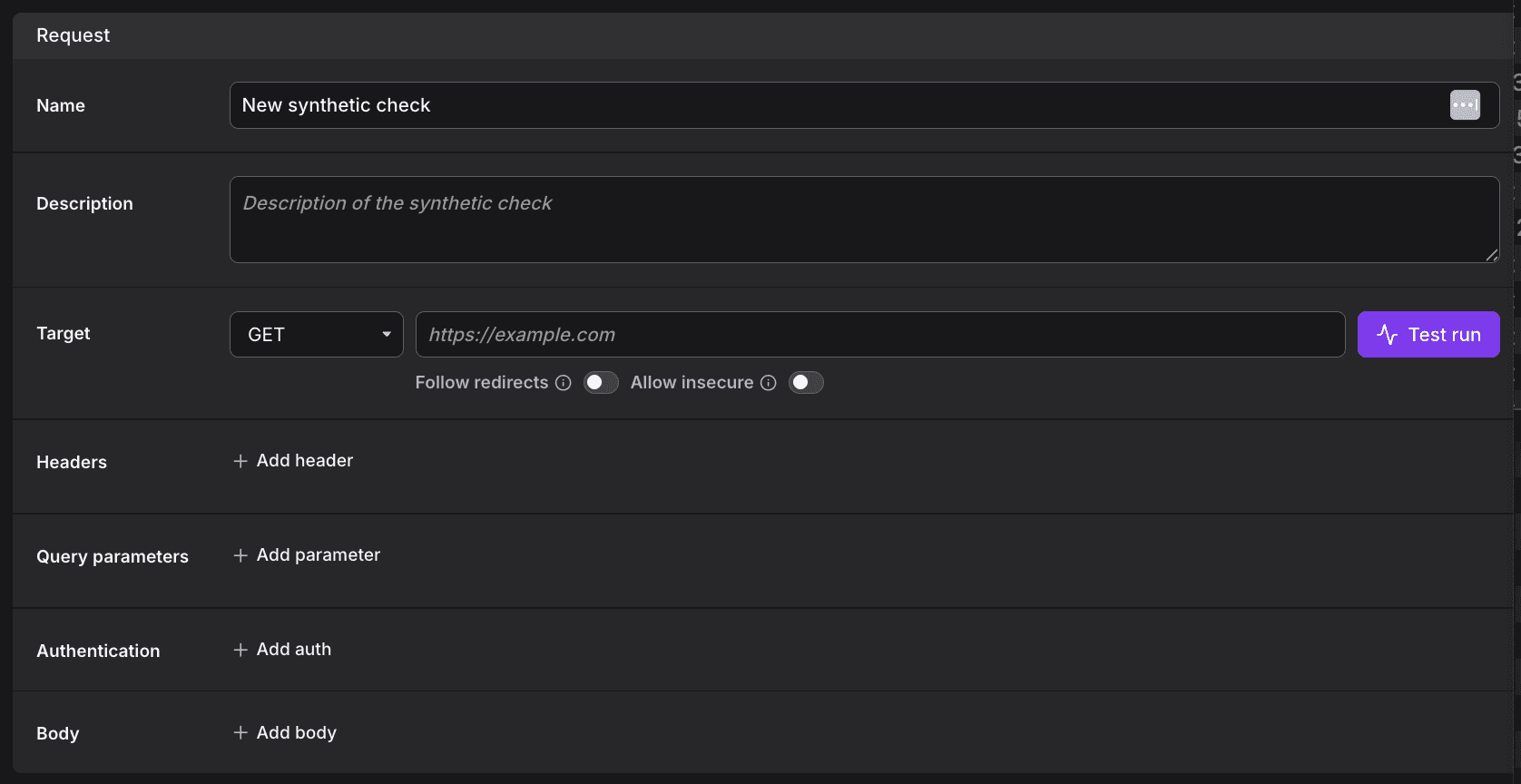
Before saving, you can run a test execution directly from the creation form.
- Validates request configuration
- Displays response details
- Ensures assertions can be added with confidence
For details, see Define Request Configuration.
Define Success Criteria
Once the request is configured, ensure that your checks verify the correct behavior of your services.
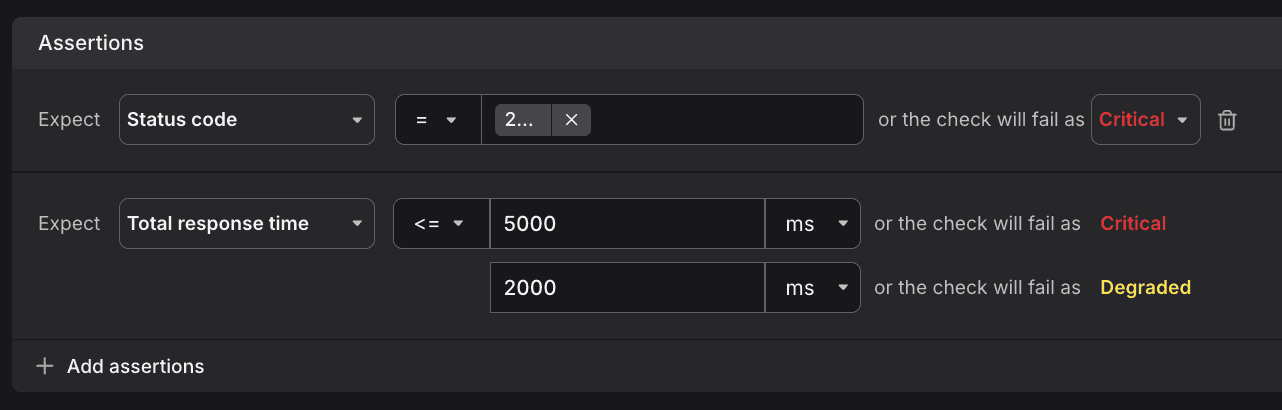
For details, see Define Success Criteria.
Define Schedules & Retries
The Scheduling & Retries section controls how often synthetic checks run, from where, and how failures are retried.
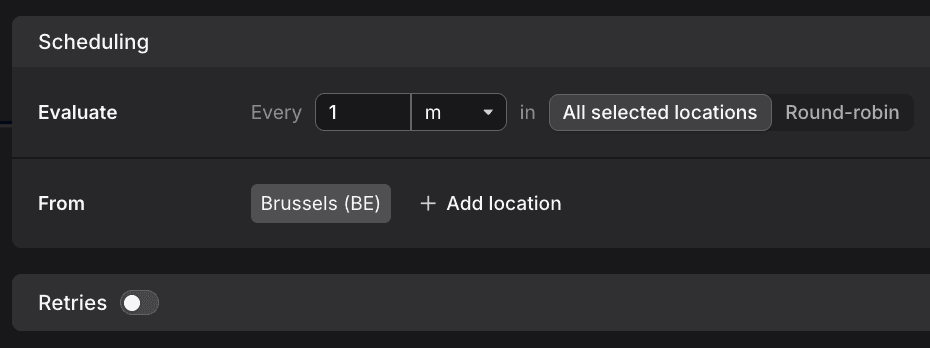
For details, see Define Schedules & Retries.
Define Notifications & Channels
The delivery of notifications about failures of Synthetic Monitoring checks are delivered over the same Notification Channels you use for Alerting check rules.