
Last updated: October 10, 2026
Define Request Configuration
When creating a check, you can configure the request details, headers, parameters, authentication, and body to fully model your production workloads or test scenarios.
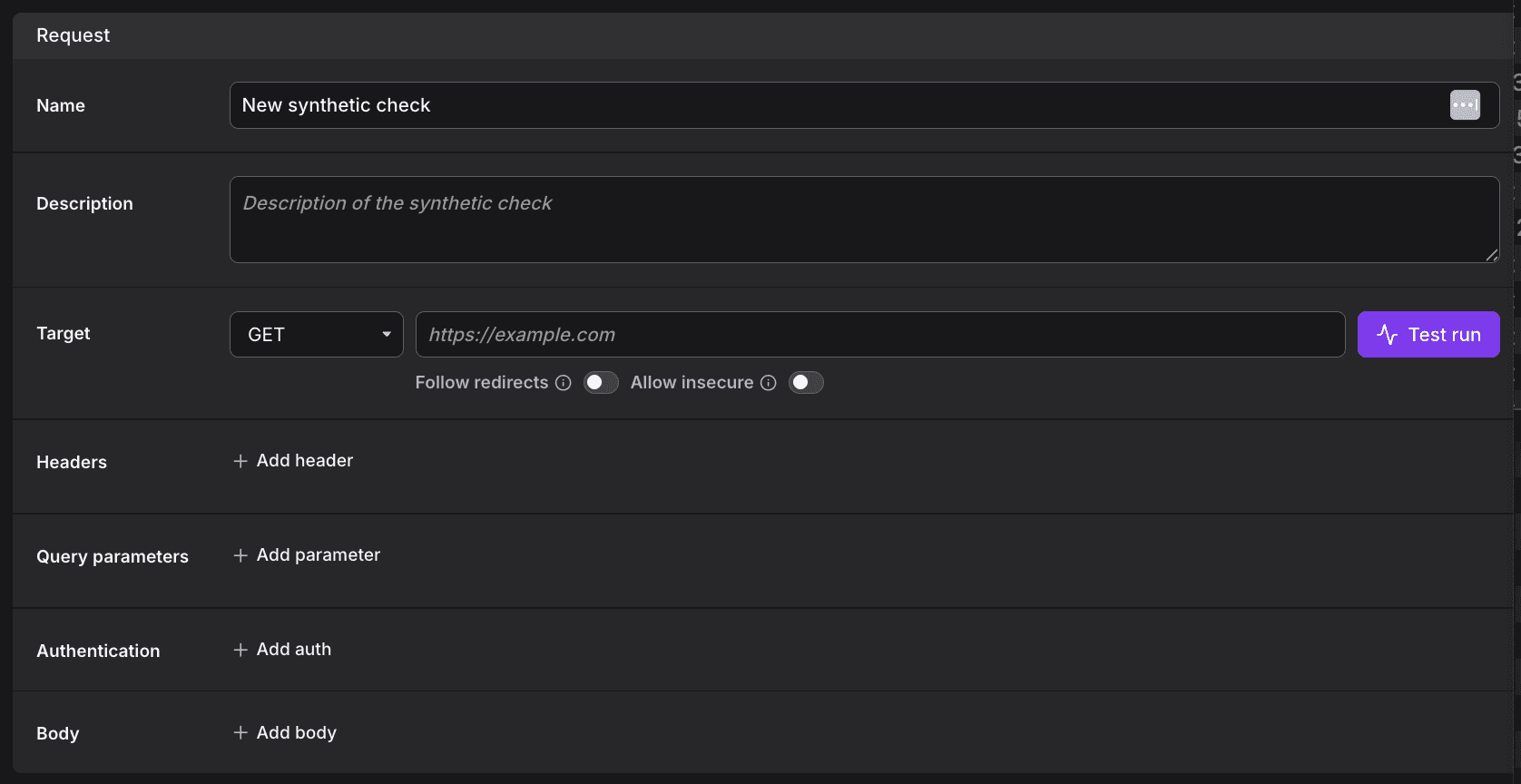
Request Configuration
Configure the core details of your HTTP request, including the target, headers, parameters, authentication, and body payload.
Name
A descriptive name for your synthetic check.
Example: Login API health check
Target
Define the HTTP method and URL of the target request.
- Supported methods:
GET,POST,PUT,DELETE, etc. - Options:
- Follow redirects (enabled/disabled)
- Allow insecure (skip TLS certificate validation — useful for testing environments)
Headers
Add custom headers to your request to authenticate, set content types, or model real client behavior.
Custom request headers can be added to model real client behavior.
Example:
Authorization: Bearer <token>User-Agent: dash0-monitor
Add as many headers as required.
Query Parameters
Define key-value pairs that are automatically encoded and appended to your target URL.
Specify query string parameters that will be appended to the request URL after a ?.
Example: q=error+rate, limit=50, sort=desc
These are automatically encoded and appended to the target URL.
Resulting request:
1https://example.com/api/search?q=error+rate&limit=50&sort=desc
Authentication
Built-in authentication support to simplify secured endpoints.
- Types: Basic Auth (username/password)
Request Body
Provide the payload for POST, PUT, or PATCH requests in the format that matches your API contract.
For POST, PUT, or PATCH requests, define the body payload. Supported input modes:
- JSON — Structured request body (e.g.,
{ "key": "value" }) - GraphQL — Query/mutation payloads
- Form parameters — Form-encoded key–value pairs (
application/x-www-form-urlencoded) - Raw data — Arbitrary text or binary content
Test Run
Before saving, you can run a test execution directly from the creation form.
- Validates request configuration
- Displays response details
- Ensures assertions can be added with confidence
Next step: Once the request is configured, proceed to Defining Assertions to ensure your checks verify the correct behavior of your services.