
Last updated:
Export Dashboards
Export dashboards in Perses dashboard format for sharing, version control, or migration between environments.
Once you have created dashboards as defined in Create Dashboards, do the following:
-
In the navigation bar on the left, navigate to Dashboards.
-
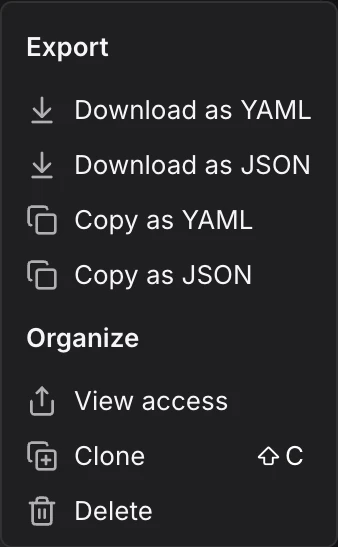
Open the dashboard you want to export, then open More actions in its toolbar.
-
Choose Download as YAML or Download as JSON to download the dashboard in the Perses dashboard format. To copy the definition instead, choose Copy as YAML or Copy as JSON.
You can also export a dashboard you can only read. You do not need to open Settings or enter edit mode.
Further Reading
- Import Dashboards — Import Grafana and Perses dashboards into Dash0.
- Manage Dashboards as Code — Define and manage dashboards using infrastructure as code.