
Last updated:
Analyze Eval Results
Evals is in beta. Eval runs are not charged during the beta. Behavior and UI may change.
Dash0 shows eval results at three levels: the evals list summarizes every eval in the dataset, an eval's Overview tab shows its results over time, and the span sidebar shows the verdicts for a single span. Results only cover sampled spans that the judge scored. See Limitations for spans that are skipped.
Compare All Evals
Open AI Observability → Evals to see every eval in the selected dataset.
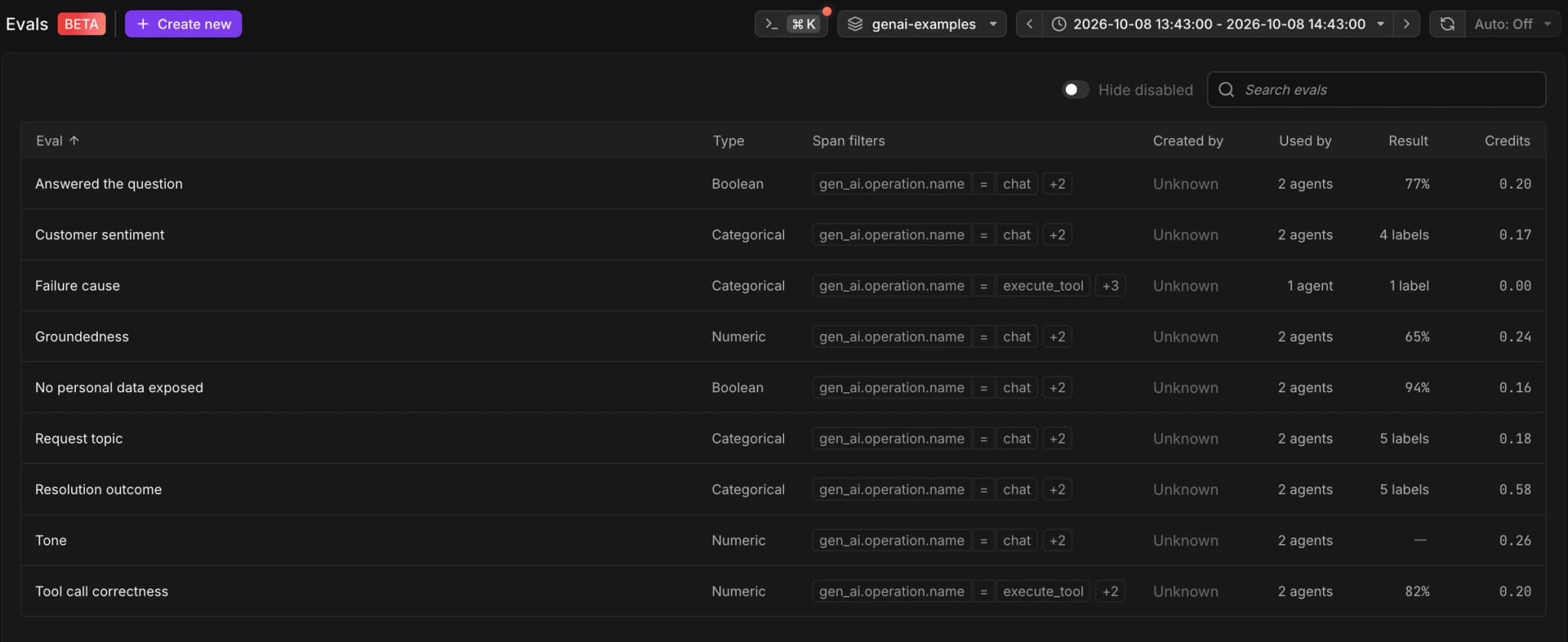
- Eval: The eval's name. Disabled evals are dimmed.
- Type: Numeric, Boolean, or Categorical.
- Span filters: The filters that select the spans the eval judges.
- Created by: The member who created the eval.
- Used by: The number of agents whose spans the eval judged in the selected time range.
- Result: The pass rate for numeric and boolean evals, or the number of labels returned for categorical evals. A numeric eval without a threshold shows — instead of a pass rate. Its verdicts always pass. Not run means the eval judged no spans in the selected time range.
- Credits: The credits the eval consumed in the selected time range.
Use Search evals to find an eval by name, and turn on Hide disabled to list only enabled evals. Click a row to open the eval's Overview tab.
Track One Eval Over Time
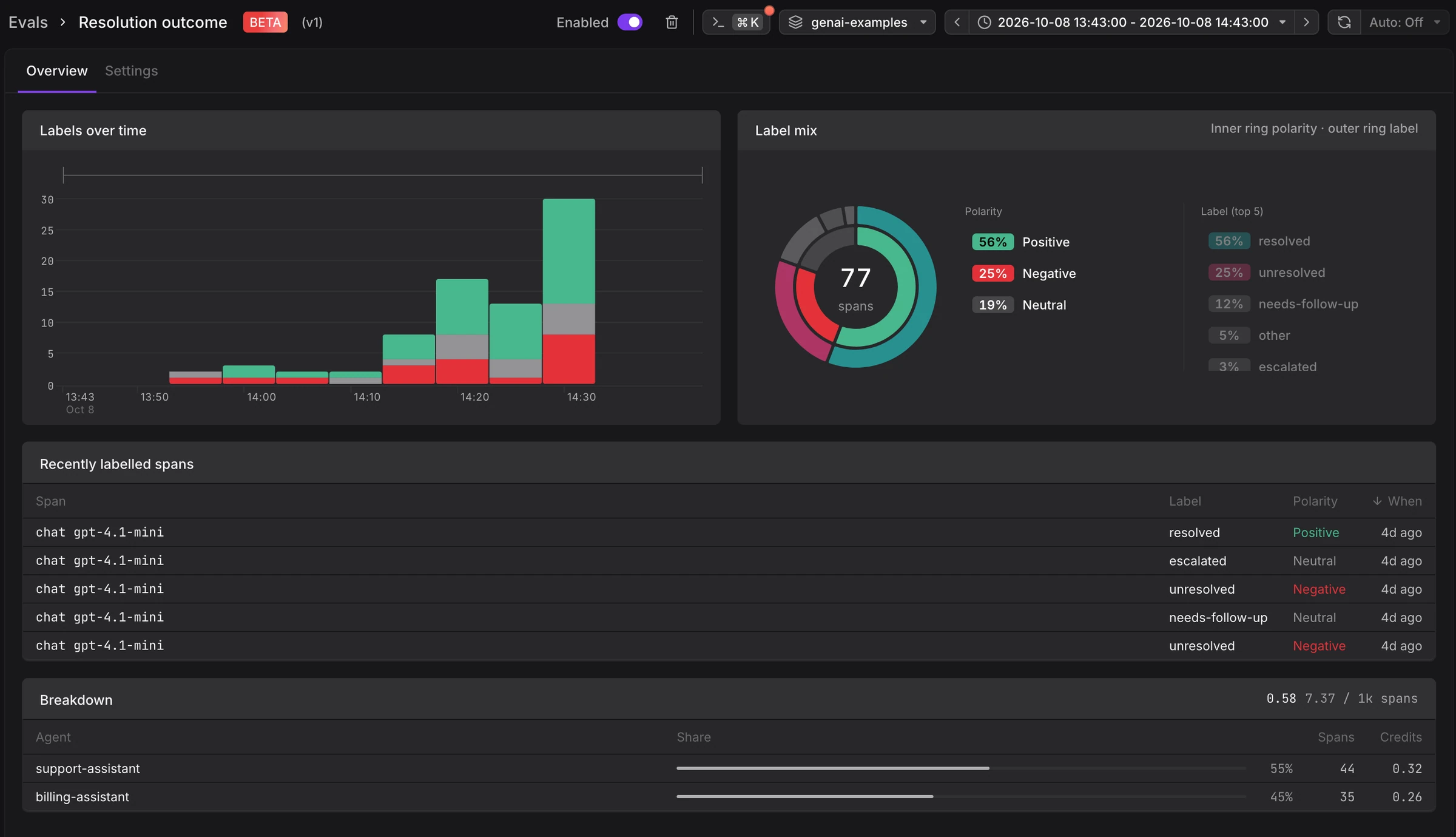
The Overview tab of an eval shows cards that match its output type. Charts mark deployments, so you can relate a change in quality to a release. Click a span in any table to open it in the span sidebar.
Numeric Evals
- Score over time: The average score per time bucket.
- Score distribution: How many spans fell into each score range.
- Lowest scoring spans: The spans with the lowest scores, to start an investigation from the worst answers.
Boolean Evals
- Outcomes over time: Passed and failed verdicts per time bucket.
- Outcomes: The share of spans that passed, with the number of spans scored, failed, and the credits consumed.
- Failed spans: The most recent spans that failed.
Categorical Evals
- Labels over time: The count of each label per time bucket.
- Label mix: A ring chart. The inner ring shows polarity, and the outer ring shows each label.
- Recently labelled spans: The most recent spans with their label and polarity.
Breakdown
Every eval also shows a Breakdown card with the credits consumed per agent, each agent's share, and the number of spans judged. The header shows the total and the credits per 1,000 spans. Spans without a gen_ai.agent.name attribute appear as Unattributed.
Inspect Verdicts on a Span
When a span has at least one verdict, the span sidebar shows an Evals tab. Spans without verdicts do not show the tab.
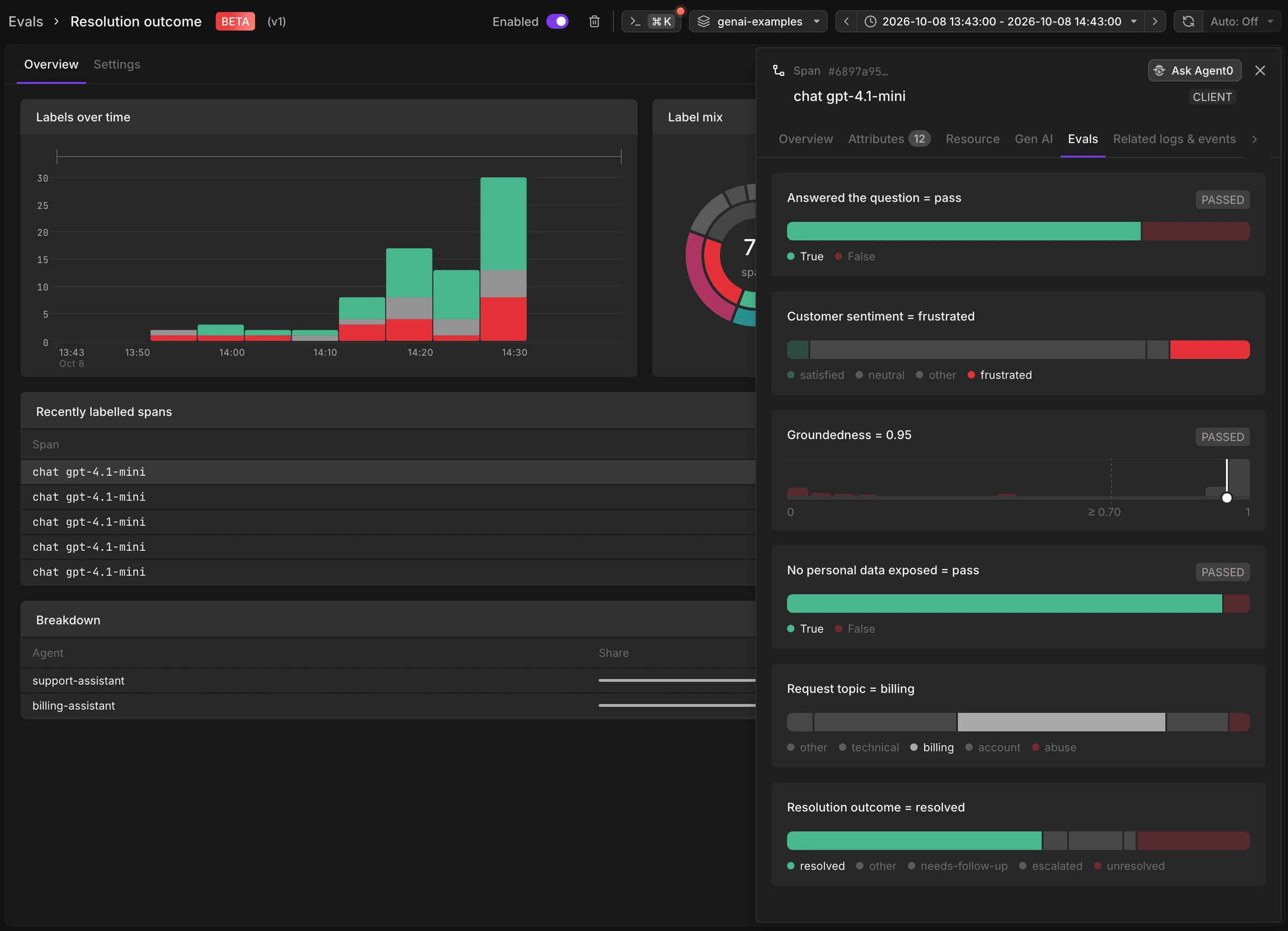
The tab shows one card per eval, with failing evals first:
- Title: The eval name and the verdict, for example
Groundedness = 0.42. - Badge: Passed or Failed, for boolean evals and numeric evals with a threshold. See Pass and Fail.
- Explanation: The judge's one-sentence explanation, shown on failing verdicts.
- Distribution: For numeric evals, a histogram of scores with the threshold and this span's score marked. For boolean and categorical evals, a bar of labels sized by span count, with this span's label marked.
- Open eval definition: Opens the eval at the version that produced this verdict.
The span sidebar's Overview tab also shows an Evals card that lists each failing eval and the number of passing evals.
Query Results in Logs
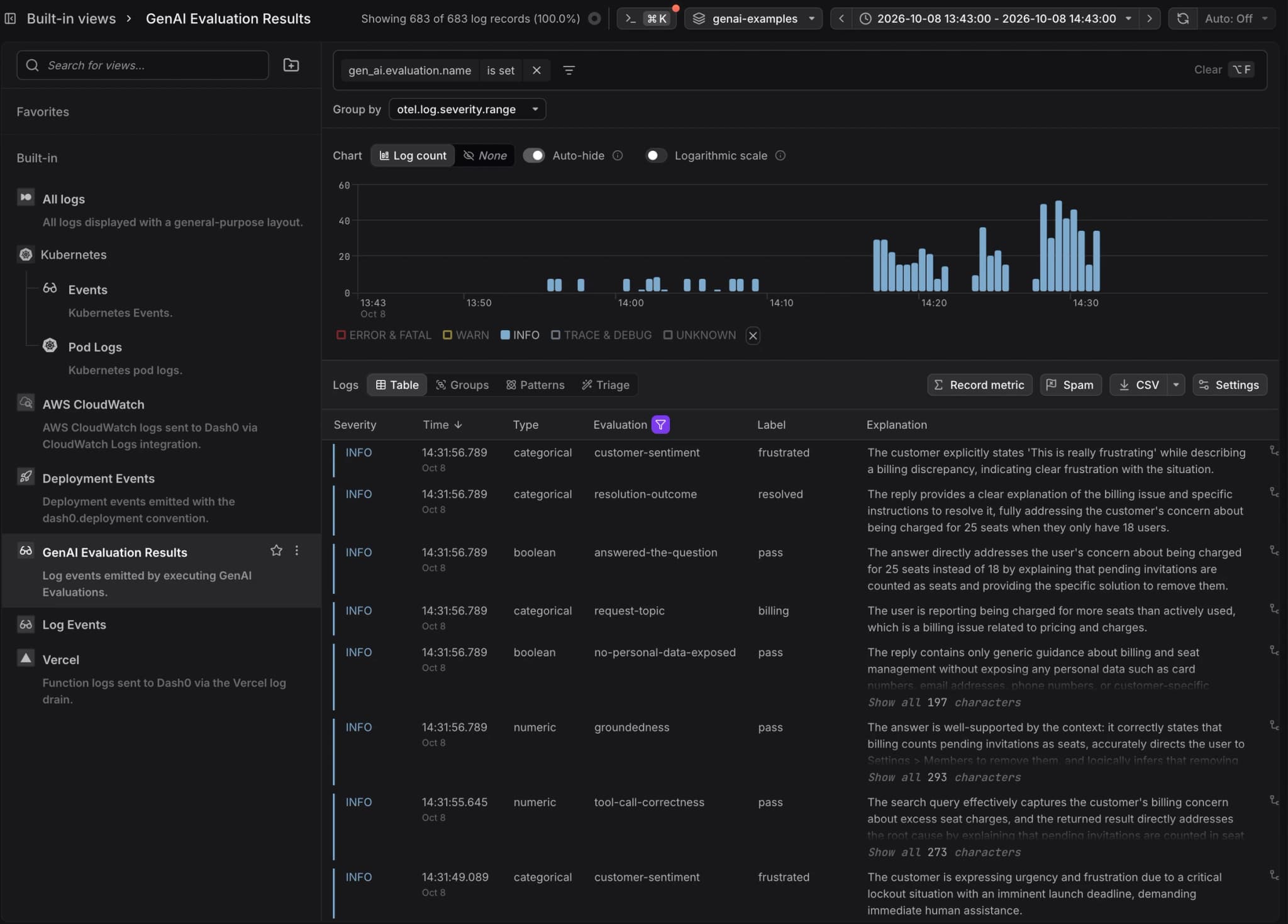
Each verdict is a gen_ai.evaluation.result log record linked to the judged span. Open the built-in GenAI Evaluation Results view in the Logs Explorer to browse them, or filter on the attributes listed in Eval Result Records to build your own views, dashboards, and check rules.
Further Reading
- Eval Result Records — Attributes on each stored verdict.
- Inspect Span Details — All tabs of the span sidebar.
- Key Concepts — Terminology for triggers, sampling, verdicts, and credits.
- Manage Evals — Enable, edit, version, and delete evals.