
Last updated:
About Evals
Evals use an LLM judge to score a sample of your GenAI spans, so the quality of your agents' answers sits next to their latency and cost.
Beta
Evals is in beta. Eval runs are not charged during the beta. Behavior and UI may change.
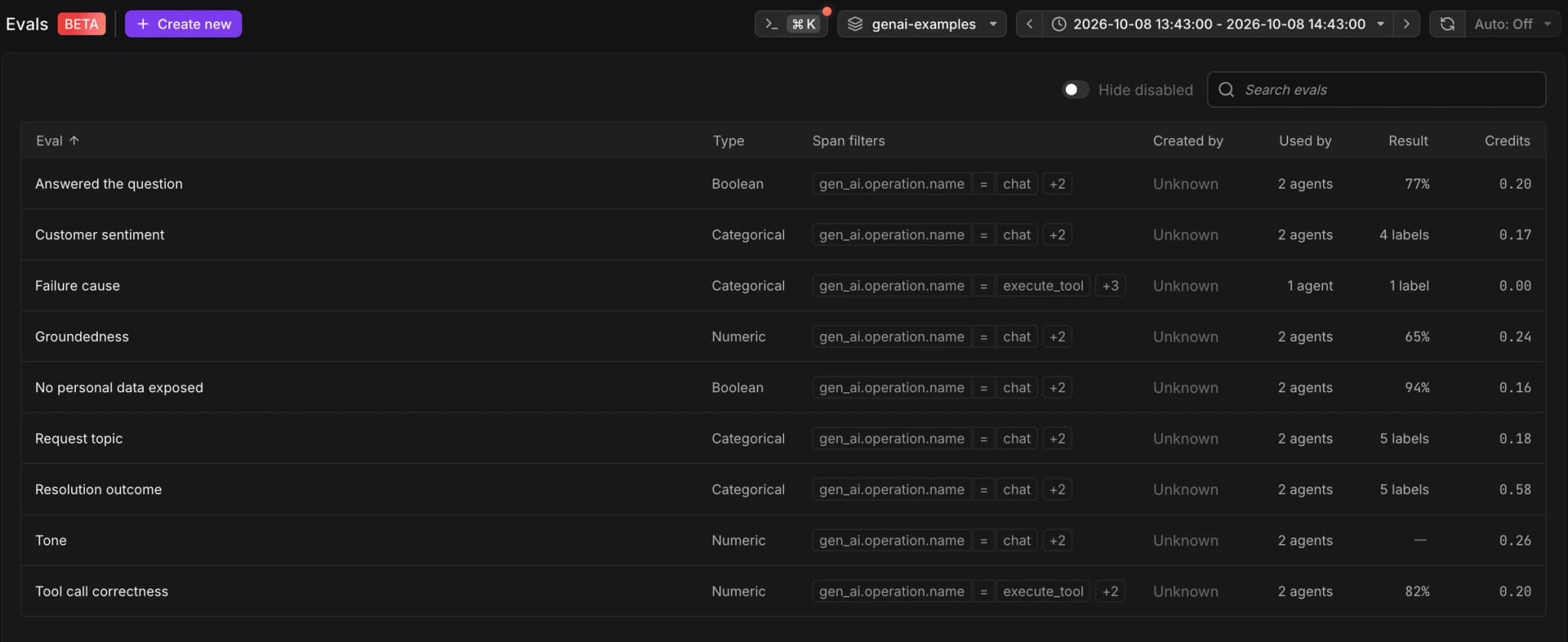
An eval is a rule you define per dataset. It selects GenAI spans with span filters, samples a share of the matching traces, and sends each sampled span to a judge model with a prompt you write. The judge returns a verdict and a one-sentence explanation.
What You Can Evaluate
Each eval returns one of three output types:
- Numeric: A score from 0.0 to 1.0, where higher is always better. For example, how well an answer is supported by the retrieved documents.
- Boolean: True or false, phrased so true is the passing answer. For example, whether the agent answered the question that was asked.
- Categorical: One label from a list you define. For example, the topic of a request or the kind of task an agent performed.
See Key Concepts for which output types pass or fail.
Where to Find Evals
- Evals: Open AI Observability → Evals in the Dash0 sidebar to create evals and track their results over time.
- Span sidebar: Open a judged span in the trace explorer and select the Evals tab to see the verdicts for that span.
- Logs: Query the
gen_ai.evaluation.resultlog records directly, or open the built-in GenAI Evaluation Results logs view.
Prerequisites
- GenAI spans: Evals only run on spans that carry the
gen_ai.operation.nameattribute. See About GenAI Spans for how to send them. - Content capture: The judge can only read what your spans carry. If a prompt references
gen_ai.input.messagesorgen_ai.output.messages, your instrumentation must capture message content.
Data Handling
For each sampled span, Dash0 sends the system prompt, the user prompt, and the span attribute values the user prompt references to an LLM for judging. Reference only the attributes the judge needs.
Limitations
- Sampled, not exhaustive: An eval judges the share of matching traces set by its sample rate. Sampling is deterministic by trace ID, so all matching spans in a sampled trace are judged.
- Some spans are skipped: Dash0 skips a span without recording anything when a referenced attribute is missing or empty, when its content was redacted before it reached Dash0 (for example, by source redaction in your instrumentation), when your organization reaches its limit of concurrent evaluations, or while the judge model is temporarily unavailable. GenAI Attribute Redaction runs after Evals, so Evals still judge content you redact on ingestion. With Judge partial prompts on, Dash0 judges spans with missing or redacted attributes as long as at least one referenced attribute has unredacted content.
- Failed judge calls produce no verdict: When the judge times out or returns an invalid answer, Dash0 writes a result record with an
error.typeattribute instead of a verdict. These records do not appear on the Evals pages or in the span sidebar. See Eval Result Records. - New spans only: Evals judge spans as they arrive. They do not backfill spans ingested before the eval existed or while it was disabled.
- Changes take a short while: Creating, editing, enabling, or disabling an eval takes effect within a few minutes, not instantly.
Further Reading
- Analyze Eval Results — Read scores, outcomes, and labels per eval and per span.
- Create an Eval — Define which spans to judge, the judge model, and the output.
- Key Concepts — Terminology for triggers, sampling, verdicts, and credits.
- Write Eval Prompts — Reference span attributes and ask for the right output shape.