


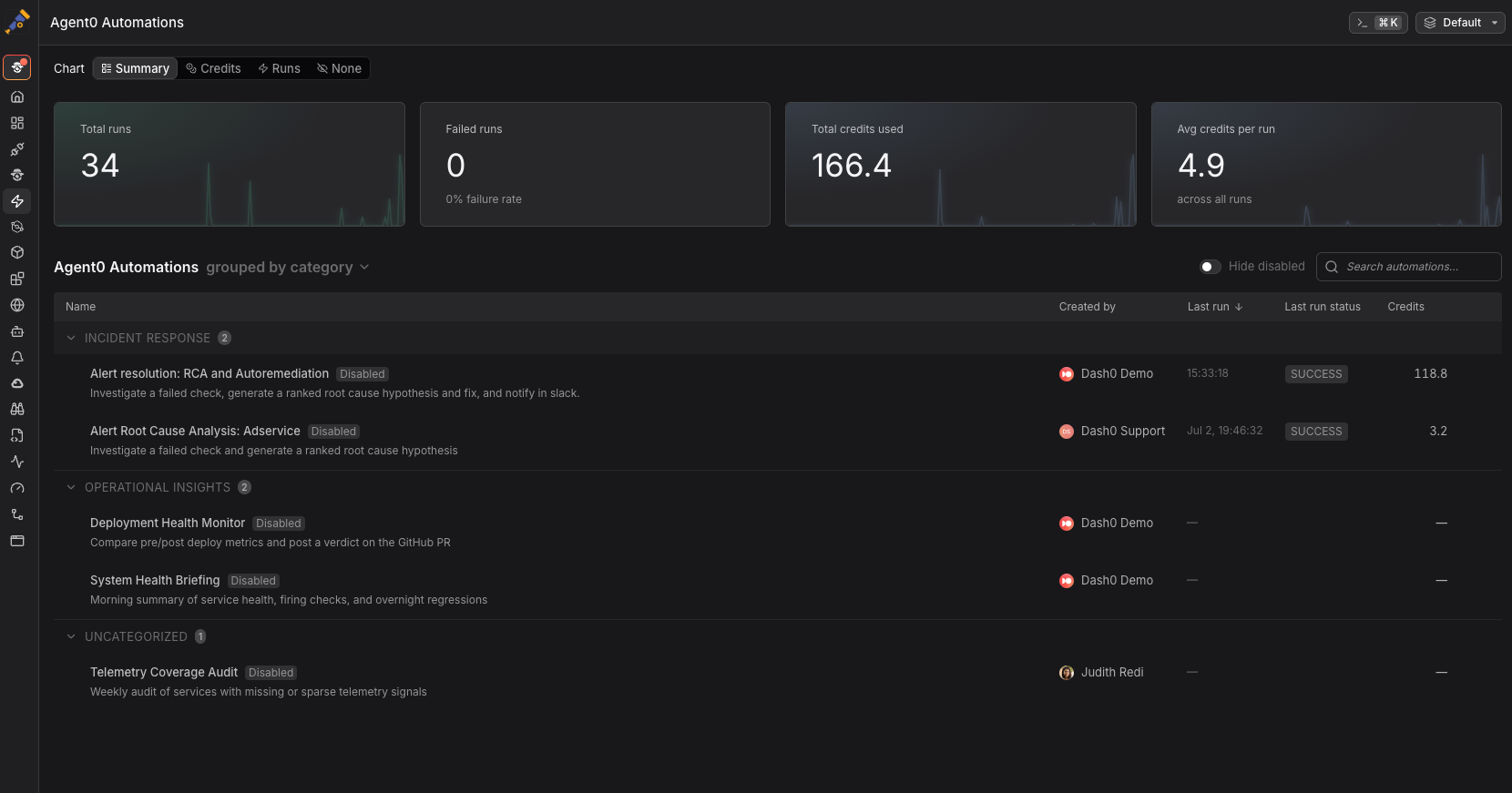
Automations are event-driven AI workflows that Agent0 executes on your behalf. You define what to watch and what to do. Agent0 runs the investigation, traces the cause, and delivers the result — no human needs to be in the loop for any of it.
Agent0 automations are GA from today and, as such, consume Agent0 credits on each run.
What's new
-
Event-driven triggers: Respond to Slack messages, GitHub pull requests, failed checks, Linear comments, or run on a schedule.
-
AI-powered execution: Agent0 analyzes context, queries your Dash0 data, and takes action based on the instructions you write.
-
Guardrails you control: Read actions run automatically. Write actions like opening a pull request are off by default — you allow or deny tools per automation, explicitly, before anything runs.
-
Concurrency management: Choose how simultaneous triggers are handled with parallel, queue, skip, or supersede policies.
-
Notifications: Findings are delivered to Slack, email, or Dash0 with a direct link to the full investigation.
-
Templates: Start from a catalog of pre-built automations for incident triage, PR review, SLO monitoring, and more, or build one from scratch with a full-view prompt editor.
A few things teams are already running
-
Catching regressions before users do, by triggering a health check on every deployment.
-
Turning a failed check into a drafted fix and a Slack message with the root cause, before anyone opens a laptop.
-
A daily production briefing that scans for degrading services, coverage gaps, and unresolved issues.
-
Continuous PII monitoring across logs and traces on a schedule.
Read the Automations documentation to get started.