
Last updated:
Organizations
Dash0 is designed with multi-client and multi-tenancy capabilities for data separation and access control.
What are Organizations in Dash0?
Organizations are the highest logical structure within Dash0.
Most Dash0 users will have one organization.
What does an Organization contain?
Organizations contain:
-
Members: View, invite, and manage organization members. Each member has a status, join date, and assigned role (e.g., Admin).
-
Teams: Create and manage teams within your organization. Teams let you group members together and control access to resources like datasets, dashboards, check rules, synthetic checks, and views.
-
Auth Tokens: Manage authentication tokens used to send telemetry data to Dash0. Tokens can be scoped to specific datasets and restricted to specific permissions such as ingestion-only access for public deployments.
-
Endpoints: View the available ingestion endpoints for sending telemetry to Dash0. Supported endpoints include OTLP via gRPC and HTTP, Prometheus API, JSON Logs, Elasticsearch Bulk, Vercel Log Drain, AWS CloudWatch via Firehose, Akamai Logs, and MCP, among others.
-
Datasets: Configure datasets that organize your ingested telemetry. Each dataset supports semantic convention upgrades to align attribute names across sources, IP address anonymization settings, and geo location precision for Web Monitoring.
-
Notification Channels: Set up channels for receiving alerts about failed checks. Channels can be configured with email addresses and reminder intervals, and you can define conditions to control which failed checks trigger a notification.
-
Billing & Plans: View your subscription details and current usage across spans, span events, log records, metric data points, web events, and synthetic API check runs. You can manage your subscription and set a monthly budget from this section.
-
General: Configure display settings for your organization, including its name and icon. The Danger Zone provides options to leave or permanently delete the organization.
-
AI: Configure how Agent0, the Dash0 AI assistant, responds. Settings include verbosity level and an option to automatically infer context from the page you're viewing (enabled by default).
-
Audit Logs: Track changes made to your organization's settings and resources. The log records timestamped actions such as team creation, dashboard creation, and auth token changes, along with the actor who performed each action.
Data storage region
Every organization stores its telemetry in one region. You pick it on the Create an organization screen:
| Region | Cloud | Region ID |
|---|---|---|
| N. Virginia, United States | AWS | us-east-1 |
| Oregon, United States | AWS | us-west-2 |
| Ireland, Europe | AWS | eu-west-1 |
| Netherlands, Europe | GCP | europe-west4 |
Dash0 stores that organization's telemetry in the region you pick, and you cannot change the region once the organization exists.
The region also sets the hostnames your organization sends telemetry to and queries through, such as https://api.us-east-1.aws.dash0.com. To see which region an existing organization is in, open its Endpoints settings. The hostnames there carry the region ID, and the Endpoints page explains what each one is for.
Renaming an Organization
Renaming an existing organization can be done in the General section in your organization management:
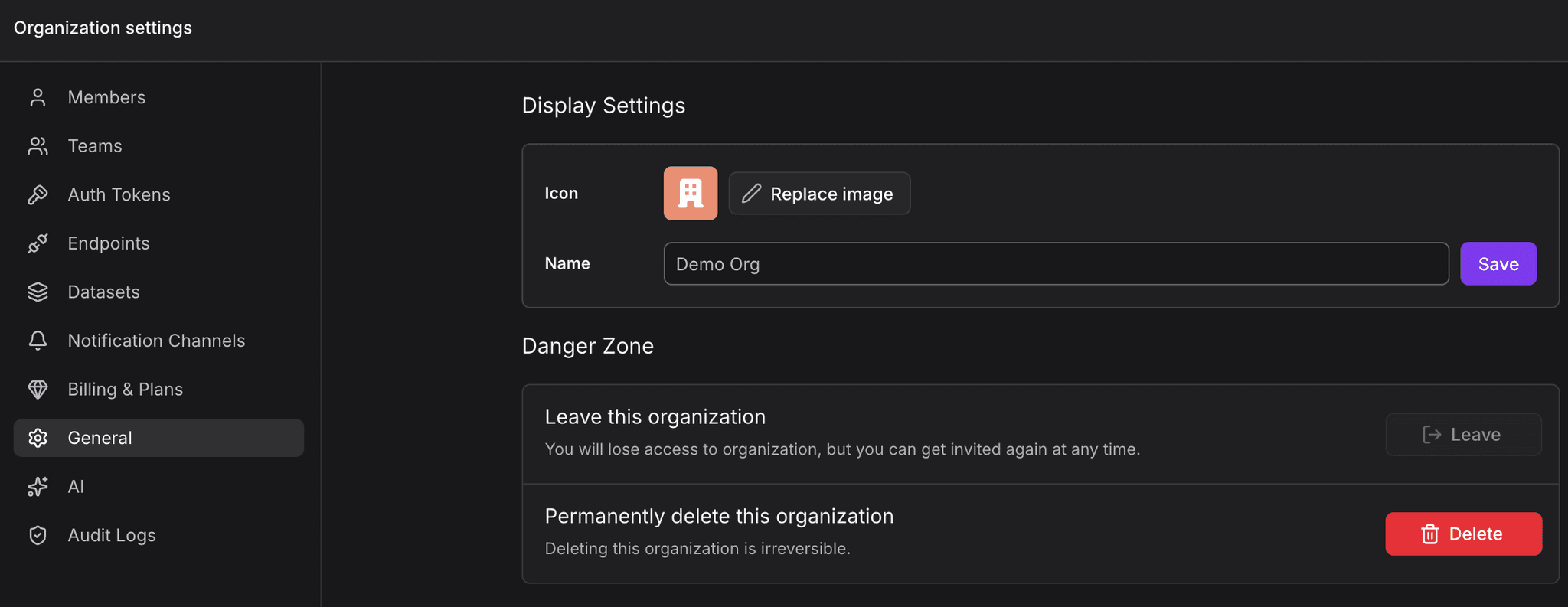
You will see your organization profile. When you click on your organization name, you can change the name and the profile image.
Further Reading
- About Access Control: Flexible access control system for team collaboration
- About Teams: Organize members into groups with shared access
- Auth Tokens: Authenticate and authorize API access
- Datasets: Separate observability data by environment or purpose
- Endpoints: Public-facing endpoints for reading, configuring, and ingesting data