
Last updated: October 1, 2026
Install the Telemetry Dashboards
The Dash0 Telemetry Dashboards integration provides pre-built dashboards for telemetry volume insights and forecasting.
Dashboards
The integration includes two dashboards:
Dash0 - Telemetry Insights shows which services are generating the most telemetry, helping you identify the biggest contributors to your bill.
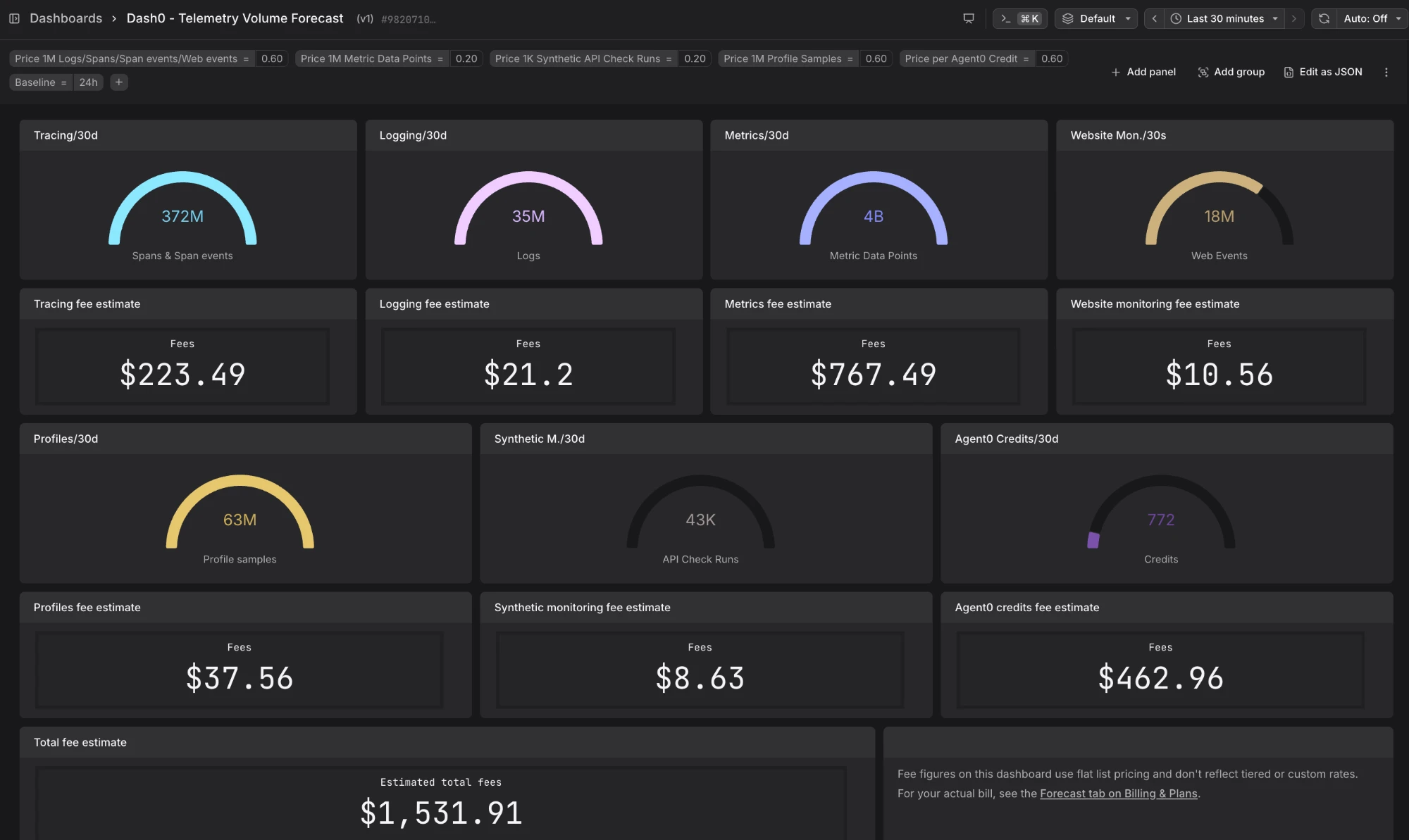
Dash0 - Telemetry Volume Forecast compares telemetry volume across time windows, sliced by any resource attribute you choose, to spot trends and extrapolate them forward. For billed cost estimates, use the Forecast tab on the Billing & Plans page.
Installing the dashboards
-
Navigate to Integrations > Dash0 Telemetry Dashboards in your organization. More here...
-
Click Install all dashboards to add both dashboards to your dataset at once.
Alternatively, click Add dashboard under an individual dashboard to install it separately.
Once installed, the dashboards are available in your Dash0 dashboard catalog and update automatically as new telemetry is ingested.
Further Reading
- About Cost Control — Overview of Dash0's cost control features.
- Set Spam Filters — Create and manage spam filters in Dash0.
- Manage Spam Filters as Code — Deploy spam filters using the Dash0 Operator for Kubernetes, the Dash0 Terraform Provider, or the Dash0 CLI.