

How it works
Every spam filter is expressed as a YAML document with kind: Dash0SpamFilter. The Dash0 CLI, Terraform provider and Kubernetes operator all accept the same YAML document that you can download from the Dataset configurations:
Dash0 CLI
The spam-filters command is currently experimental and requires the --experimental (or -X) flag:
sh
spams-filters.sh1234567891011121314# Create a spam filter from a YAML filedash0 spam-filters create -X --dataset default -f drop-health-checks.yaml# List all spam filters in a datasetdash0 spam-filters list -X --dataset default# Get a single spam filter as YAMLdash0 spam-filters get -X --dataset default <id># Update an existing spam filterdash0 spam-filters update -X --dataset default <id> -f drop-health-checks.yaml# Delete a spam filterdash0 spam-filters delete -X --dataset default <id>
Terraform provider
spam-filters.tf1234resource "dash0_spam_filter" "drop_health_checks" {dataset = "default"spam_filter_yaml = file("${path.module}/filters/drop-health-checks.yaml")}
Kubernetes operator
yaml
spam-filter.yaml1234567891011121314apiVersion: operator.dash0.com/v1alpha1kind: Dash0SpamFiltermetadata:name: drop-health-checksnamespace: monitoringspec:contexts:- logfilter:- key: "k8s.namespace.name"value:stringValue:operator: "equals"comparisonValue: "kube-system"
One more thing…
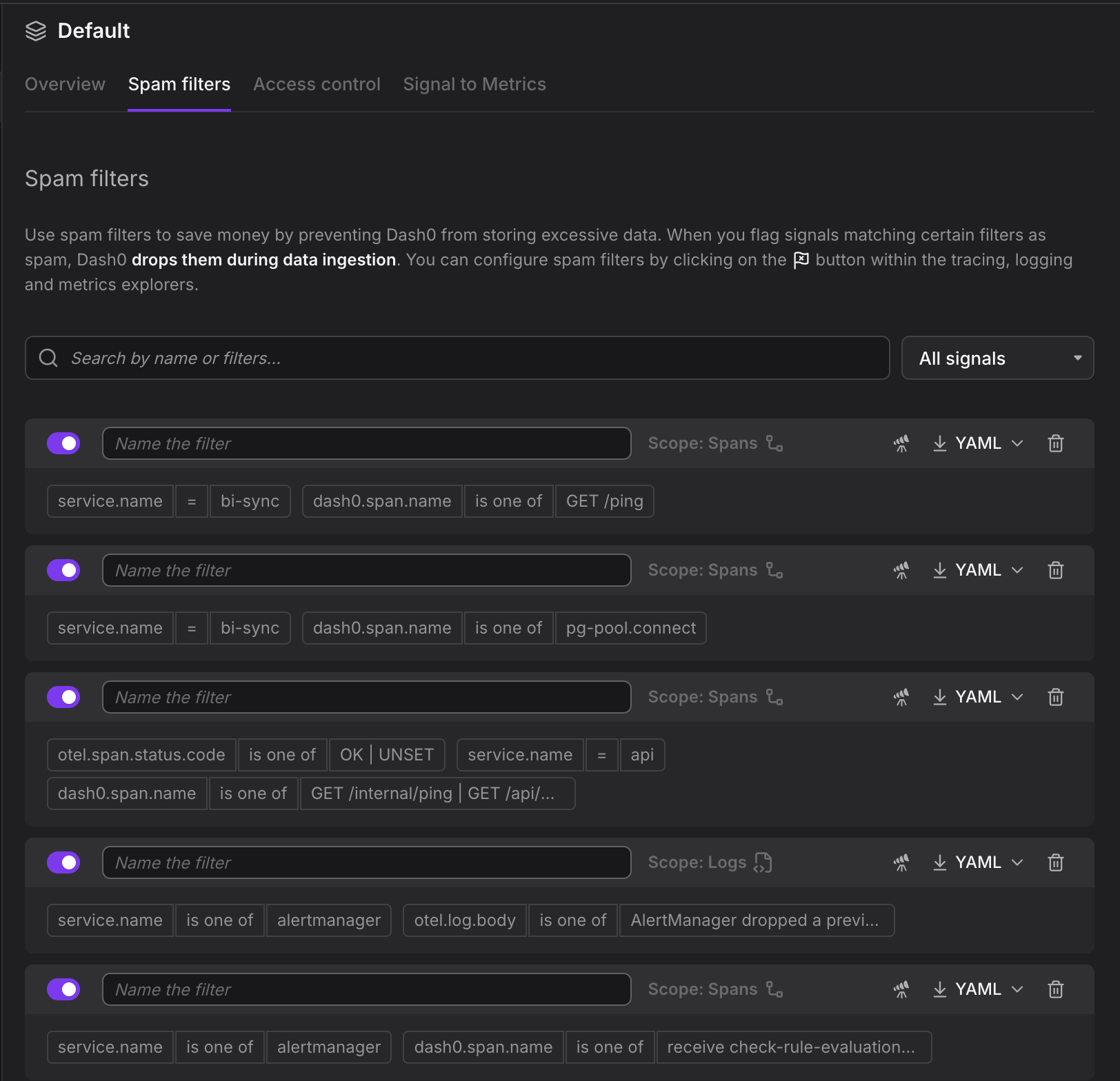
We have reworked the Spam Filters UI under Datasets so that you can name your spam filters (which of course works also via Infrastructure as Code), and download both the SpamFilters CRD to use with the Terraform provider for Dash0, the CLI and the Kubernetes operator.
OK, I meant two more things
With any luck, there will be another much requested capability about spam filters going live in the new few weeks. Keep your eyes peeled ;-)