How it Works
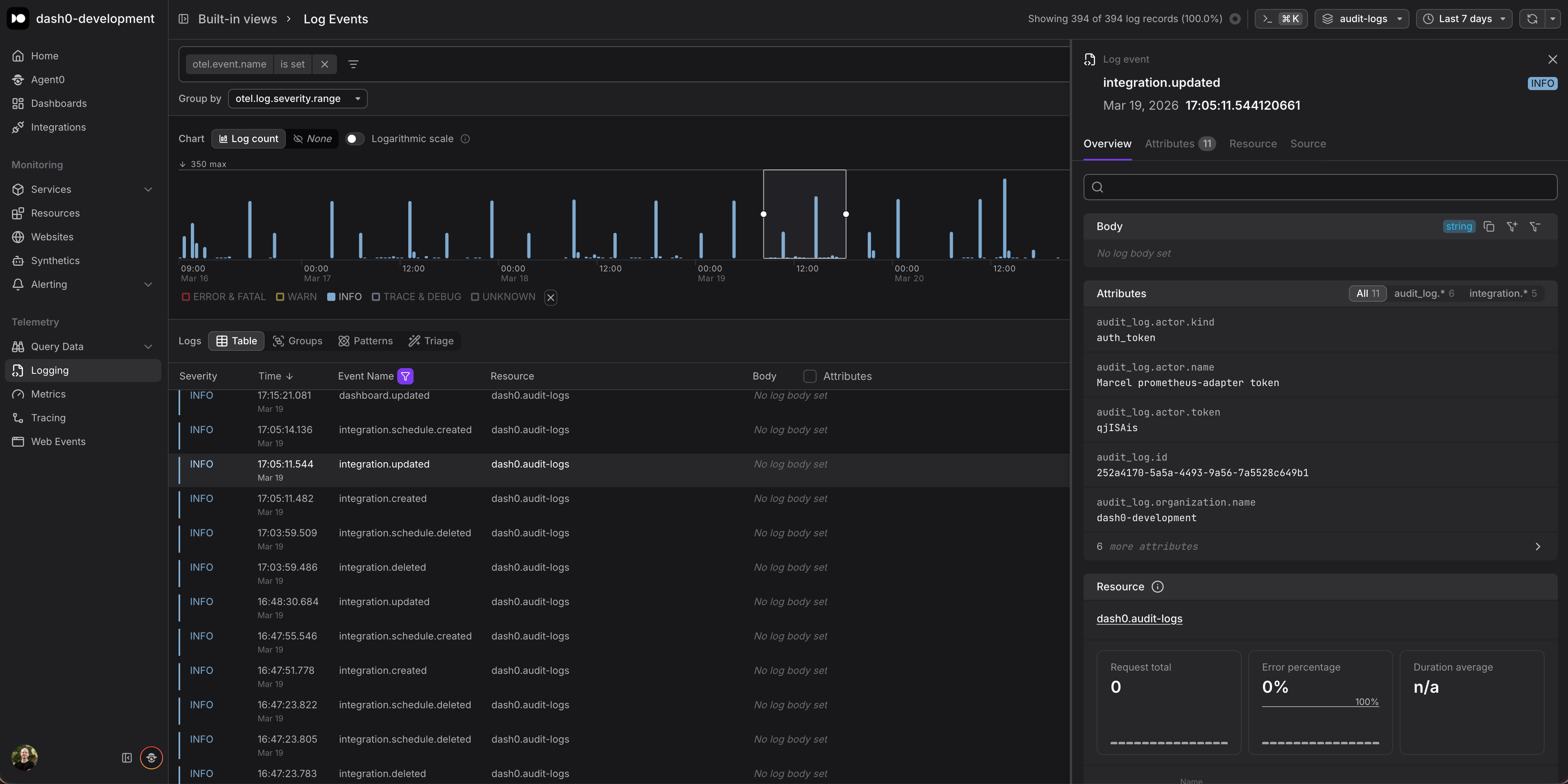
Audit log export is configured in Organization Settings > Integrations. Once enabled, Dash0 continuously streams audit events as structured OpenTelemetry logs to any OTLP-compatible endpoint you specify. Each audit log entry includes attributes such as the acting user, the action performed, the affected resource, and a timestamp.
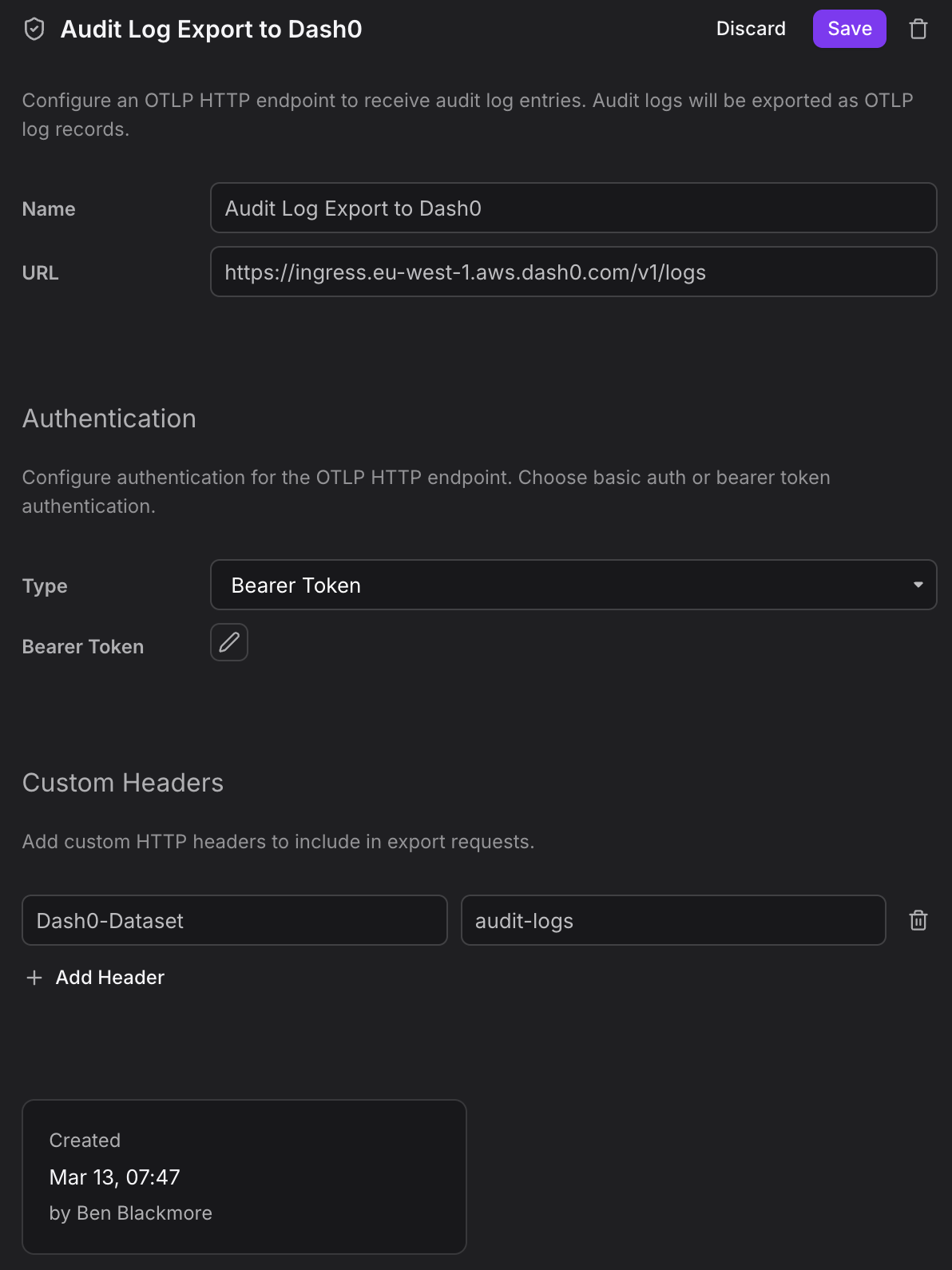
This means you can route audit logs into any system that speaks OTLP: a self-hosted OpenTelemetry Collector for further processing, a compliance-focused long-term storage backend, or simply back into Dash0 itself for correlation with
your operational telemetry.
Why OTLP?
Rather than building a proprietary webhook or CSV export, we chose OTLP as the export format. This keeps audit data compatible with the same pipelines and tooling you already use for traces, metrics, and logs. No custom parsers, no format translations, no additional agents required. If your infrastructure already ingests OTLP, audit logs slot right in.
The screenshot below shows how the exported audit logs appear as structured log entries inside Dash0.