
Docker Swarm is Docker's built-in orchestration mode. It takes a set of Docker hosts, turns them into a single cluster, and keeps your containers running at the replica count you asked for, rescheduling them when a node dies. You declare a desired state, and the cluster reconciles reality against it, using the same Docker CLI and Compose syntax you already know.
If you're reading this, you probably already know what a container is and you're really asking one of two things: how does the clustering actually work under the hood, or should I still be building on this in 2026? This article covers both, because the second question has a more interesting answer than most pages will give you.
A quick disambiguation first. "Swarm" used to refer to a separate product called Docker Swarm classic, which is dead. What people mean today is Swarm mode, which has shipped inside Docker Engine since version 1.12 in 2016. There's nothing extra to install. If you have Docker, you have Swarm.
How Docker Swarm works
A swarm splits every host into one of two roles. Manager nodes hold the cluster state and make scheduling decisions. Worker nodes run the actual container workloads. A manager can also run workloads unless you tell it not to, which is convenient in small clusters and a bad idea in larger ones.
The managers keep their view of the cluster consistent using the Raft consensus algorithm. This is the single most important thing to understand about Swarm sizing. Raft needs a majority of managers to agree before it commits a change, so you run an odd number of them, typically 3, 5, or 7. Three managers tolerate one failure. Five tolerate two. Running two managers is worse than running one, because losing either breaks quorum and the cluster stops accepting changes. Don't do it.
On top of the node layer sits the service model. You don't schedule individual containers in Swarm. You declare a service, which describes an image, a replica count, networking, and update behavior. Swarm breaks that service into tasks, and each task is a single container placed on some node. When a node goes down, its tasks are marked failed and the manager schedules replacements elsewhere to bring the count back to what you declared. The hierarchy reads top to bottom as swarm, nodes, services, tasks, containers.
Networking is handled by overlay networks. An overlay network spans all the hosts in the swarm using Virtual Extensible LAN (VXLAN) encapsulation, so a container on node A can reach a container on node B by service name, with built-in DNS-based service discovery and load balancing across replicas. Managers talk to each other on TCP port 2377, and overlay data plane traffic uses port 4789 by default.
A minimal working swarm
Here's the entire setup, start to finish. On the machine you want as your first manager, initialize the swarm:
1docker swarm init --advertise-addr <MANAGER-IP>
This turns the host into a manager and prints a join command containing a worker token. It looks like this:
12345Swarm initialized: current node (d68ace5iraw6whp7llvgjpu48) is now a manager.To add a worker to this swarm, run the following command:docker swarm join --token SWMTKN-1-49nj1... <MANAGER-IP>:2377
Run that printed command on each worker machine, and they'll join the cluster. Back on the manager, confirm the nodes are all there:
1docker node ls
1234ID HOSTNAME STATUS AVAILABILITY MANAGER STATUSd68ace5iraw6whp7l * manager-1 Ready Active Leadernvp5rwavvb8lhdggo worker-1 Ready Activeouvx2l7qfcxisoym worker-2 Ready Active
Now deploy an application. Swarm reuses Compose file syntax through the deploy key, so if you have a Compose file, you're most of the way there. This one runs six replicas of an app with a rolling update policy:
12345678910111213services:app:image: yourregistry/app:latestdeploy:replicas: 6update_config:parallelism: 2delay: 10sfailure_action: rollbackresources:limits:cpus: "0.50"memory: 400M
Deploy it as a stack:
1docker stack deploy -c docker-compose.yml myapp
That's a working, self-healing, load-balanced cluster in about ten minutes. The whole appeal of Swarm is right here: no API server to run, no custom resource definitions, no Helm, no separate control plane to babysit. If your team knows Compose, your team knows Swarm.
Should you use Docker Swarm in 2026?
This is the part that matters, and it's where you need to hold two contradictory-sounding facts at once.
The first fact: Docker itself effectively stopped developing Swarm years ago. After Mirantis acquired the Docker Enterprise business in November 2019, Docker refocused on developer tooling and Swarm went into maintenance. The core feature set today is roughly what it was in 2019. Meanwhile the entire cloud-native ecosystem, meaning Prometheus, Argo CD, Istio, cert-manager, and effectively every operator you'd want, standardized on Kubernetes APIs. None of that tooling targets Swarm. The major clouds don't offer a managed Swarm service either, so you're running the control plane yourself.
The second fact: Swarm is not abandoned. In July 2025, Mirantis committed to supporting Swarm through at least 2030 as part of Mirantis Kubernetes Engine 3, and they've kept investing, including Container Storage Interface (CSI) support so Swarm can run stateful workloads with persistent storage. Thousands of clusters quietly run production and edge workloads on it right now, in manufacturing, finance, and defense, precisely because it's stable and predictable.
So the honest answer is conditional. For a small team running a handful of services on a 2-to-20 node cluster, where autoscaling, multi-tenancy, and a plugin ecosystem aren't requirements, Swarm still does the job with a fraction of Kubernetes' operational weight. For anything where you'll eventually need the ecosystem, or where hiring is a factor (Swarm expertise is genuinely rare now, Kubernetes is the industry default), starting a new project on Swarm is a decision you'll likely have to unwind later. For a detailed side-by-side, see Kubernetes vs. Docker Swarm.
If you want Swarm's simplicity but Kubernetes' longevity, the common landing spot is a lightweight Kubernetes distribution like k3s or k0s, which give you real Kubernetes primitives as a single binary without the full setup burden. That's worth evaluating before you commit either way.
Common pitfalls
The Swarm-specific traps tend to surprise people who assume it behaves like a standalone Docker host.
The Docker Engine v29 upgrade is not routine for Swarm users. Engine v29 made the containerd image store the default and introduced changes that hit Swarm harder than single-host Docker. Per Portainer's technical advisory, upgrading some nodes to v29 while others stay on older versions can cause encrypted overlay traffic to silently stop, so you can't stagger the rollout the way you normally would. Legacy volume plugins can also lose the ability to mount storage, which makes data look gone even though it's intact on the backend. If you run Swarm, treat any Engine major upgrade as a planned maintenance event and schedule downtime for it.
Overlay networks also have a hard ceiling. Because of a Linux kernel limitation, overlay networks become unstable once around 1,000 containers land on a single host. Most people never hit this, but if you're packing dense nodes it's a real wall you'll run into.
Manager count determines whether your cluster survives a failure at all. As covered above, an even number of managers or a single manager leaves you fragile, so size for the failure tolerance you actually need and stick to odd numbers.
Finally, removing a node is a two-step operation. Draining a node with docker node update --availability drain <node> migrates its tasks away gracefully, and only after that should you remove it. Skipping the drain and yanking a node causes avoidable disruption while Swarm scrambles to reschedule. Also worth knowing: standard Docker restart policies (--restart) don't apply to Swarm services, which use --restart-condition and --restart-max-attempts instead. See how to start Docker containers automatically after reboot for the full picture.
Monitoring a swarm
Once services are spread across a cluster, the failure modes stop being obvious. A single crash-looping task hidden among dozens of healthy ones, a node quietly running hot, a rolling update that half-succeeded: none of these show up if you're tailing logs on one host. Swarm gives you self-healing, but it doesn't give you visibility into why something needed healing in the first place. For a walkthrough of the built-in tools and where they run out, see how to monitor Docker containers.
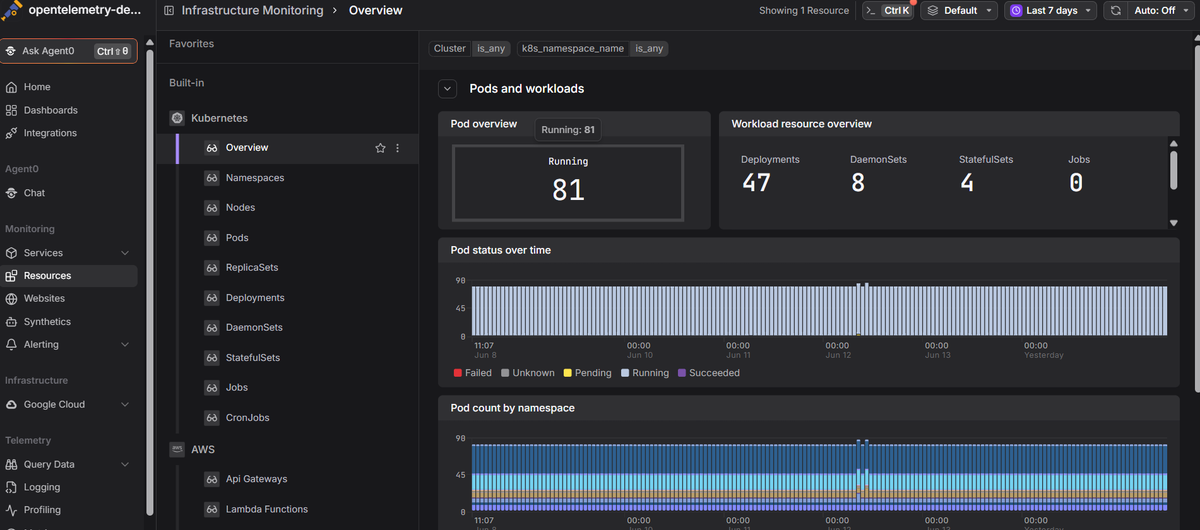
Dash0's infrastructure monitoring tracks container and node resource usage alongside real-time logs and distributed traces, so you can find the one bad task in a busy cluster from a single view instead of SSH-ing across hosts. Because it's built on OpenTelemetry, the same setup carries over cleanly if you later migrate from Swarm to Kubernetes.
 Start a free trial to see your containers, hosts, logs, and traces in one place. No credit card required.