
Application observability is the ability to understand what's happening inside a running application from the telemetry it emits, without shipping new code to answer a question you didn't anticipate. The reason this matters is mechanical: distributed systems fail in combinations you never predicted, and a dashboard built around the failures you did predict won't help when the novel one hits at 3 a.m.
Most definitions stop at "logs, metrics, and traces." That's the raw material, not the property. This article covers what actually makes a system observable, how that's different from monitoring, and the part nearly every guide skips: where observability quietly breaks in practice.
Observability is a property, not a product
The word comes from control theory, where a system is observable if you can infer its complete internal state from its external outputs. Applied to software, the question is concrete: when something goes wrong, can you figure out why using data you're already collecting, or do you have to add a log line, redeploy, and wait for the problem to recur?
If you have to redeploy to answer the question, your system isn't observable for that class of problem. It doesn't matter how many dashboards you have. This is the test that separates real observability from a monitoring stack with good branding.
The practical implication is that observability is designed in, not bolted on. The application has to emit signals rich enough that you can slice them along dimensions you didn't think to pre-aggregate. A request counter that only tracks total throughput tells you that error rates rose. A request counter broken down by customer ID, endpoint, region, and build version lets you discover that errors are concentrated in one customer, on one endpoint, in one region, after one deploy. The second one is observable. The first is just a number going up.
What makes the data observable: cardinality
The dimension that gets ignored is cardinality, which is the number of distinct values an attribute can take. http.response.status_code has low cardinality (a handful of values). user.id has high cardinality (potentially millions). High-cardinality attributes are exactly the ones that let you isolate a problem to a specific user, session, or request, and they're the ones traditional metrics systems handle worst, because every unique combination of label values creates a new time series.
This is why traces matter so much for observability specifically. A trace records the path of a single request as it propagates through your services, and each span in it can carry arbitrary high-cardinality attributes without exploding a metrics backend. When you attach the customer ID, the feature flag state, and the database query to a span, you can later ask "show me the slow checkout requests for enterprise customers with the new pricing flag enabled" and get an answer. That question was never pre-defined anywhere. That's the whole point.
The three signal types work together rather than as independent "pillars":
- Metrics are cheap aggregates that tell you something changed (latency rose, error rate spiked). They're your starting point because they're always on and cheap to query.
- Traces tell you where in a distributed call path the change is happening and carry the high-cardinality context to narrow it down.
- Logs give you the granular detail of what a specific operation did, ideally correlated to the trace that produced them.
The value isn't in having all three. It's in being able to pivot between them: spot the spike in a metric, jump to the traces behind it, read the logs for the one span that failed. If your three signals live in three disconnected tools with no shared identifiers, you have three data silos, not observability. A full breakdown of the differences lives in the logs vs. metrics vs. traces explainer.
Observability vs. monitoring
These get used interchangeably, and the distinction is real but often overstated into a marketing dichotomy. Here's the honest version.
Monitoring watches for conditions you defined in advance. You decide that p99 latency above 500ms is bad, you set a threshold, and you get paged when it's crossed. Monitoring answers "is the thing I'm worried about happening?" It's excellent for known failure modes and you should absolutely still do it.
Observability is what you reach for when the page fires and the cause isn't one of the things you were watching for. It answers "why is this happening?" for problems you didn't anticipate. The classic framing is that monitoring handles known unknowns (you know to ask about latency, you just don't know its current value) while observability handles unknown unknowns (you had no idea this specific interaction between a cache eviction and a retry storm could even occur).
In practice they're layered, not opposed. Monitoring tells you something is wrong. Observability lets you find out what. A system with great monitoring and poor observability pages you reliably and then leaves you grepping logs for two hours. The full comparison is in observability vs. monitoring.
How application observability actually gets implemented
The mechanism is instrumentation: code that emits telemetry as your application runs. There are two layers, and most teams need both.
Auto-instrumentation hooks into your runtime or libraries to emit telemetry without code changes. The OpenTelemetry agents for languages like Java, Python, and Node.js do this by instrumenting common frameworks (HTTP servers, database clients, message queues) automatically. You get traces for every inbound request and outbound call essentially for free. This is the fastest path to baseline coverage and where you should start.
The limitation is that auto-generated spans are generic. The Java agent will tell you a database query took 800ms, but it won't tell you it was the query for a specific customer's order history, because it has no idea what your business logic considers important. That context is the difference between "a query was slow" and "the order-history query for enterprise tier is slow." Closing that gap is manual instrumentation: adding your own attributes and spans to capture the dimensions that matter for your application. The realistic pattern is auto-instrumentation for breadth, manual instrumentation for the high-cardinality business context that makes the data debuggable.
OpenTelemetry has become the default for this because it's vendor-neutral. You instrument once against the OTel API and send that data to any compatible backend, instead of locking your instrumentation to one vendor's proprietary agent. If you instrument with OpenTelemetry, switching observability backends is a configuration change, not a re-instrumentation project.
Common pitfalls
The failure modes here are subtle and expensive, and they're the part you won't find in a glossary entry.
Cardinality bombs in metrics. The instinct after learning that high cardinality is good is to attach high-cardinality attributes to metrics. Do this and you'll create millions of time series, blow up your metrics storage, and get a surprise bill. High cardinality belongs on traces and logs, not metric labels. Putting user.id on a metric is one of the most common and costly observability mistakes. Follow the semantic conventions on which attributes are safe as metric dimensions.
Sampling that drops the trace you needed. To control cost, most teams sample traces, keeping only a fraction. With naive head-based sampling, the decision to keep a trace is made at the start of the request, before you know whether it errored. The result is that you sample away the rare failed request, which was the one you actually needed. Tail-based sampling, which decides after the request completes, lets you keep all the errors and slow requests while sampling the boring successful ones. If you're sampling, sample on the outcome.
Three tools, three silos. Buying a logging tool, a metrics tool, and a tracing tool from three vendors gives you all three signals and none of the observability, because you can't pivot between them. The entire value is in following a single request across signal types using shared identifiers like trace_id. If your logs don't carry the trace ID of the request that emitted them, you can't jump from a slow trace to its logs, and you're back to manual correlation.
Instrumenting everything equally. Telemetry isn't free; it consumes CPU, memory, and storage. Teams that instrument every function at maximum verbosity can add real latency to the application they're trying to observe. Instrument the boundaries that matter (service entry points, database calls, external dependencies) richly, and resist the urge to trace every internal helper.
Final thoughts
Application observability isn't a tool you buy or a box you check. It's the property of having designed your telemetry so that when a problem you never imagined shows up in production, the data to diagnose it is already there and you can follow it from a metric spike to the exact failing span. Getting there is mostly about instrumenting with high-cardinality context and keeping your signals connected.
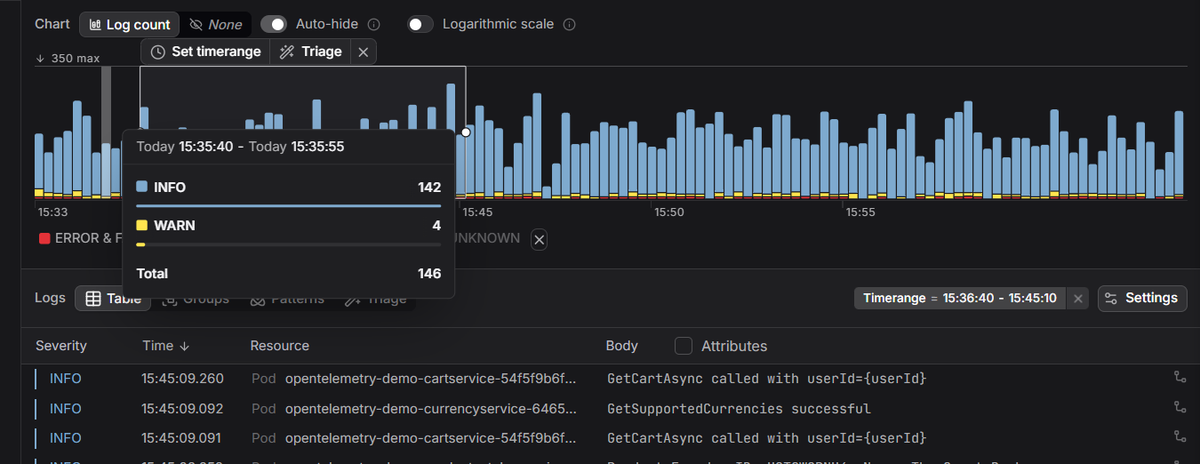
Dash0 is OpenTelemetry-native, so your logs, metrics, and distributed traces land in one place already correlated by trace ID, which means pivoting from "something's wrong" to "here's the failing request" is a click, not a cross-tool investigation.
 Start a free trial to send your OpenTelemetry data to a backend that keeps your signals connected. No credit card required.