
Last updated: May 29, 2026
Export Views
Build views visually in Dash0, then export them as YAML for version control and deployment.
Once you have identified an existing view, or created a new one, do the following:
-
In the navigation bar on the left, navigate to the view.
-
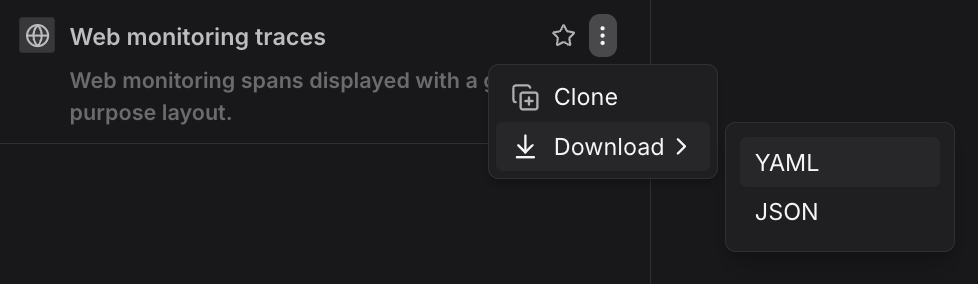
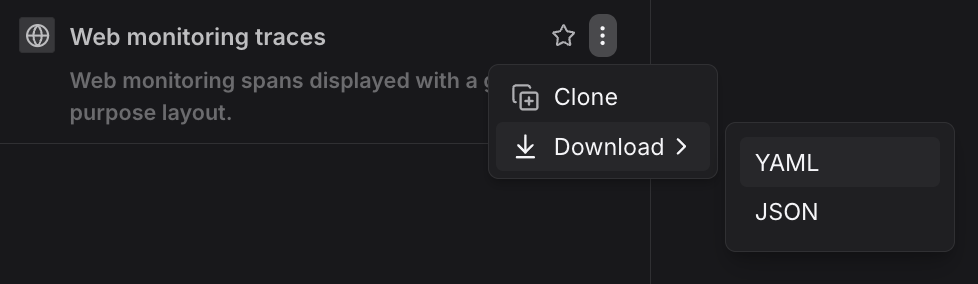
Click on the elipsis in the top right of the selected view.
-
Click Download and then YAML button to download the view.
Export Format
The exported YAML follows the Dash0View format:
yaml
1234567891011121314151617kind: Dash0Viewmetadata:name: error-logsspec:type: logsdisplay:name: Error Logsdescription: All error-level logs from production servicesgroupBy:- service.namefilter:- key: severityoperator: equalsvalue: ERROR- key: k8s.namespace.nameoperator: equalsvalue: production
View Types
Views can be created for different telemetry types:
logs— Saved log queries and filtersspans— Saved trace queries and span filtersmetrics— Saved metric queries and visualizationsfailed_checks— Saved alert failure viewsweb_events— Saved web event queriesresources— Saved resource views (services, pods, etc.)
Each view type has its own schema and supported filters appropriate for the telemetry type.
Further Reading
- Manage Views as Code — Deploy views using the Dash0 Operator for Kubernetes, the Dash0 Terraform Provider, or the Dash0 CLI.
- Manage Dashboards as Code — Define and manage dashboards using infrastructure as code.
- Manage Check Rules as Code — Define and manage check rules using infrastructure as code.
- Manage Spam Filters as Code — Define and manage spam filters using infrastructure as code.