


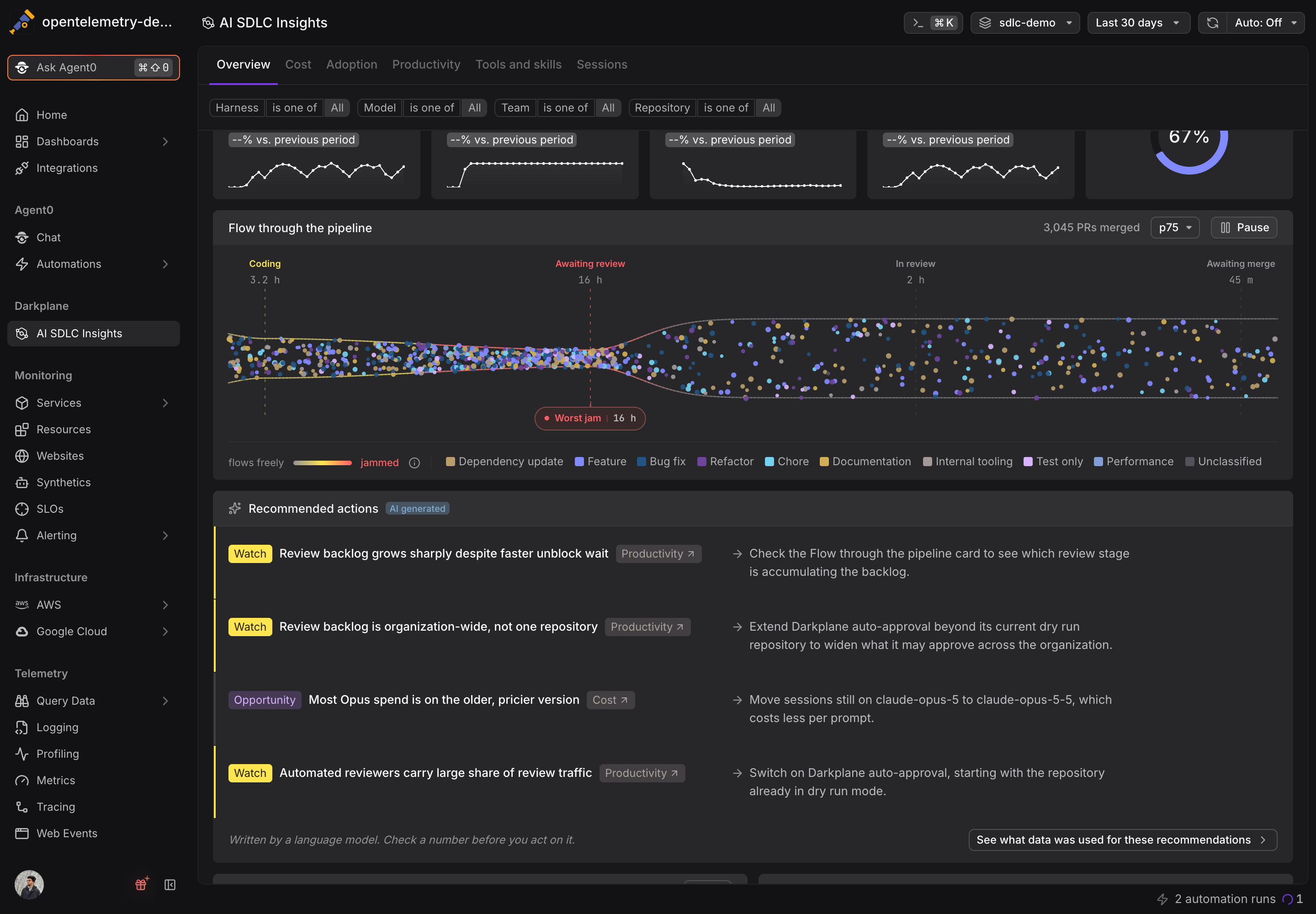
AI SDLC Insights shows what your coding agents cost, who uses them, and how assisted pull requests move through review. Turning those charts into a decision was still your job: which number matters this week, and what should you change because of it?
The Overview tab now has a Recommended actions card, right under the headline numbers. It reads the measurements on the page for your time range, filters, and percentile, and turns them into two to four findings. Each finding fits on one line: a Risk, Watch, or Opportunity tag, what it found, which tab the evidence is on, and the action to take. Advice about slow reviews also knows whether your repositories already use Darkplane auto-approval, so it tells you to switch it on or to extend it instead of hedging.
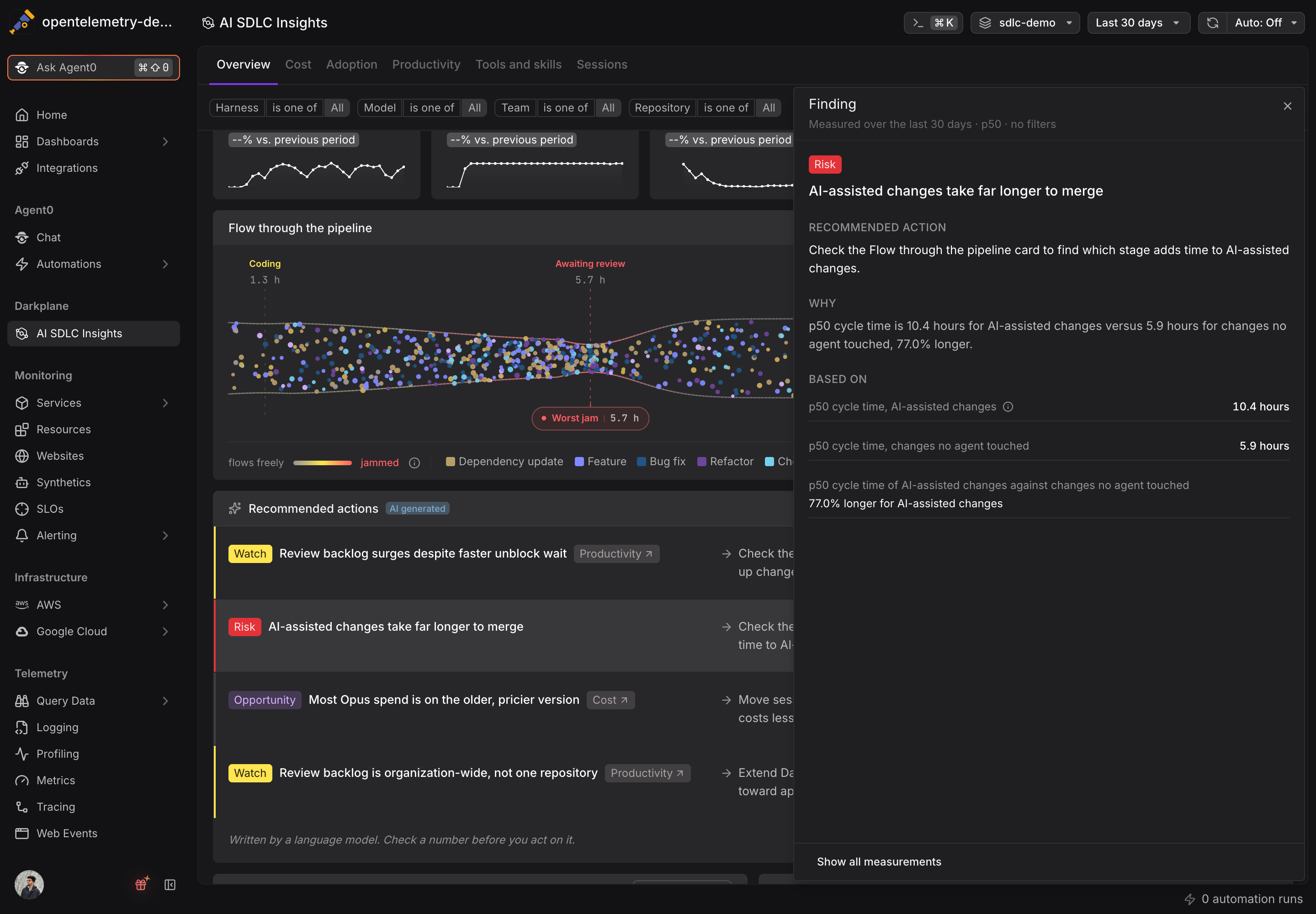
Click a finding to open it in a side panel with the recommended action, why it matters, and the measurements it is based on. Every number the card quotes is one you can check. The tab tags and "See it in" links take you to the chart behind a finding with your range, filters, and percentile intact, and "See what data was used for these recommendations" lists every measurement the card was written from, with the ones behind your finding highlighted.
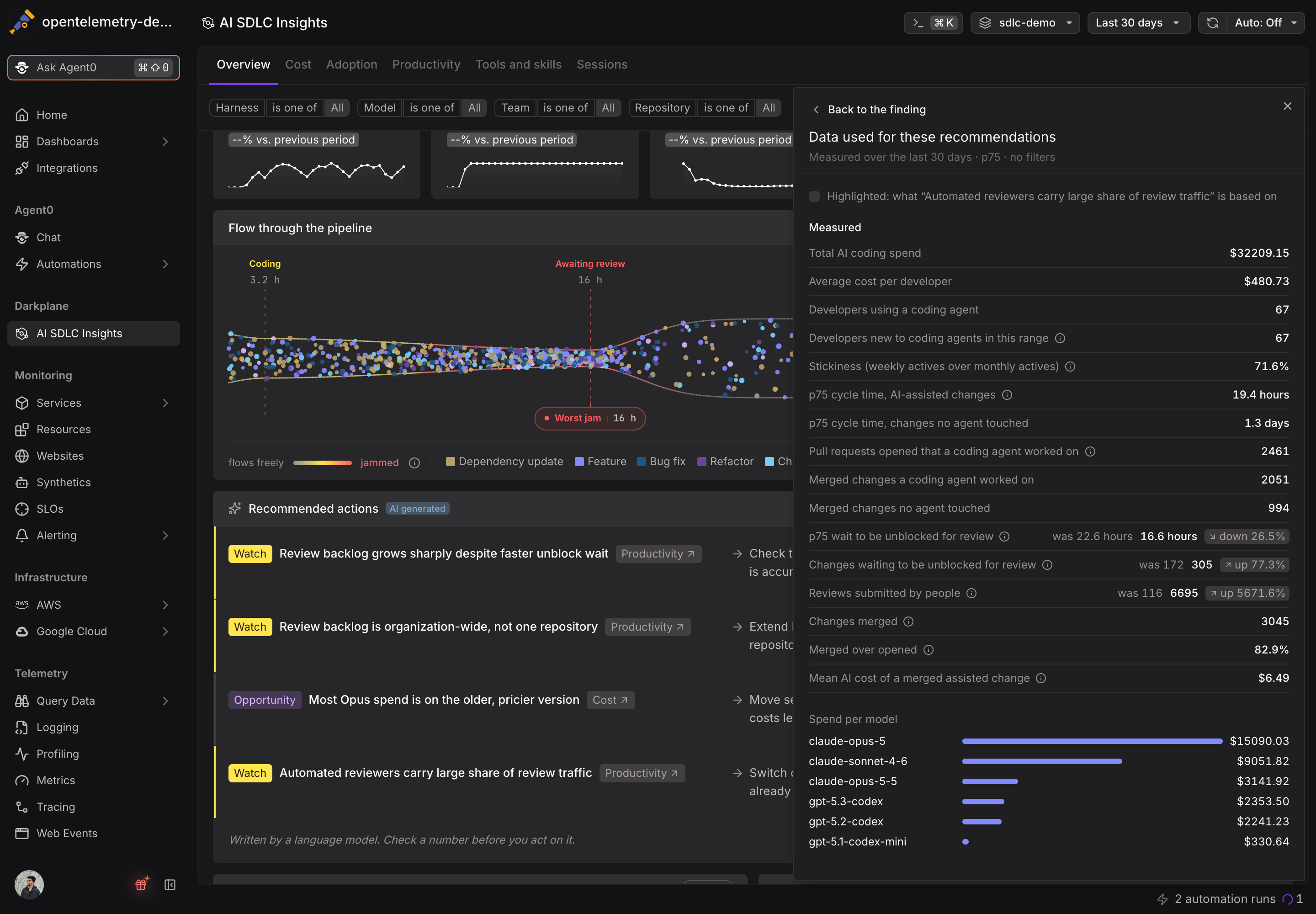
The recommendations stay the same while your numbers do, and refresh when something actually moves, so the card does not reword itself every time you open the page. If a finding helps, or misses, rate it with the thumbs on its row. That feedback goes straight to the team improving them.
The Overview now reads in order: where things stand, what to do about it, and the detail behind both.