
Cloud monitoring is the operational practice of running alerting, dashboards, and automated responses against the telemetry your cloud infrastructure produces. It's distinct from the broader concept of observability — observability is a property you design into a system so you can ask arbitrary questions about its state; monitoring is the concrete set of checks you run once that system is in production. You need both, but they're not the same thing, and confusing them leads to gaps.
The gap cloud monitoring specifically creates is a provider problem. Every cloud hands you a separate console for its own slice of the data, each with different granularity, different pricing, and different coverage. This article is about the mechanics of that: how cloud telemetry actually flows to an alert, where the provider-native tooling quietly stops working, and how to unify the picture without stitching together three browser tabs.
Where cloud telemetry comes from
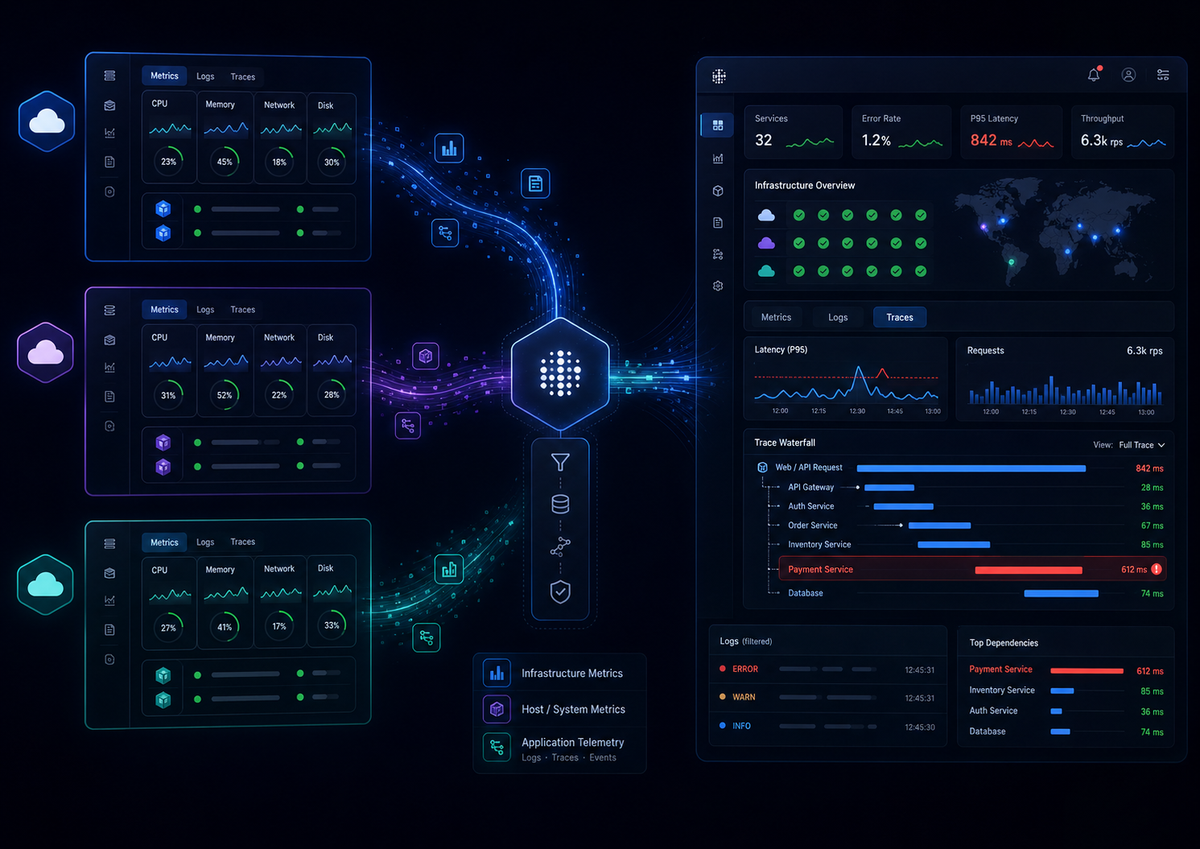
Cloud monitoring has a structural problem that on-premises monitoring doesn't: the data you need lives in three different places, owned by three different parties, and none of them gives you the complete picture on its own.
The first source is the provider's own metrics API. AWS exposes CloudWatch, Azure has Azure Monitor, and Google Cloud has Cloud Monitoring. These cover what the provider can see from the outside: resource utilization metrics for the things you provision — EC2 CPU, load balancer request counts, RDS replication lag. You get this without installing anything, because the provider is already measuring its own hardware.
The second source is an agent running on your hosts. The provider sees the hypervisor's view of 60% CPU but can't see inside the guest OS: memory pressure, disk usage on a mounted volume, per-process consumption, or anything happening inside a container. Closing that gap means running something on the machine, and increasingly that something is the OpenTelemetry Collector.
The third source is the application itself — custom instrumentation that emits telemetry from inside your code. This is where most real incidents are actually diagnosed, because provider metrics can tell you an instance is busy but can't tell you which specific request path is causing it or why. It's also the layer provider-native tooling covers least well, and the one that requires the most deliberate setup.
Understanding which source covers what is the foundation of any cloud monitoring strategy. Provider APIs are cheap and automatic but shallow. Agents fill the host-level gap. Application instrumentation provides depth. The practical problem is that each layer lands in a different tool by default, which is what creates the multi-tab debugging experience most teams know too well.
How the pipeline works, and where providers control it
Every cloud monitoring setup runs the same pipeline: telemetry is collected, aggregated into fixed time windows, stored in a time-series backend, and evaluated against alert rules. The cloud-specific twist is that you don't control most of this pipeline for provider metrics — the provider sets the collection interval, the aggregation window, and the retention period, and those defaults are often coarser than you'd choose.
When CloudWatch stores an EC2 metric at a five-minute period, it's collapsing everything in that window into a single statistic — the average, the maximum, or whichever you asked for. A five-minute average of 30% CPU can hide a 100% spike that lasted 40 seconds. The spike happened; the aggregation erased it. For host-level metrics collected by your own agent, you set the interval and keep the raw data. For provider metrics, the window is theirs.
Where provider-native monitoring falls short
The native tools are convenient and the right starting point. But teams consistently hit the same walls, and knowing about them ahead of time saves a lot of confused debugging.
The most immediate problem is that metrics arrive late and coarse. By default, EC2 publishes at five-minute intervals under basic monitoring; one-minute detailed monitoring costs extra. On top of the collection interval there's real reporting lag before a data point is queryable. If you pull EC2 CPU with the default period, you get exactly what basic monitoring gives you:
12345678aws cloudwatch get-metric-statistics \--namespace AWS/EC2 \--metric-name CPUUtilization \--dimensions Name=InstanceId,Value=i-0abc123def456 \--start-time 2026-07-02T09:00:00Z \--end-time 2026-07-02T09:15:00Z \--period 300 \--statistics Average
The output comes back in five-minute buckets, which is fine for capacity trends but useless for catching a 90-second latency spike:
12345678{"Label": "CPUUtilization","Datapoints": [{ "Timestamp": "2026-07-02T09:00:00Z", "Average": 12.4, "Unit": "Percent" },{ "Timestamp": "2026-07-02T09:05:00Z", "Average": 13.1, "Unit": "Percent" },{ "Timestamp": "2026-07-02T09:10:00Z", "Average": 47.8, "Unit": "Percent" }]}
Combined with reporting lag, alerting on five-minute metrics means you routinely learn about a problem 15 or more minutes after it started.
Cost is the next trap. CloudWatch custom metrics are priced per metric per month, and every unique combination of dimensions counts as a separate metric. Add an InstanceId dimension across a fleet, then split by Region and Endpoint, and one logical metric quietly becomes thousands of billable ones. The bill scales along exactly the same axis that makes metrics useful, so the teams who instrument most thoughtfully are the ones who get surprised by the invoice.
Then there's fragmentation. CloudWatch is region-scoped by default. A cross-region or multi-account view requires manual aggregation through additional services. Run workloads on more than one provider and the problem compounds: Azure Monitor and Cloud Monitoring each have their own query language, their own dashboards, and their own conventions, so "how is my system doing" turns into three browser tabs with no correlated view.
The deepest problem, though, is that provider consoles treat distributed tracing as a separate product, not a first-class signal. AWS X-Ray sits adjacent to CloudWatch rather than inside it. The result is that you can see every infrastructure metric is healthy and still have no route to the request path that's failing, because no single provider dashboard correlates infrastructure state with the trace that ran on it. Closing that gap requires either buying into multiple provider products or routing all signals through a unified pipeline you control. For a full treatment of why this distinction matters architecturally, see Observability vs Monitoring: Understanding the Differences.
What this looks like in practice
Picture a checkout service that starts timing out during a sale. The CloudWatch dashboard is entirely green: CPU is at 35%, memory is fine, the load balancer shows healthy targets. Every infrastructure signal says the system is healthy, and yet customers are getting spinner-of-death on payment.
The answer isn't in any infrastructure metric. A trace of a single slow checkout shows the request spending three seconds inside a call to an inventory service, which is itself blocked on a database connection pool that maxed out. The instance running checkout was never busy because it was sitting idle waiting on a downstream dependency. Infrastructure monitoring showed you the hosts. It couldn't show you the request, and the request was the whole problem.
This is why cloud monitoring strategy can't stop at provider dashboards. The provider tells you the infrastructure is fine, because from its perspective it is. Finding the actual problem requires correlating infrastructure state with request-level data, and that correlation doesn't happen automatically across separate provider products.
Unifying the sources with OpenTelemetry
The fragmentation problem — provider metrics in CloudWatch, host metrics in a separate agent, traces in X-Ray — is what OpenTelemetry solves at the collection layer. Instead of one tool per data source, the Collector acts as a single pipeline that pulls from all three: it scrapes provider APIs, gathers host metrics locally, and receives instrumented telemetry from your applications via OTLP (OpenTelemetry Protocol). Everything lands in one backend with shared resource attributes, so correlation between layers happens without manual joins across separate systems.
A minimal Collector configuration that pulls host metrics locally and accepts application telemetry over OTLP looks like this:
123456789101112131415161718192021222324252627282930receivers:hostmetrics:collection_interval: 10sscrapers:cpu:memory:disk:network:otlp:protocols:grpc:http:exporters:otlp:endpoint: ${env:DASH0_ENDPOINT}headers:Authorization: Bearer ${env:DASH0_AUTH_TOKEN}service:pipelines:metrics:receivers: [hostmetrics, otlp]exporters: [otlp]traces:receivers: [otlp]exporters: [otlp]logs:receivers: [otlp]exporters: [otlp]
The hostmetrics receiver fills the gap the provider can't see inside the guest, at a ten-second interval rather than five minutes. If you're running the Collector in Kubernetes, you'll need additional configuration — host filesystem mounts and security context settings — for complete visibility. The otlp receiver takes in instrumented telemetry from your services. Because everything flows through the same pipeline with consistent resource attributes, a slow trace correlates directly to the host metrics and logs from the same timeframe, without switching tools or joining across separate data stores.
For a deeper walkthrough of the hostmetrics receiver, including dashboards and alerting patterns, see the Infrastructure Monitoring with OpenTelemetry Host Metrics guide.
Common pitfalls
A few failure modes catch experienced engineers off guard because they look correct right up until an incident.
Watch out for alerting on averages instead of percentiles. A five-minute average latency of 200ms feels safe, but if your P99 is 4 seconds, one in a hundred users is having a terrible time and your dashboard is hiding it. Alert on high percentiles for anything user-facing.
Also don't assume high-resolution metrics stay high-resolution. CloudWatch rolls sub-minute custom metrics up after a few hours and one-minute data after 15 days. If you investigate an incident from last month, the second-by-second detail you paid extra to collect has already been aggregated away, so postmortems on older incidents are coarser than you expect.
Finally, pulling metrics straight from a provider API needs nothing installed, which is exactly why it can't see memory pressure, thread pool exhaustion, or garbage collection pauses happening inside your process. Those in-process problems are the ones that page you at 3am, and they only appear when something is actually running on the host.
Final thoughts
Cloud monitoring is operationally harder than on-premises monitoring because the data is fragmented across provider boundaries by default. Each cloud gives you free visibility into what it controls and stops there. The teams that stay ahead of incidents are the ones who treat that fragmentation as a solvable infrastructure problem — routing all sources through one collection pipeline — rather than accepting three separate tools as the status quo.
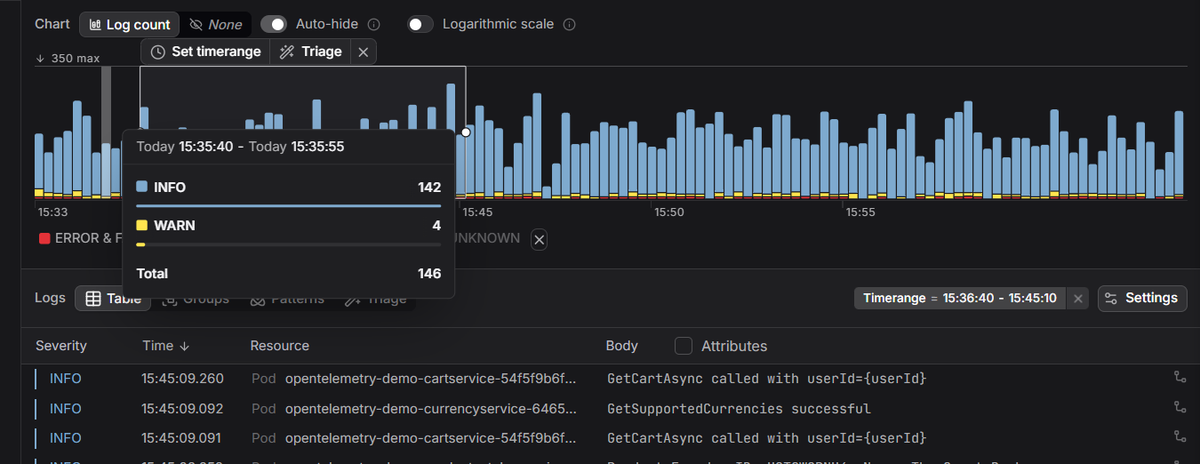
Dash0 is OpenTelemetry-native, so the same Collector you'd run anyway feeds infrastructure monitoring, real-time log management, and distributed tracing into one place, across every cloud and region, with no per-provider console to stitch together. When a checkout starts timing out, you can jump from the slow trace to the host metrics to the logs without changing tools.
 Start a free trial to see your metrics, logs, and traces from every cloud in a single view. No credit card required.