
A distroless image contains your application, its runtime dependencies, and almost nothing else. No shell, no package manager, no ls, no cat, none of the userland utilities that ship with a normal Linux base image like debian or ubuntu.
The logic is simple. Every binary in your container is one more thing a vulnerability scanner will flag and one more thing you have to patch. It's also a tool you've handed to any attacker who manages to get a foothold. Your Go service never calls bash, so why ship bash at all? Distroless strips the image down to the parts your process actually executes.
The catch is that the same minimalism that makes these images secure also makes them awkward to debug. You can't kubectl exec into a shell that doesn't exist. This article covers what's actually inside a distroless image, when it's the right call versus Alpine, and how to debug one in production once you've removed the shell.
What's inside (and what's not)
Google's distroless project publishes the canonical set of these images. They're built on Debian 13 and come in a few flavors depending on what your runtime needs.
The smallest, gcr.io/distroless/static-debian13, is around 2 MiB. For comparison, Alpine is about 5 MiB and a full Debian image is roughly 124 MiB. That static image isn't empty, though. It includes CA certificates so your app can make TLS connections, timezone data, and an /etc/passwd with a nonroot user (UID 65532). That's enough for a statically linked Go or Rust binary and nothing more.
The other variants add just enough on top:
baseadds glibc and libssl, for dynamically linked binaries that need the C standard library.ccadds libgcc and libstdc++, for C/C++ apps and Rust binaries that aren't fully static.- Language images (
java17,java21,nodejs24,python3, and so on) bundle the matching runtime.
What you won't find in any of them: apt, apk, sh, bash, curl, wget, or ldd. There's no way to install a package after the image is built, because there's no package manager to do it with. (ldd is missing for a subtle reason: it's a shell script, and there's no shell to run it.)
A minimal working example
Distroless images are designed for multi-stage builds. You compile in a fat builder image, then copy only the resulting artifact into the distroless runtime. Here's a Go service:
12345678910# Build stage: full toolchain availableFROM golang:1.24 AS buildWORKDIR /srcCOPY . .RUN CGO_ENABLED=0 go build -o /bin/app# Runtime stage: just the binaryFROM gcr.io/distroless/static-debian13COPY /bin/app /appCMD ["/app"]
CGO_ENABLED=0 matters here. It produces a fully static binary with no dependency on glibc, which is exactly what static-debian13 expects. If you forget it and your binary links against the C library dynamically, the container will fail at startup with a cryptic "no such file or directory" error referring to the binary itself, even though the file is clearly there. That error means the dynamic linker is missing, and you either need CGO_ENABLED=0 or the base image instead.
Watch the CMD and ENTRYPOINT syntax too. Both have to be in exec (vector) form, like ["/app"]. The shell form, CMD /app, asks the runtime to run your command through /bin/sh, and there's no shell to run it through, so your container exits immediately.
Distroless or Alpine?
Alpine is the usual alternative when people want a small base image, and the two are solving slightly different problems.
Alpine is small because it uses BusyBox and musl libc instead of the GNU coreutils and glibc. Critically, it still has a shell and the apk package manager. That makes it far easier to debug and extend, but it also means you're shipping an attack surface and a libc that behaves differently from what most software is tested against. The musl difference is not academic. Python in particular suffers: many packages ship prebuilt manylinux wheels that are glibc-only, so on Alpine pip falls back to compiling from source, which is slow and frequently breaks. There have also been long-standing musl DNS resolution quirks that bite networked services.
Reach for distroless when the container is a production artifact you want locked down: a compiled Go or Rust binary, or a JVM/Node/Python service running a known runtime, where you've accepted that debugging happens through observability rather than a shell. Reach for Alpine when you genuinely need a shell or package manager inside the running container, or when your tooling assumes a Unixy userland is present. For a static Go binary, distroless/static and scratch are both viable, but distroless gives you the CA certs, timezone data, and nonroot user that scratch makes you assemble yourself.
Debugging when there's no shell
This is the part nobody mentions until the first 2 a.m. incident. You try the reflex move and it fails:
1kubectl exec -it my-app-pod -- /bin/sh
12error: Internal error occurred: error executing command in container:exec: "/bin/sh": stat /bin/sh: no such file or directory
There's no shell, so there's nothing to exec into. The right tool is an ephemeral container, which Kubernetes promoted to stable in v1.25. kubectl debug injects a temporary container with whatever tooling you want into the running pod, sharing the target's process and network namespaces without restarting it:
1kubectl debug -it my-app-pod --image=busybox:1.38 --target=app
Once you're in the BusyBox shell, the trick for reaching your application's filesystem is /proc/1/root. Because the debug container shares the process namespace, PID 1 is your app, and /proc/1/root is a symlink to its root filesystem:
12ls /proc/1/root/appcat /proc/1/root/etc/config.json
The ephemeral container carries the shell and tools, while the target keeps its minimal, shell-free image. When you exit, the debug container is gone and your production image is unchanged.
Common pitfalls
The /proc/1/root access can fail on nonroot distroless images. If your app runs as UID 65532 and your debug container runs as root (or a different non-root UID), you'll hit permission denied reading the target's filesystem, because the file ownership doesn't line up. You can match the UID with --custom overrides, or use cdebug, an open-source tool that wraps the whole flow with saner defaults.
A tempting shortcut is the :debug image tags Google publishes, which bake a BusyBox shell back into the image. They're useful in a development cluster. Shipping gcr.io/distroless/static-debian13:debug to production quietly puts back the shell you adopted distroless to remove, so keep debug tags out of your release pipeline.
One last thing: distroless is not automatically CVE-free. It tracks upstream Debian and inherits Debian's vulnerabilities in glibc, OpenSSL, and the language runtimes. It has dramatically fewer packages to scan, which is the real win, but you still need to rebuild on a schedule to pick up the upstream security fixes.
Final thoughts
Distroless changes how you operate a service: you stop logging into containers and start relying on what they emit. When there's no shell to poke around in, your logs, metrics, and traces are the only window you have into a misbehaving process, so instrumenting the application well stops being optional. The same goes for Docker logs, which need shipping somewhere durable since you can't cat a file inside an ephemeral container after it's gone.
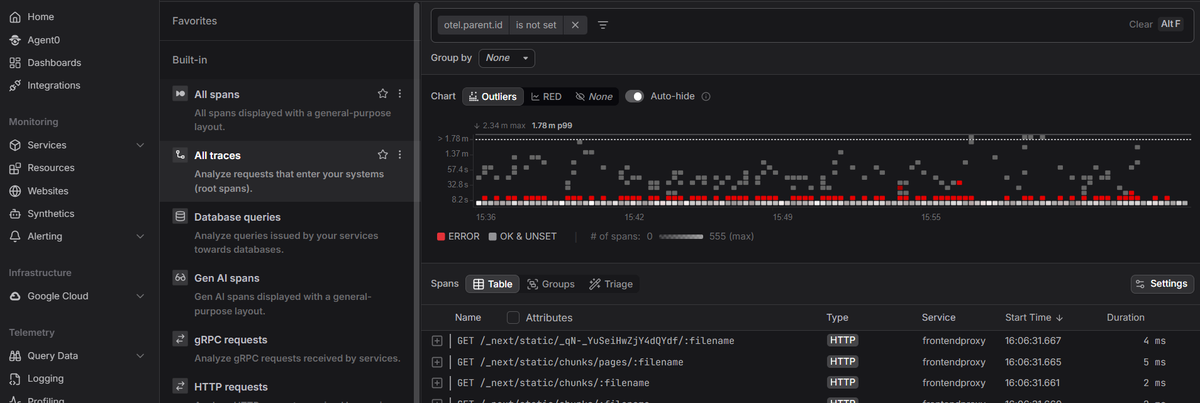
Dash0 is an OpenTelemetry-native observability platform that unifies logs, metrics, and traces, so you can diagnose a distroless workload from its telemetry instead of a shell session. Its Kubernetes monitoring ties pod health and resource usage to the signals your application emits, which is exactly the visibility you trade for when you remove the shell.
 Start a free trial to see your container logs, metrics, and traces in one view. No credit card required.