
Requests and limits look like two settings for the same thing, but they operate at entirely different stages and enforce differently. Getting either one wrong produces different failure modes, and one of them is completely silent.
Requests are a scheduling contract. When the scheduler looks for a node to place your pod, it finds nodes where unallocated capacity is at least as large as your request. A pod that requests 500Mi of memory won't land on a node with only 400Mi free, even if the running containers on that node are collectively using just 100Mi. Once your pod is running, requests translate into Linux cgroup cpu.shares weights (or cpu.weight on cgroups v2), telling the kernel how to divide CPU time between competing containers when the node is busy. On a quiet node, a container with a 200m CPU request can use 4 full cores with no complaint from Kubernetes.
Limits are runtime enforcement and don't influence scheduling at all. CPU limits map to Linux Completely Fair Scheduler (CFS) bandwidth control: the kernel gives each container a quota of CPU time proportional to its limit per 100ms scheduling period. A container limited to 500m gets 50ms of CPU time per 100ms window. When it burns through that quota, it's throttled until the next period, even if the rest of the node is sitting idle. Memory limits work differently: when a container exceeds its memory limit, the kernel's out-of-memory (OOM) killer terminates the process immediately. The container restarts and Kubernetes records an OOMKilled status.
Here's a concrete example:
1234567resources:requests:memory: "256Mi"cpu: "250m"limits:memory: "512Mi"cpu: "500m"
With this configuration, the scheduler looks for a node with at least 256Mi memory and 250m CPU not yet claimed. At runtime, the container can burst up to 500m CPU and 512Mi memory. Exceed the CPU quota in a given 100ms window and you're throttled for the rest of that period. Exceed the memory limit and you get OOMKilled.
QoS classes and eviction order
Kubernetes derives a Quality of Service (QoS) class from your requests/limits combination. When a node runs low on memory, this class determines which pods get killed first.
Pods where requests equal limits for all containers are Guaranteed, evicted last. Pods where requests are lower than limits (or where limits aren't set) are Burstable, evicted after BestEffort but before Guaranteed ones. Pods with no requests and no limits at all are BestEffort and get killed first under any memory pressure. Most production workloads land in Burstable, which is fine until your node gets overcommitted.
The practical implication: if you set memory requests lower than limits to allow bursting, your pod is Burstable and can get evicted during node pressure events. For a stateless web server that restarts cleanly, that's often acceptable. For a batch job that loses hours of progress when it restarts, it isn't.
Pitfalls that catch people out
CPU throttling is completely silent
When a container hits its CPU limit, nothing in Kubernetes signals it. No event, no log entry, no status change. The container keeps running but runs slower, and this surfaces as P99 latency spikes that look exactly like an application bug. kubectl top shows a point-in-time snapshot from the Metrics API and won't surface 100ms burst patterns. The metric to check is container_cpu_cfs_throttled_seconds_total from cAdvisor. A throttle ratio above 25% on a latency-sensitive service warrants investigation.
You can hit throttling at low average CPU usage
Java GC pauses and event loop flushes burst hard in short windows. A container averaging 150m CPU with a 500m limit can still get throttled during a GC pause that burns through the full 50ms quota in a single 100ms window. Your average utilization metrics look healthy; your P99 latency is a mess.
Setting limits without requests has a non-obvious side effect
If you set only limits and omit requests, Kubernetes defaults requests to equal limits. For CPU, this is mostly harmless. For memory, it quietly puts your pod in the Guaranteed QoS class, which prevents it from using spare memory sitting idle on the node. This isn't always wrong, but it's rarely what people intend when they're "just setting a limit."
What to actually set
For CPU, base your request on steady-state usage measured from container_cpu_usage_seconds_total. Set the limit 2–4x the request for burst headroom, or skip the CPU limit entirely if you've verified your workload's behavior and want to eliminate throttling risk. Some teams with dedicated node pools deliberately omit CPU limits and rely on requests alone for scheduling fairness. It's a legitimate choice when you have the observability to catch runaway containers.
For memory, set requests equal to limits for workloads that matter. You get the Guaranteed QoS class, predictable eviction behavior, and cleaner capacity planning. Accept that the container OOMKills rather than silently consuming a neighbor's allocation.
If you're starting from scratch with no usage history, run Vertical Pod Autoscaler in recommendation mode for a few days before committing to static values. Guessing cold is how you end up with containers that are either constantly throttled or provisioned at 10x actual need.
Getting requests and limits calibrated is mostly an empirical problem: you need real usage data to set them correctly, and runtime metrics to know when they're wrong. Watching container_cpu_cfs_throttled_seconds_total alongside P99 latency tells you whether your CPU limits are too tight before users file a ticket. Correlating OOMKilled events with memory usage tells you which limits need raising.
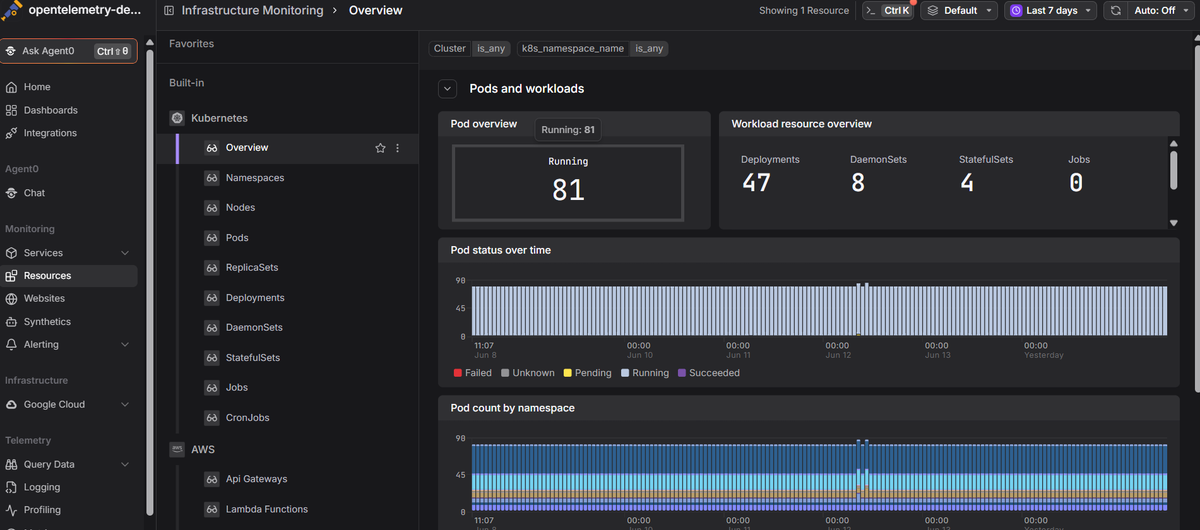
Dash0's Kubernetes monitoring surfaces CPU throttle ratios, memory pressure, and OOMKill rates alongside logs and distributed traces in a single view, so you can connect a latency spike to a throttle event without pivoting between tools.
 Start a free trial to see your container resource metrics alongside application traces. No credit card required.