
When people say "Kubernetes load balancer," they usually mean one of two
things: the built-in LoadBalancer Service type that gives a set of pods a
single external IP, or the general idea of spreading traffic across pod
replicas so no single one gets overwhelmed. The two are related, but conflating
them is where most of the confusion starts.
Kubernetes already load-balances across healthy pods for any Service through
kube-proxy. The LoadBalancer Service type is what you reach for when you also
need to expose that Service to the outside world through a real load balancer
with a stable IP.
Create a LoadBalancer Service
Here's a minimal complete example. It assumes you already have a Deployment
whose pods carry the label app: webapp and listen on port 8080.
123456789101112apiVersion: v1kind: Servicemetadata:name: webappspec:type: LoadBalancerselector:app: webappports:- protocol: TCPport: 80 # port the load balancer listens ontargetPort: 8080 # port your container listens on
Apply it and watch the external IP get assigned:
12kubectl apply -f webapp-service.yamlkubectl get svc webapp -w
On a cloud cluster you'll see the EXTERNAL-IP flip from <pending> to a real
address within a minute or two:
123NAME TYPE CLUSTER-IP EXTERNAL-IP PORT(S) AGEwebapp LoadBalancer 10.96.193.165 <pending> 80:31044/TCP 10swebapp LoadBalancer 10.96.193.165 203.0.113.50 80:31044/TCP 48s
Once the IP is live, traffic to 203.0.113.50:80 is forwarded to a healthy pod
on port 8080. The provisioning is
asynchronous:
Kubernetes creates the Service object immediately, then the cloud controller
manager creates the actual load balancer and writes the result back into the
Service's .status.loadBalancer field.
How it relates to ClusterIP and NodePort
A LoadBalancer Service isn't a separate mechanism. It layers on top of the
two simpler Service types.
- ClusterIP is the default. Stable virtual IP, only reachable inside the
cluster. kube-proxy load-balances requests to that IP across matching pods.
Every Service gets one, including
LoadBalancerServices. - NodePort opens a high port (default range 30000–32767) on every node and
forwards it to the ClusterIP. You can see this in the output above: the
80:31044/TCPmeans port 80 on the load balancer maps to node port 31044. - LoadBalancer allocates a ClusterIP and a NodePort, then asks the cloud provider to provision an external load balancer that forwards incoming traffic to that NodePort across all nodes.
So a single LoadBalancer Service quietly sets up three layers. The external
load balancer hands traffic to a node, the node's NodePort hands it to
kube-proxy, and kube-proxy picks a pod.
When to use Ingress instead
The LoadBalancer type maps one Service to one cloud load balancer. Each one
is a separate billable resource with its own IP. For a handful of services
that's fine. For a dozen, it starts to hurt.
If you're routing HTTP or HTTPS traffic to multiple services, an
Ingress is
usually better. Run one Ingress controller (commonly
NGINX)
behind a single LoadBalancer Service, and let the controller route to backend
services by hostname and path. One load balancer, many services. (If you're
starting fresh in 2026, it's also worth looking at the
Kubernetes Gateway API, which is the
designated successor to Ingress and offers more expressive routing.)
Use a LoadBalancer Service for a single TCP/UDP endpoint. Use Ingress when
you're fronting several HTTP services with host- and path-based routing.
Common pitfalls
EXTERNAL-IP stuck on <pending> forever
This is the most common surprise, and it's almost always a bare-metal or local
cluster. Kubernetes doesn't ship a load balancer implementation of its own —
the LoadBalancer type is glue code that calls out to a cloud provider's API
(AWS ELB, Google Cloud Load Balancing, Azure Load Balancer). With no cloud
controller manager, nothing ever fulfills the request, so the IP sits in
<pending> indefinitely. No error fires because it isn't an error — just an
unfulfilled ask that Kubernetes waits on forever.
On bare metal, install something that implements the LoadBalancer contract.
MetalLB is the most common choice: it allocates
IPs from a pool you define and announces them over ARP (Layer 2) or BGP. Two
things trip people up after installing it. You have to create an
IPAddressPool, and in Layer 2 mode the pool has to be in the same subnet as
your nodes. Routable-but-foreign IP ranges leave the Service pending or the IP
unreachable even after assignment.
The client source IP disappears
By default, a LoadBalancer Service uses externalTrafficPolicy: Cluster.
Traffic can land on any node and then get rerouted to a pod on a different
node, which requires the receiving node to SNAT the packet, replacing the
client's IP with its own. Your application sees a node IP. That breaks
IP-based access controls, geolocation, and accurate request logging, and the
failure is silent.
To preserve the real client IP, set externalTrafficPolicy: Local:
12345678spec:type: LoadBalancerexternalTrafficPolicy: Localselector:app: webappports:- port: 80targetPort: 8080
With Local, traffic only lands on nodes that actually run a pod for the
Service, so no cross-node hop and no SNAT. The cost is uneven distribution:
nodes without a backing pod get nothing. Kubernetes allocates a dedicated
health-check port so the external load balancer knows which nodes are eligible.
Use Local when you need the real source IP; otherwise leave Cluster and
recover the client IP at the ingress or proxy layer.
One load balancer per Service adds up
Every LoadBalancer Service provisions a separate cloud load balancer and gets
billed as one. Teams that expose each microservice this way are routinely
surprised by the bill. Consolidate HTTP services behind a single Ingress and
reserve LoadBalancer Services for the TCP or UDP endpoints that actually
require one.
Final thoughts
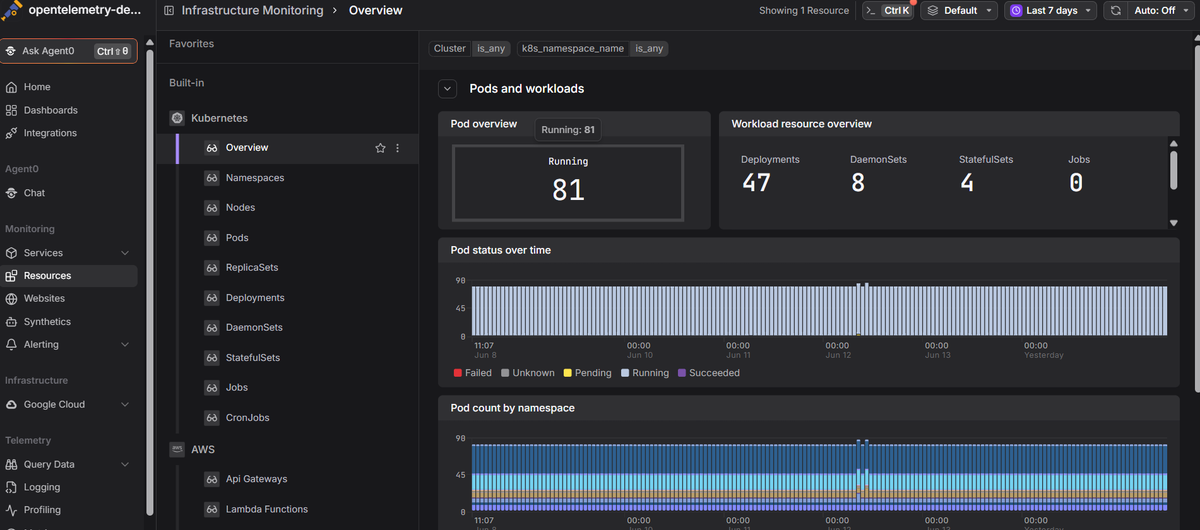
Once the Service is exposed, "is it reachable?" stops being the hard problem. The hard problems are things like one pod absorbing all the traffic while the rest sit idle, or latency climbing ten minutes after a deploy with no obvious cause. Neither is visible from the edge.
Dash0's Kubernetes monitoring is
OpenTelemetry-native
and ties pod-level metrics to logs and
distributed traces, so you can
follow a request from the load balancer down to the specific pod that handled
it, without switching tools.
 Start a free trial to see your cluster in one
view. No credit card required.
Start a free trial to see your cluster in one
view. No credit card required.