
Scanning an image for CVEs (Common Vulnerabilities and Exposures) tells you what known flaws shipped inside it. It says nothing about how that container behaves once it's running, or whether the way you launched it handed an attacker a straight path to the host. A container started with --privileged, running as root, with the Docker socket mounted, can be fully patched and still be the weakest thing on the box.
This article covers the runtime side of Docker security: auditing a running setup against the CIS Docker Benchmark, hardening the configuration that actually contains a compromise, and catching malicious behavior while it happens. If what you need is to find CVEs in the image itself, that's a separate job covered in how to scan Docker images for vulnerabilities. The two are layers, not substitutes for each other.
Prerequisites
Before following along, you'll need:
- Docker Engine 24 or later, with access to the daemon
- A Linux host. Docker Desktop on macOS or Windows runs the daemon inside a VM, so the host and daemon checks below won't map cleanly to your machine
rootorsudoon the host to run the benchmark audit
No prior security tooling experience is assumed.
Audit against the CIS Docker Benchmark
The Center for Internet Security (CIS) Docker Benchmark is the reference standard for secure Docker configuration. It's organized into sections covering the host, the daemon, daemon configuration files, image build practices, and the container runtime. Section 5 (container runtime) is the part most relevant once things are already running, and it's where the findings with real blast radius tend to live.
You don't have to check the controls by hand. docker-bench-security is the official open-source script that automates the checks, based on CIS Docker Benchmark v1.6.0. Clone and run it directly against your host:
123git clone https://github.com/docker/docker-bench-security.gitcd docker-bench-securitysudo sh docker-bench-security.sh
One gotcha: the prebuilt docker/docker-bench-security image on Docker Hub is stale, so run the script from source as shown, or use a community-maintained image like jauderho/docker-bench-security if you'd rather containerize the audit.
The script walks every section and tags each finding [PASS], [WARN], [INFO], or [NOTE]. The runtime section looks like this:
12345678[INFO] 5 - Container Runtime[WARN] 5.4 - Ensure that privileged containers are not used[WARN] * Container running in privileged mode: billing-worker[WARN] 5.10 - Ensure that the memory usage for containers is limited[WARN] * Container running without memory restrictions: billing-worker[WARN] 5.12 - Ensure that the container's root filesystem is mounted as read only[WARN] * Container running with writable root filesystem: billing-worker[WARN] 5.25 - Ensure that the container is restricted from acquiring additional privileges
Work the [WARN] lines in section 5 first, since each one maps to a concrete container flag you can change. Ignore findings for features you don't run (Swarm checks, for instance, are noise if you're not using Swarm). The daemon-level warnings in section 2 matter too, but they're a host configuration task rather than a per-container one.
Harden the runtime configuration
Most section 5 warnings come down to launching containers with too much privilege by default. The flags below resolve the common ones in a single hardened docker run:
12345678docker run -d --name billing-worker \--user 1000:1000 \--read-only --tmpfs /tmp \--cap-drop ALL --cap-add NET_BIND_SERVICE \--security-opt no-new-privileges:true \--pids-limit 200 \--memory 512m --cpus 1.5 \billing-worker:1.4.2
A few of these are worth understanding rather than copying blindly.
--cap-drop ALL strips every Linux capability, then --cap-add puts back only what the process actually needs. NET_BIND_SERVICE is the usual one, required to bind ports below 1024. Most application containers need nothing else, and a container that can't CAP_SYS_ADMIN is a container an attacker can't easily use to reach the kernel.
--read-only mounts the root filesystem read-only, then --tmpfs /tmp gives back the writable scratch space the process expects. This stops an attacker from dropping a binary into the container's filesystem and turns a lot of exploitation techniques into write errors.
--security-opt no-new-privileges:true blocks setuid binaries from escalating privileges inside the container, which closes a common local privilege-escalation path.
--pids-limit caps process count so a fork bomb can't take down the host, and --memory plus --cpus bound the resources a compromised container can consume. These limits are about containing a bad outcome, not preventing the initial break-in.
Docker also applies a default seccomp profile that blocks around 44 dangerous syscalls, and you get that for free. The mistake to avoid is switching it off with --security-opt seccomp=unconfined the first time something doesn't work.
The same configuration in Compose:
12345678910111213141516services:billing-worker:image: billing-worker:1.4.2user: "1000:1000"read_only: truetmpfs:- /tmpcap_drop:- ALLcap_add:- NET_BIND_SERVICEsecurity_opt:- no-new-privileges:truepids_limit: 200mem_limit: 512mcpus: 1.5
Detect threats at runtime with Falco
Configuration hardening shrinks what a container is allowed to do. It can't tell you when something inside a container starts doing something it shouldn't. That's the job of a runtime detection tool, and the open-source standard is Falco, a project that graduated in the Cloud Native Computing Foundation (CNCF). Its latest release is v0.43.0 (January 2026), and it was originally built by Sysdig.
Falco hooks into the kernel through eBPF and watches system calls in real time. It enriches each event with container and Kubernetes metadata, then evaluates it against rules. The built-in ruleset already covers the behaviors that almost always signal trouble: a shell spawned inside a container, a process reading /etc/shadow, a package manager running in a live container, or an unexpected outbound connection.
Once Falco is running (the official Helm chart is the simplest path on Kubernetes, and host packages exist for standalone Docker hosts), trigger a built-in rule by opening a shell in a running container:
1docker exec -it billing-worker sh
Falco fires an alert almost immediately:
12Notice A shell was spawned in a container with an attached terminal(user=root container=billing-worker shell=sh parent=runc cmdline=sh)
Falco detects and alerts. It doesn't block. Stopping the action is a separate concern that belongs to an admission controller or an inline enforcement tool. What Falco gives you is the thing your image scanner and your config audit are both blind to, which is the actual behavior of the workload after it starts.
Common pitfalls
Reaching for --privileged to fix something
A privileged container disables almost every isolation boundary Docker provides and is close to giving the process root on the host. When a container needs one specific capability or device, grant that one thing with --cap-add or --device rather than handing over everything.
Mounting the Docker socket into a container
Bind-mounting /var/run/docker.sock lets the container control the daemon, which means it can launch a privileged container and escape to the host. It's effectively root access. If a container genuinely needs the Docker API, put a socket proxy in front of it that allows only the specific calls it requires, or run Docker rootless.
A read-only filesystem that breaks the app
Apps that write logs, caches, or temp files to disk will fail once you add --read-only, sometimes silently. The fix isn't to drop the flag. Map the exact paths that need to be writable with --tmpfs or a named volume, and leave the rest locked down.
Treating one clean benchmark run as permanent
Configuration drifts. Someone adds a container with looser flags, someone tweaks the daemon to debug an issue, and three weeks later your section 5 score looks nothing like it did. Run docker-bench-security on a schedule rather than once before launch, and diff the results so new warnings surface as they appear.
Final thoughts
Securing a running container is three layers stacked on top of image scanning: audit the configuration against the CIS Docker Benchmark, harden the runtime flags so a compromise stays contained, and watch syscall-level behavior with Falco so you find out when something gets in. Each layer catches what the one before it misses.
Hardening reduces the blast radius, but you still need to see what's actually running and react when something trips a rule. Dash0's OpenTelemetry-native observability brings container logs, metrics, and traces into one place. Falco emits its alerts as JSON, so you can forward them through the OpenTelemetry Collector's filelog receiver into Dash0 as structured logs and alert on runtime detections next to your performance signals. Dash0's Kubernetes monitoring also shows which container.image.tags are live across your workloads, so when a new CVE or a Falco rule fires you can tell exactly where it's running rather than guessing from a static inventory. Pair that with log management for the forensic trail after an incident.
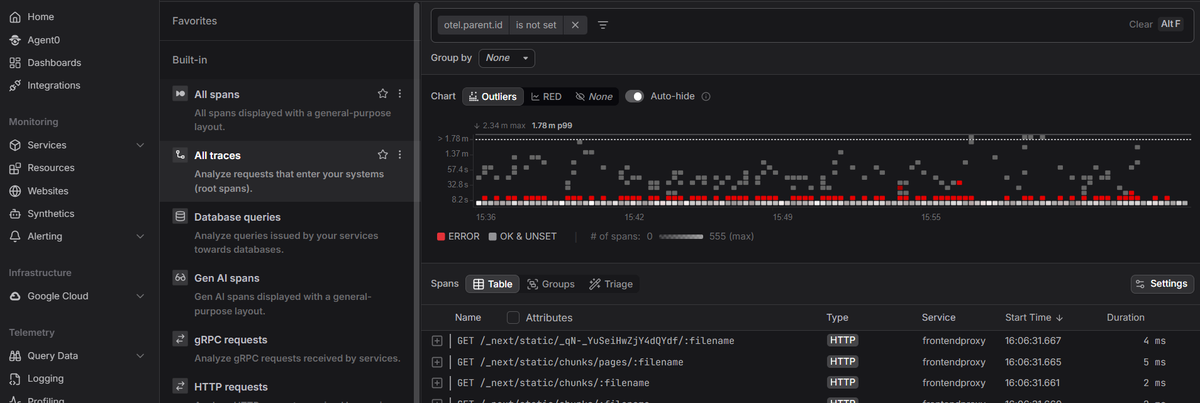 Start a free trial to see your container fleet, its telemetry, and its runtime signals in one view. No credit card required.