


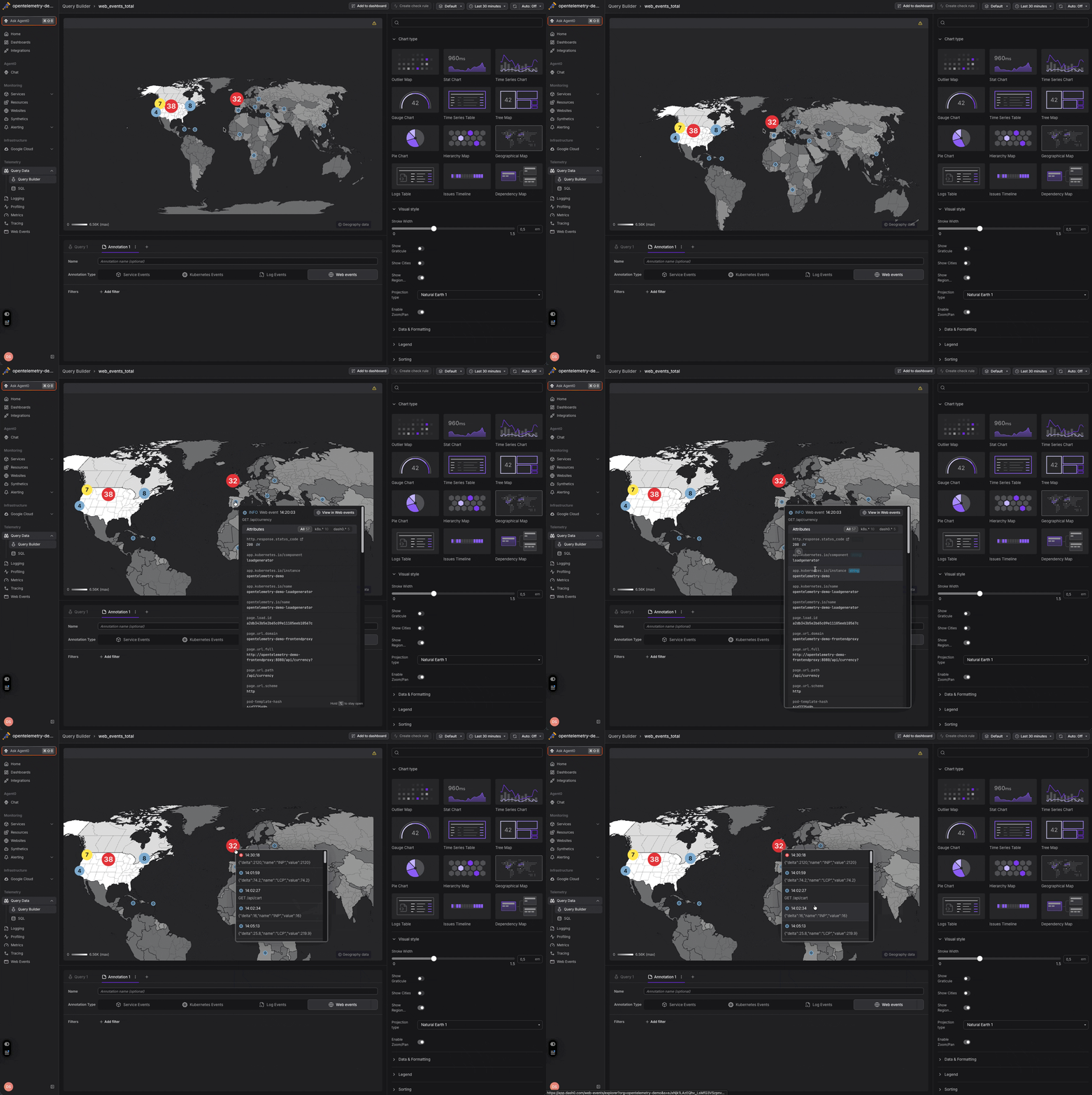
Until now, the GeoMap could color countries by value, but the events behind those numbers (a spike of web errors, a burst of failed requests) lived in a separate timeline with no sense of place. You could see that something happened, but not where your users actually were when it did.
Now your web event annotations show up as pins on the map. They render with the same markers, tooltips, and severity colors you know from the event timeline, placed by the geographic data Dash0 already enriches onto web events. Turn them on from the panel's annotation settings, exactly like you would on a time-series chart, and a regional error pattern that used to be buried in a timeline becomes obvious at a glance.
As you zoom out, nearby pins cluster into a single bubble that grows with the count and takes on the most severe color in the group; zoom back in and they split apart again. Hold Alt/Option to pin a tooltip open so you can click straight through to the underlying events.
The map also reads exact coordinates and locality when your telemetry carries them, so if you instrument other signals (logs, Kubernetes, or service events) with geo data of your own, those land on the map too. The pins resolve from the standard OpenTelemetry geo attributes: https://opentelemetry.io/docs/specs/semconv/registry/attributes/geo/
We shipped two extras alongside it. A new "Show Cities" toggle overlays reference points for major cities and towns, giving you orientation as you pan and zoom below the country level. And on macOS, trackpad pinch-to-zoom now works directly on the map instead of zooming the whole page.