


When configuring charts that support the calculation field, you can hover over any calculation type in the dropdown to see a visual example of how it processes your data points within the query window.
Each visualization clearly illustrates the behavior of the calculation, including how it treats numeric values, Not-a-Number (NaN) entries, and edge cases. Whether you're deciding between "First value" and "First non-null value", or wondering how "Instant" differs from "Last", these guides will help you pick which one to use.
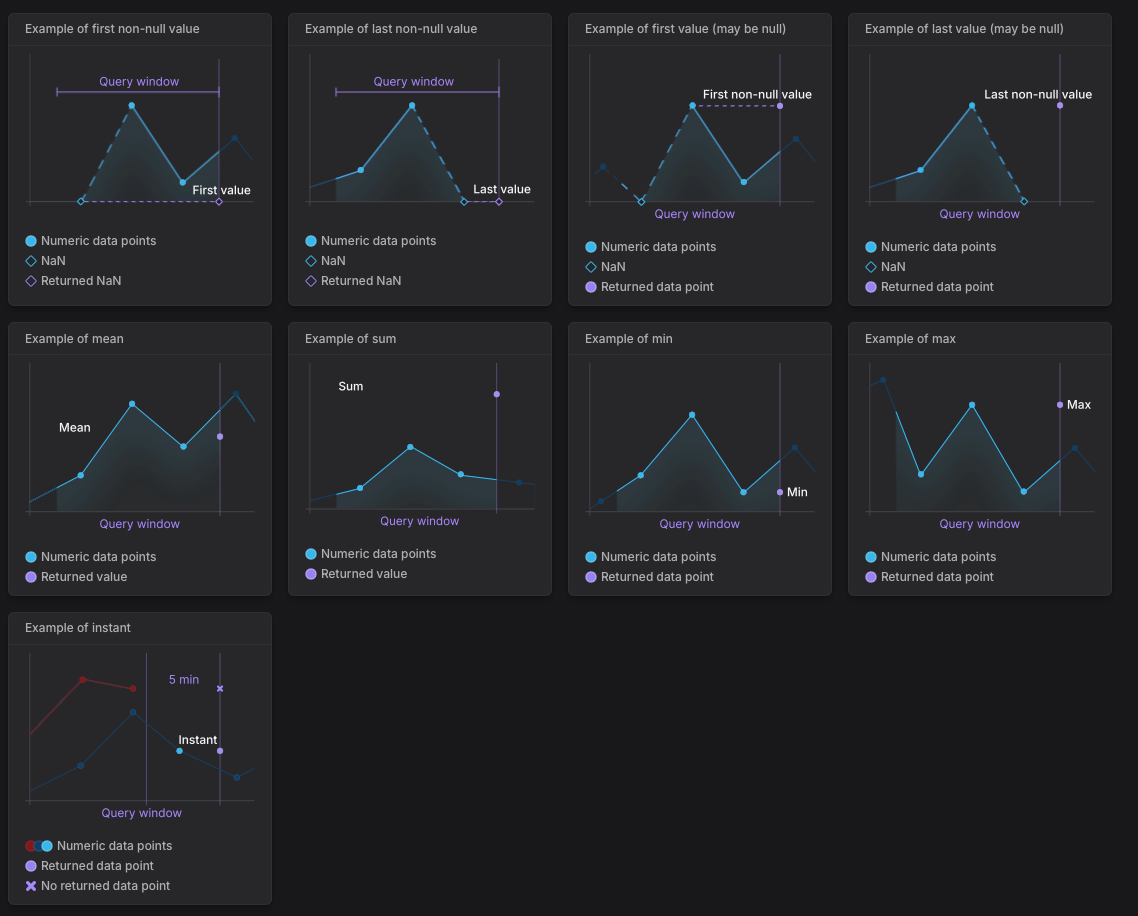
You can access these examples in Dash0 by hovering over the info icon next to the Calculation dropdown.
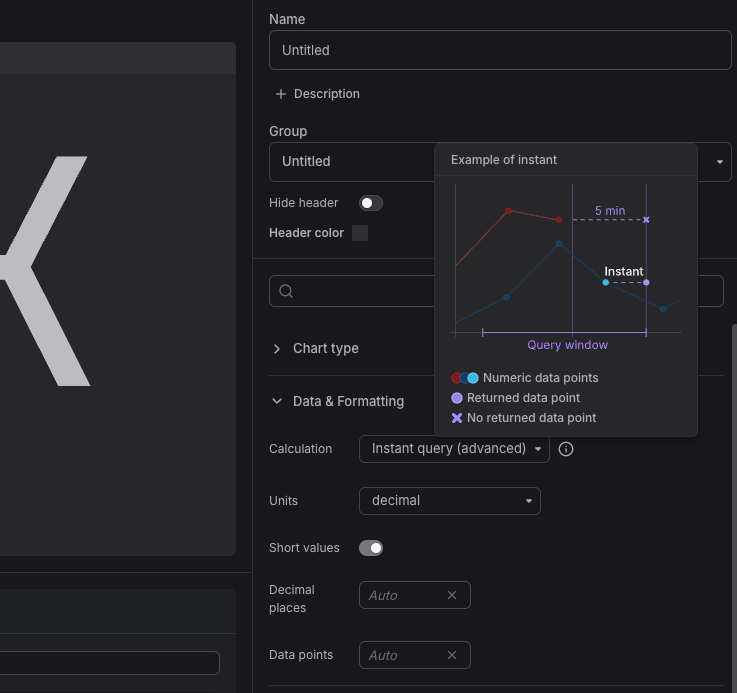
The images are static, it does not adjust to the reality of the data. But let us know if you find this kind of visual hints useful!.
\