
Silence failed checks
Stop notifications for a failed check for a fixed time, without a change to the check rule. Track, extend and end silences in the Silences Hub.
Until now, to stop the alerts of a known problem, you had to change or disable the check rule. That edited the rule and broke its history.
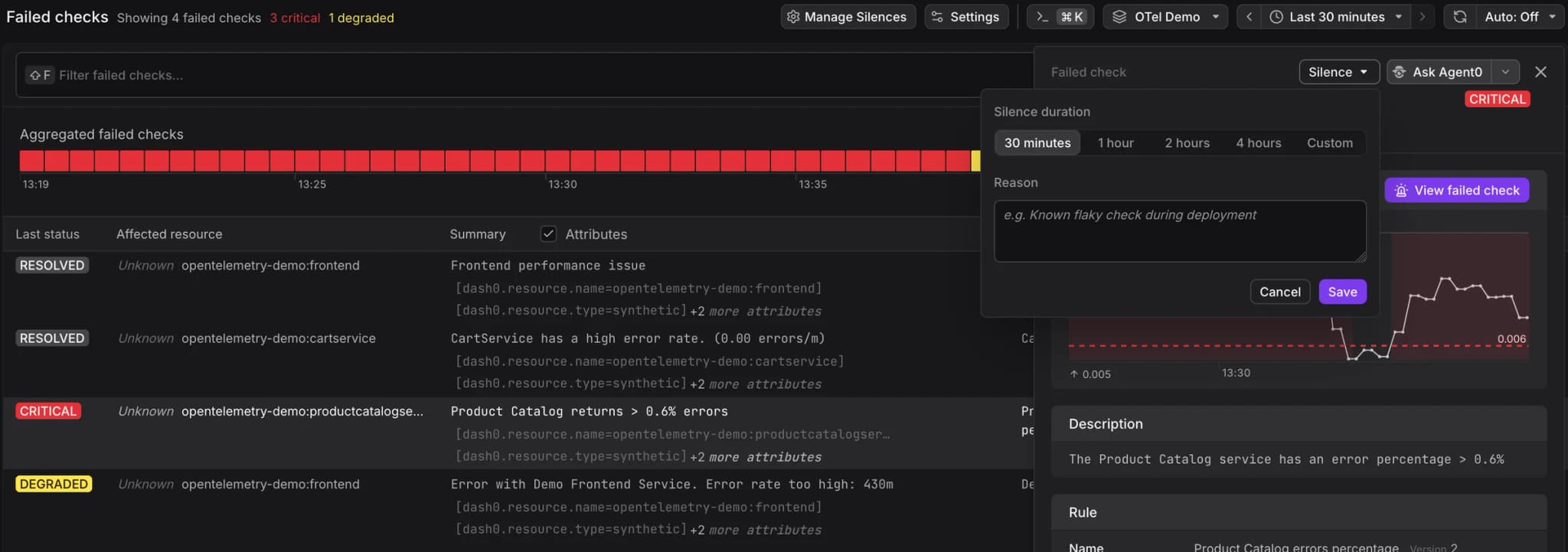
Now you can silence a failed check:
- Silence from the failed check. Open a failed check, click Silence, and choose how long. Add a reason so your team knows why. A silence lasts up to 7 days.
- See what is silenced. The failed checks list has a Silenced column. A failed check shows which silences cover it and when they end. Its timeline shows the periods when it was silenced.
- Track, extend and end silences in the Silences Hub. The Silences Hub in Settings lists the active and completed silences of the current dataset, with the scope, reason, schedule and creator. Extend a silence, or Unsilence it to end it early.
- Ask Agent0. In a chat, Agent0 can list your silences, propose a new silence or a change to one, and end silences.
Failed Check automations still run. Each one can include, exclude or only use silenced checks. Failed Check Notification automations do not run while a check is silenced.
A new silence can take up to 3 minutes to take effect.
Read the docs: Silence Failed Checks