

In observability tools, charts have the fundamental role of making tons of telemetry digestible in the blink of an eye. One of my favorite observability jokes is “That million logs could have been a metric data point”, and in Dash0, we made that happen: with Dash0 you can literally create charts based on your spans, logs, and web events without any additional toil regarding recording metrics in our OpenTelemetry Collectors or SDKs.
In the “Everything is connected” blog post, we discussed how you should be able to interact with pretty much everything on screen in Dash0 and navigate to the underlying telemetry. Until now, synthetic metrics, and Prometheus Query Language (PromQL) expressions in general, were a gap in this story. Today, we close it.
Telemetry correlation is fundamental for sense-making
Let's start with why we aggregate data in the first place. Your production system generates millions of events every minute: requests come in, spans are created, logs are written, metrics are emitted. If you tried to look at each individual event, you'd drown in noise. Aggregation is essential because it transforms overwhelming detail into understandable patterns.
However, the moment you aggregate, you generally lose the thread back to the individual events. That p95 latency spike? It could be caused by a specific customer, a particular endpoint, or a combination of attributes you haven't even thought to filter by yet. The correlation from your aggregated metric back to the raw telemetry that produced it is missing. This is where observability systems traditionally force you into a split-brain workflow. You're looking at metrics in one place, then jumping to traces in another, then over to logs, manually copying timestamps and filtering by attributes, trying to reconstruct the whole story.
Correlating telemetry in Dash0
In Dash0, aggregating your events is straightforward (and most end users do it without knowing how it works or even sparing a thought to it).
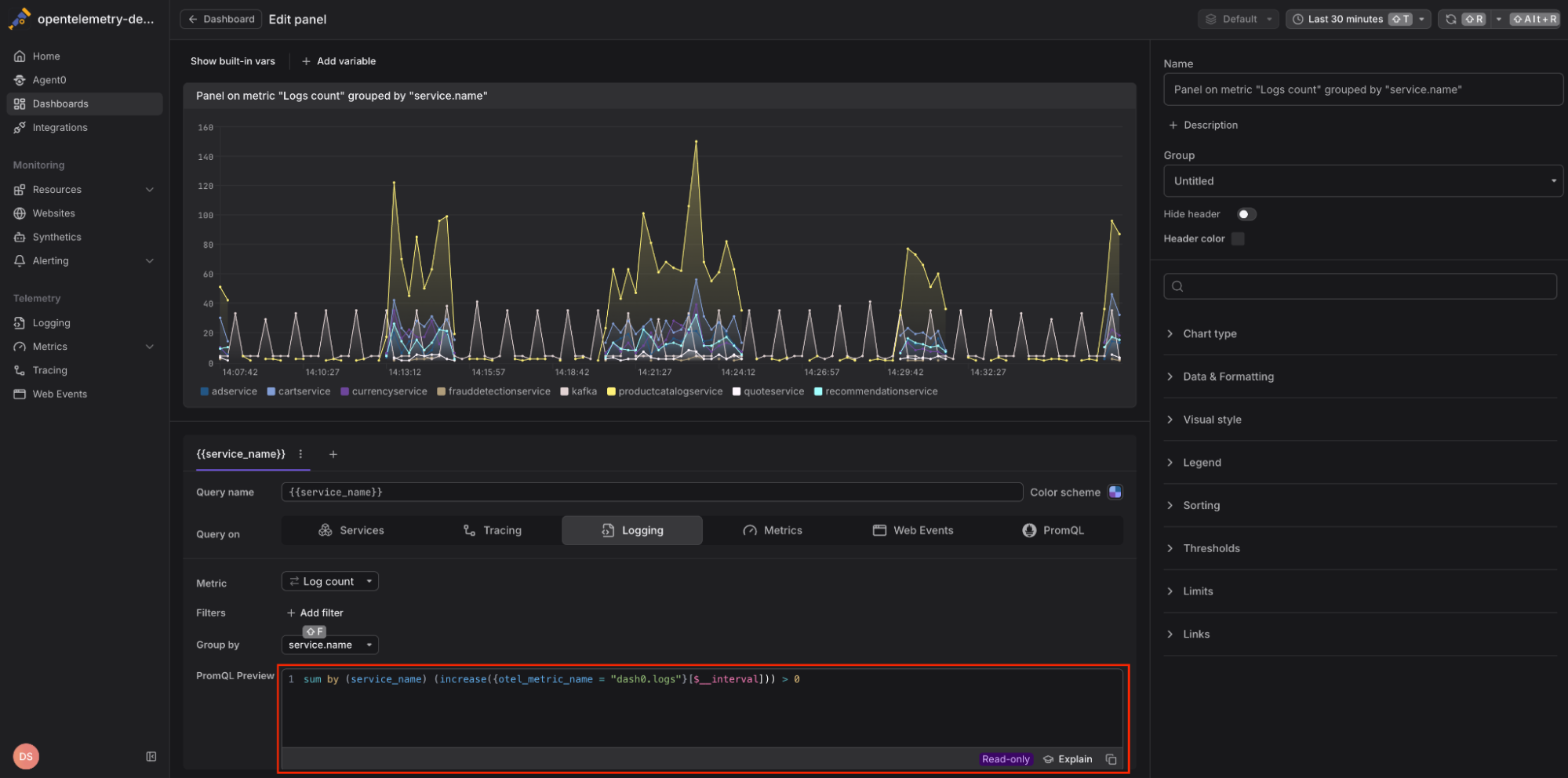
Dash0 lets you query logs, spans and web events via synthetic metrics like dash0.spans, dash0.spans.duration, dash0.logs and more. No need to pre-aggregate anything in your observability pipeline. Synthetic metrics “just work”, cost nothing on top of the spans and logs you already send, and power Alerting and Dashboards in Dash0. But there was no way to drill down through them to the raw logs, spans, and web events behind them.
That is, before today.
From PromQL queries to the underpinning raw telemetry
Dash0 now gives you a direct way of drilling down through any PromQL expression to the raw telemetry behind it . Select a time range on a chart, click a pie segment, or click a stat value, and an action bar appears with Explore and Triage actions that take you straight into the matching signal explorer with filters and time scope already applied.
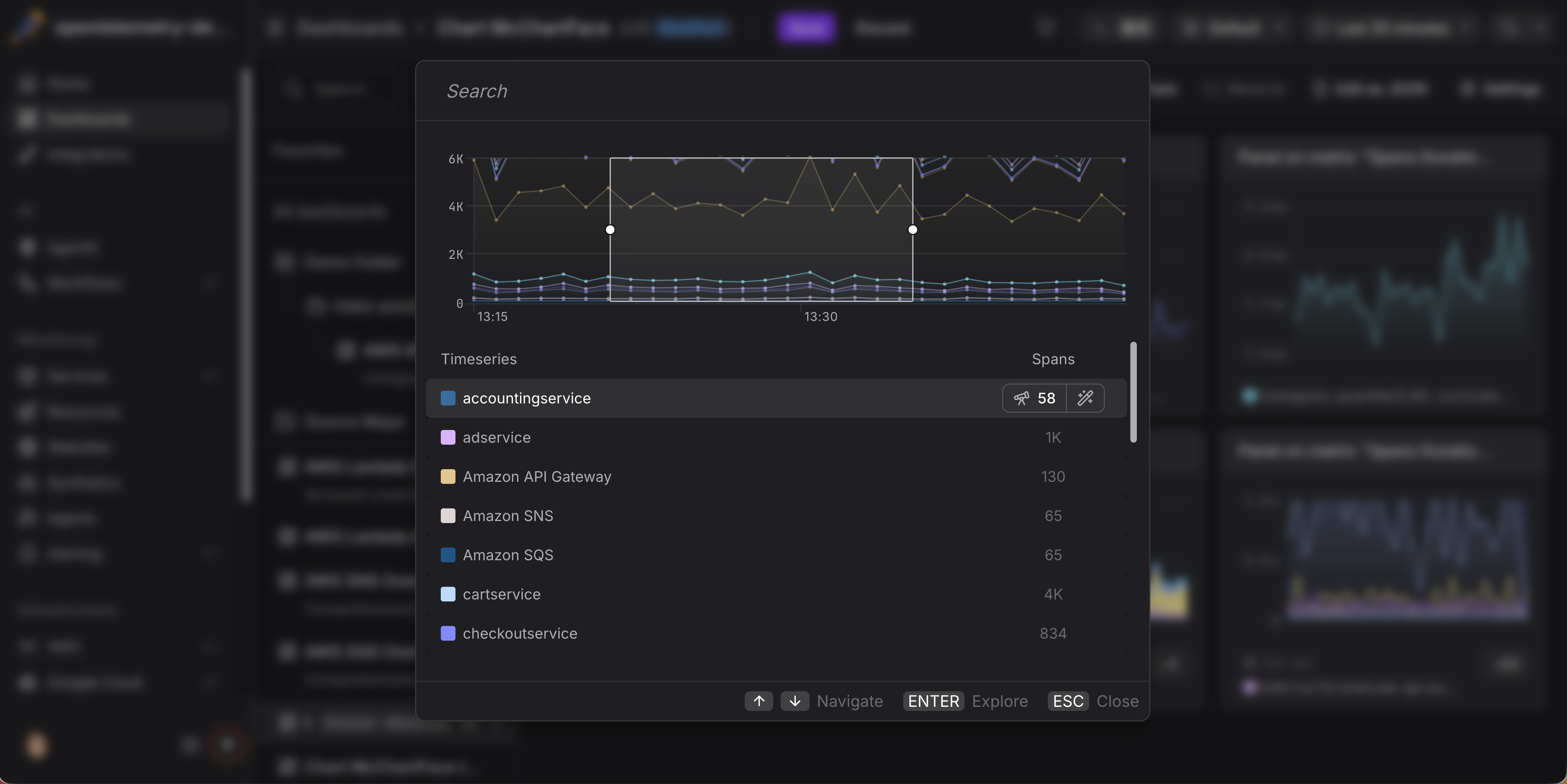
Making this possible has been a long-running and intense process, combining complex computer science (symbolic logic on PromQL’s Abstract Syntax Tree) more related with compilers than raw observability, and non-trivial user experience work.
To find correlated logs, spans, web events and metrics for a PromQL query, we first parse the user's PromQL expression, analyze its structure, and then extract a set of matchers that will select the correlated data items we are looking for. Sounds straightforward for simple expressions but it gets very considerably harder for complex PromQL expressions.
The basics: Looking at the query's input data
Fundamentally, we keep the extraction logic simple: for finding correlated data items (like logs or spans), we do not need to analyze all possible semantic implications of PromQL query constructs that wrap, transform, or filter selected data further. After all, we want the raw telemetry behind the query. So we can ignore the effects of functions, aggregators, arithmetic operators, filter operators, and so on. We only look at the input data that the query selects. This ensures that we cover all possible data that may in some shape or form be relevant to the final output of the query.
Take the following PromQL query as an example:
12345678910sum by (service_namespace, service_name) (rate({otel_metric_name="dash0.spans",service_name="frontend",service_namespace="opentelemetry-demo",dash0_operation_name!=""}[5m]))
This query computes the per-second rates of spans from the frontend service and aggregates those rates into an overall sum, while preserving the namespace and service name in the aggregation. However, the span-related input data that we care about is only captured by this inner metric selector:
123456{otel_metric_name="dash0.spans",service_name="frontend",service_namespace="opentelemetry-demo",dash0_operation_name!=""}[5m]
This selector queries a synthetic Prometheus counter metric that represents the count of spans for the frontend service in the opentelemetry-demo namespace where the span has an operation name attached. Since the underlying spans have equivalent attributes, we can find them by querying for spans with the same attribute matchers as in the PromQL selector - without the otel_metric_name matcher, of course.
Simple, right? Hold our beers.
Queries with multiple selectors
PromQL queries can get more complex: you may have queries that combine multiple selectors, either for the same type of synthetic metric (like two types of spans), or for a different one (like logs and spans). To handle these kinds of queries, we first extract all selectors for a given synthetic metric type, then merge their individual attribute matchers so that the final result selects at least the combined union of the individual input selectors.
Some matcher combinations are mergeable without causing an over-selection of data. Take for example the following query that adds the span rates of two different services:
123rate({otel_metric_name="dash0.spans",service_name="service-a"}[5m])+rate({otel_metric_name="dash0.spans",service_name="service-b"}[5m])
In this case, we can extract a span selector that merges the two different equality matchers for the service name into a single regular expression matcher. So the final span selector becomes:
1{service_name=~"service-a|service-b"}
Sometimes it can only approximate
Some selector combinations cannot be merged into a perfect union selector, given the type of regular expressions and logical combinators that Dash0's selection UI provides. In those cases, we err on the side of selecting too much data (like unrelated spans) rather than omitting data that may be relevant to the query result. For example, take this PromQL query that adds together all the span rates for services whose name starts with product or does not start with frontend:
123sum by (service_namespace) (rate({otel_metric_name="dash0.spans", service_name=~"product.*", service_namespace="opentelemetry-demo"}[5m]))+sum by (service_namespace) (rate({otel_metric_name="dash0.spans", service_name!~"frontend.*", service_namespace="opentelemetry-demo"}[5m]))
In this case, there is no valid way to merge the two conflicting service_name matchers, so we drop them both and end up with the following selector that just selects all spans for the opentelemetry-demo namespace:
1{service_namespace="opentelemetry-demo"}
While this surfaces more data than strictly necessary, the overwhelming majority of queries issued against Dash0 either contain a single synthetic metric selector or can merge selectors into a perfect union selector.
Already live: Failed check details
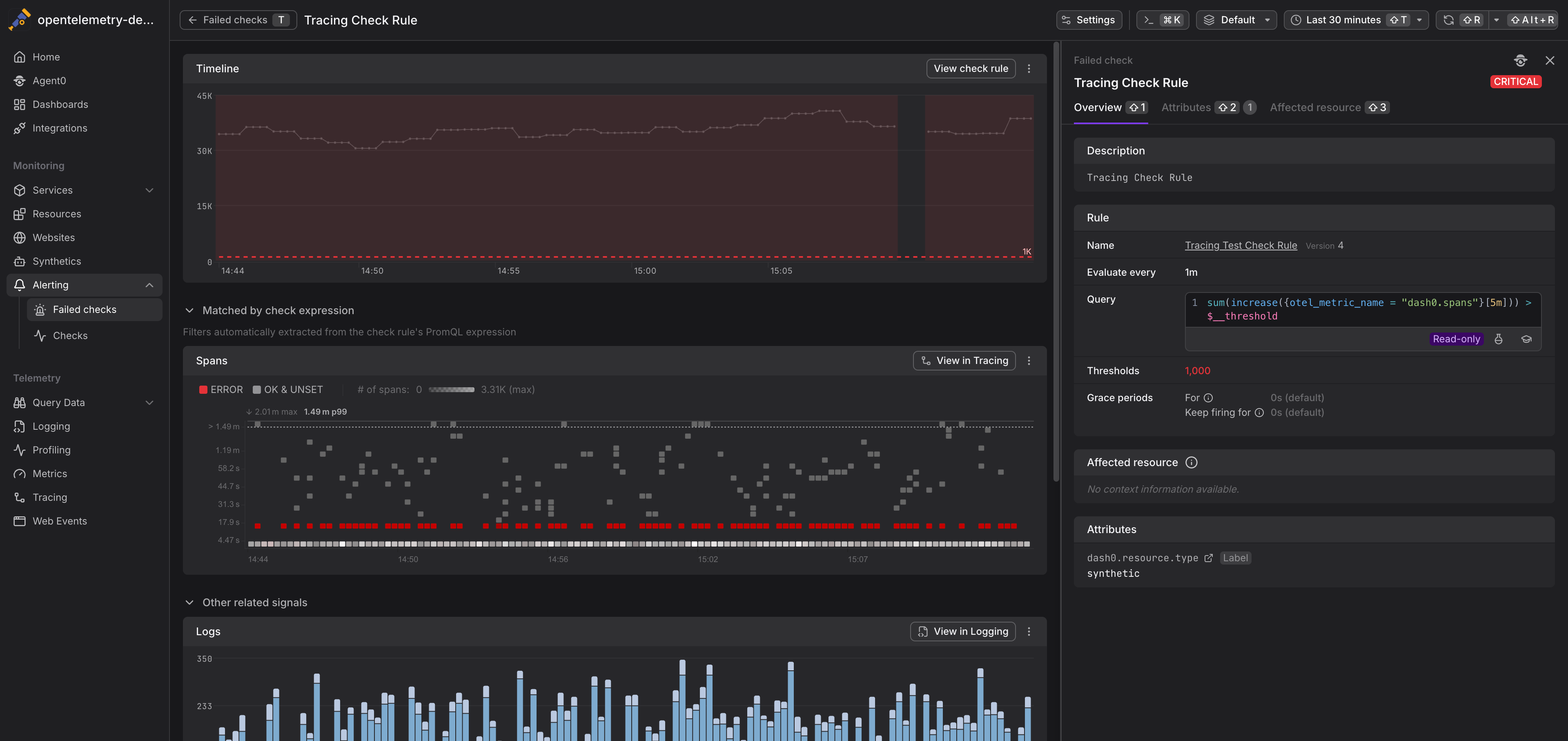
We wired this capability into the Failed Check Details page some time ago, and the feedback has been extremely positive. It allows us to show which signals are directly related to a check rule, and which are related in a less specific way based on the attributes of the failed check itself:
Final thoughts
Until today, drilling down from a chart to the telemetry behind it required jumping between dashboards, explorers, and metric views, copying timestamps and filters at every step. With this release, that workflow collapses into a single click from any chart in Dash0, with filters and time scope carried over automatically.
This works because Dash0 can now analyze any PromQL expression and determine exactly which telemetry was used to evaluate it. This is just the beginning - now that we can trace any PromQL expression back to its underlying telemetry, there is a lot more we can build on top of it. Keep an eye on the Dash0 changelog for what's next.
For a full breakdown of entry points per chart type, keyboard shortcuts, and the Explore vs. Triage decision, see the Drill Down from Charts documentation.
Kudos Are Due
The logic to decide which telemetry is used in a PromQL query has been devised together with Julius Volz, one of the founders of Prometheus and the mind behind PromLabs. If you want to learn Prometheus, we cannot recommend the self-paced courses enough, they are effectively a rite of passage at Dash0.