Technology
Stripe
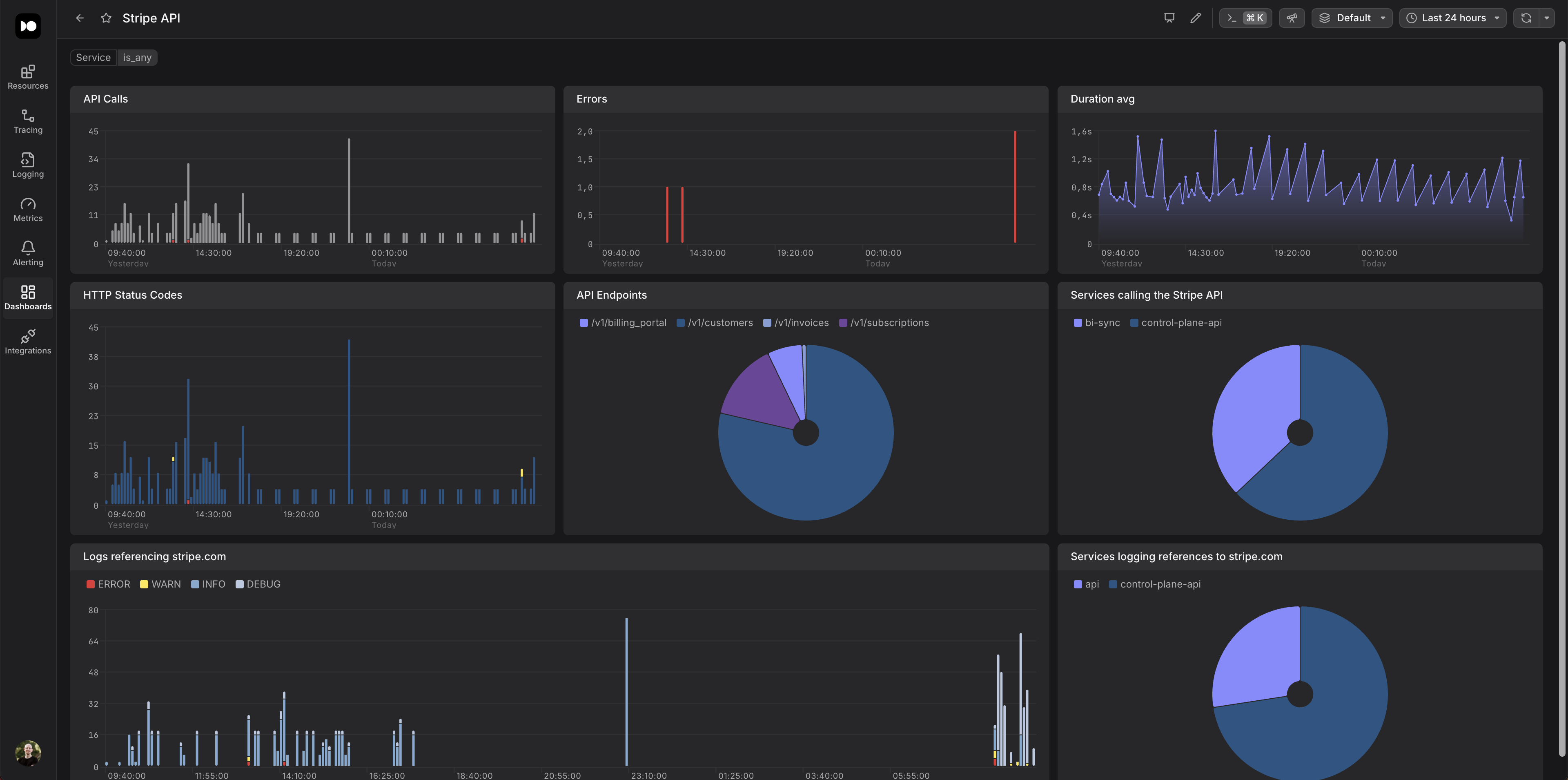
Gain full visibility into your Stripe data with these customizable API dashboards. Simplify reporting and track key metrics effectively.
Overview
Stripe API Clients
This integration leverages OpenTelemetry Spans and Logs generated through usage of the Stripe SDKs to provide actionable insights into your interactions with the Stripe API.
Key Features
- Enhanced Observability: Integrate OpenTelemetry spans and logs to track and visualize your interactions with the Stripe API.
- API Monitoring: Gain deep insights into the health and performance of your Stripe API calls.
- Error Tracking and Debugging: Quickly identify and resolve issues in your Stripe API interactions.
- Performance Metrics: Monitor and optimize API call durations, HTTP status codes, and related logs.
- Rate Limiting: See how many API calls you are making and how close you are to hitting the rate limit.
Setup
Install
This dashboard is powered by tracing data generated from your Stripe API client usage. To populate the dashboard with data, you need to instrument your application with OpenTelemetry (OTel). Ensure that the processes making Stripe API calls are configured to:
- Generate OpenTelemetry spans Stripe HTTP API requests
- Send the telemetry to Dash0
Once your application is instrumented and sending telemetry data, the Stripe will automatically visualize your Stripe API interactions, performance metrics, and error patterns.
Dashboards
Stripe Client
Learn about Stripe API clients and how you are interacting with the Stripe API.