
Kubernetes doesn't schedule containers directly. It schedules pods, and your container runs inside one. That extra layer of abstraction trips up a lot of people new to Kubernetes, because it's not immediately obvious why it exists.
A pod is the smallest deployable unit in Kubernetes. It wraps one or more containers and gives them a shared execution environment: a single IP address, shared storage volumes, and a shared network namespace. Containers inside the same pod talk to each other on localhost. They're not isolated from one another the way containers on separate hosts are. The official Kubernetes documentation covers the full spec if you need the details.
What a pod gives your container
When Kubernetes creates a pod, it provisions a unique cluster IP. Every pod gets its own, and pods can reach each other across the cluster without Network Address Translation (NAT). You don't map container ports to host ports the way you do in plain Docker.
All containers in the pod share that IP and port space. If container A binds port 8080, container B can't also bind 8080. Storage volumes are defined at the pod level and mounted by individual containers, which is how tightly coupled containers exchange files without going over the network. Containers in a pod are also scheduled together on the same node and start and stop as a unit.
Most pods contain a single container. The shared-environment model is there for the cases where you need tightly coupled helper processes alongside your application. More on that below.
The pod lifecycle
A pod moves through a defined set of phases from creation to termination, and knowing them saves real time when you're staring at a stuck deployment.
- Pending — the cluster accepted the pod, but it hasn't been scheduled yet, or container images are still being pulled. Usually means insufficient node resources, a failed image pull, or an unresolvable node selector.
- Running — the pod is bound to a node and at least one container is running. Worth noting: "Running" says nothing about whether the container is healthy. A pod can sit in Running while serving nothing but 500s.
- Succeeded — all containers exited with code
0and won't be restarted. Normal terminal state for batch jobs. - Failed — all containers have stopped and at least one exited non-zero.
- Unknown — the control plane can't reach the node where the pod should be running.
You can check the current phase of any pod with:
1kubectl get pods
The output looks something like this:
1234NAME READY STATUS RESTARTS AGEapi-server-7d9f8b-xv2km 1/1 Running 0 3dworker-job-84cfd-qn9sz 0/1 Pending 0 45sbatch-processor-complete 0/1 Completed 0 2h
STATUS also shows CrashLoopBackOff (a container that keeps crashing) and ContainerCreating (images being pulled, storage being attached). For a specific pod's full event log, kubectl describe pod <name> is what you want.
Why not just run containers directly?
Some workloads are genuinely multi-process. An application container and a log shipper that reads its output need to run on the same host and share a filesystem. The pod model formalizes that relationship; otherwise you're inventing your own conventions for ad-hoc volume sharing.
There's a scheduling angle too. The scheduler places an entire pod on a node, not individual containers. Resource requests are set per container but evaluated together, so a pod with two containers requesting 500m CPU each needs a node with at least 1 CPU free. Kubernetes can reason about that cleanly.
The IP-per-pod model is what makes Kubernetes networking predictable. Services route to pods. You're not juggling port mappings across hosts.
Multi-container patterns
If you're looking at someone else's pod spec and it has more than one container, it's using one of two patterns.
Init containers run before the main application starts and must exit cleanly before the main container launches. They're for setup: database migrations, fetching config from a secrets manager, waiting for a dependency to become available. Once done, they're gone.
Sidecar containers run alongside the main container for the pod's entire lifetime. Common uses are log shipping, metrics collection, and service mesh proxies like Envoy. Because the sidecar shares the pod's network and storage, it can read the application's log files from a shared volume and forward them without touching application code. Native sidecar support (via restartPolicy: Always on an init container) reached stable in Kubernetes 1.33.
A sidecar for a metrics exporter looks like this (using Prometheus Node Exporter as an example):
12345678spec:containers:- name: appimage: myapp:latest- name: metrics-exporterimage: prom/node-exporter:latestports:- containerPort: 9100
Both containers share the same IP, so Prometheus can scrape the exporter at the pod's IP on port 9100.
Pods vs. deployments
Pods are ephemeral by design. If one dies, Kubernetes doesn't bring it back on its own; something else has to. That something is almost always a Deployment (or a StatefulSet, DaemonSet, or Job), which keeps a desired number of pod replicas running and replaces any that fail. You'll rarely create bare pods in production, you define a controller, and it manages the pods for you. For how that reconciliation loop actually works, see what is Kubernetes orchestration?
Monitoring pod health
Watching kubectl get pods doesn't scale. A pod in Running with containers serving 500 errors is a problem that phase will never surface on its own.
Kubernetes offers liveness and readiness probes to give the control plane a signal about container health. A failing liveness probe restarts the container; a failing readiness probe pulls the pod from service load balancing. Set them up for anything running in production.
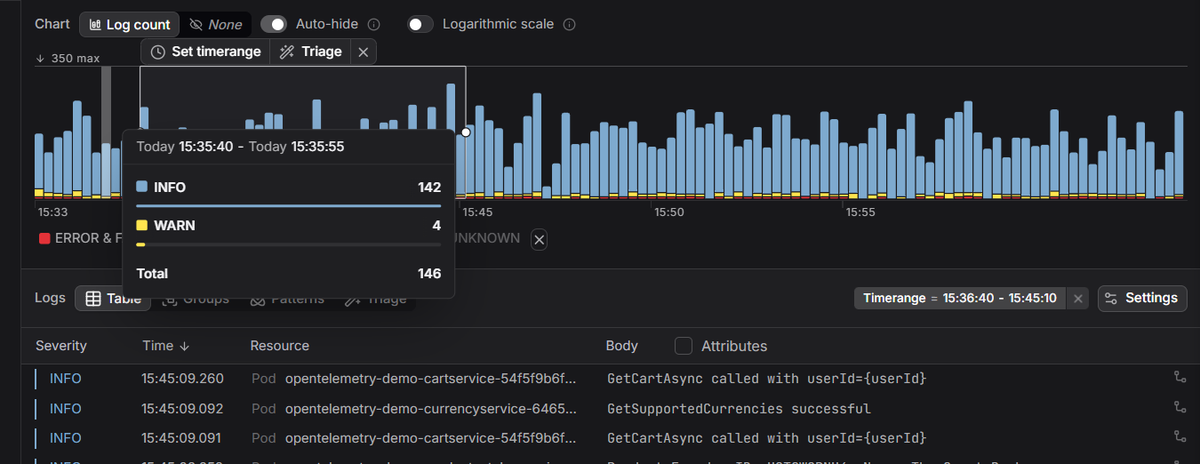
For deeper observability, logs, metrics, and traces across your whole cluster, Dash0's Kubernetes monitoring collects signals via the Dash0 Kubernetes Operator with no manual instrumentation. You get pod-level resource metrics, container logs, and distributed traces in one place, with automatic correlation so you can jump from a spike in error rate to the trace that caused it.
 Start a free trial to connect your cluster. No credit card required.