Last updated: August 21, 2026
What is Kubernetes orchestration?
Kubernetes orchestration is the automated process of deciding where containers run, keeping them running, scaling them with demand, and replacing them when they fail, all without anyone manually placing a workload onto a specific machine. The engine underneath is a set of control loops that constantly compare the state you declared against the state that actually exists, then act to close the gap.
Once that reconciliation loop clicks, every other Kubernetes behavior stops looking like magic. Self-healing, autoscaling, and rolling updates are the same mechanism pointed at different objects. This article covers why manual coordination falls apart, what Kubernetes orchestration actually does, how it compares to the alternatives, and what changed now that GPUs and AI workloads dominate the conversation.
The reconciliation loop is the whole idea
You don't tell Kubernetes how to run your application step by step. You tell it what you want, and a collection of controllers works continuously to make reality match that description.
Here's a minimal Deployment that says "run three copies of this container":
1234567891011121314151617apiVersion: apps/v1kind: Deploymentmetadata:name: webspec:replicas: 3selector:matchLabels:app: webtemplate:metadata:labels:app: webspec:containers:- name: webimage: nginx:1.27
When you apply this, the object is written to etcd as the desired state. The Deployment controller notices a Deployment with no matching Pods and creates a ReplicaSet. The ReplicaSet controller sees it should have three Pods and zero exist, so it creates three Pod objects. The scheduler then assigns each Pod to a node based on available CPU, memory, affinity rules, and taints. Finally the kubelet on each chosen node pulls the image and starts the container.
The interesting part is what happens when something breaks. Delete a Pod by hand:
1kubectl delete pod web-7c9f4d8b6-x2k9p
1pod "web-7c9f4d8b6-x2k9p" deleted
Within a second or two, the count is back to three:
1kubectl get pods -l app=web
1234NAME READY STATUS RESTARTS AGEweb-7c9f4d8b6-9m4wd 1/1 Running 0 12mweb-7c9f4d8b6-q7vbn 1/1 Running 0 12mweb-7c9f4d8b6-zt2kc 1/1 Running 0 3s
Nobody scripted that recovery. The ReplicaSet controller observed that actual state (two Pods) drifted from desired state (three), and created a replacement. That loop runs forever, for every object type, which is why orchestration is a continuous process rather than a one-time deployment action.
Why container orchestration is necessary
A single container is easy to run. The trouble starts when a real application is a couple dozen microservices, each with several replicas, spread across a fleet of nodes that themselves fail, reboot, and get patched.
Without an orchestrator, you are personally on the hook for a long list of coordination work: scheduling each container onto a node with spare capacity, wiring up networking and service discovery so services can find each other as they move, attaching persistent storage, restarting crashed processes, draining workloads off nodes before maintenance, scaling replicas up and down with traffic, and rolling out new versions without dropping requests.
Each of these is manageable on one host. Across dozens of nodes and hundreds of Pods, doing it by hand means a growing pile of brittle scripts, cron jobs, and tribal knowledge that only one engineer understands. The failure modes compound: a node dies at 3 a.m. and nothing reschedules its workloads, or a deploy script half-finishes and leaves two versions serving traffic. Orchestration exists because that coordination problem grows faster than any team can staff against it.
What Kubernetes orchestration actually does
Kubernetes replaces the script pile with a declarative model that it enforces continuously. You describe the end state in YAML, and the control plane works to make the cluster match it.
Scheduling is the first job: placing each workload on a node that has the resources it asked for, while respecting node labels, affinity rules, and taints. Controllers handle the rest. They restart a crashed container, recreate the Pods from a dead node somewhere else, and run liveness and readiness probes so traffic only reaches a Pod once it can actually serve. Updates get the same treatment. A rolling update swaps old Pods for new ones a few at a time, and if the new version fails its readiness checks, the rollout pauses instead of taking the service down with it.
The abstraction is the real win. Your manifests describe Pods, Services, and volumes without naming a physical server, an IP address, or a disk. Kubernetes maps those abstractions onto whatever infrastructure it's running on, which is why the same Deployment works on a laptop cluster, on Amazon EKS, and on bare metal at the edge.
Kubernetes orchestration vs other approaches
Kubernetes was not the first orchestrator, and the earlier tools explain why it looks the way it does.
Docker Compose handles multi-container apps on a single host. It's excellent for local development and small setups, but it has no concept of scheduling across a cluster, so it doesn't address production scale. Docker Swarm and Apache Mesos introduced real clustering, and Swarm in particular was simpler to stand up than early Kubernetes. HashiCorp Nomad took a different angle, staying small and orchestrating containers, virtual machines (VMs), and plain binaries through one scheduler, which still makes it appealing for teams that find Kubernetes too heavy.
Kubernetes won the broader market for one structural reason: extensibility. Custom Resource Definitions and the controller pattern let anyone teach the cluster to manage new kinds of objects using the same reconciliation machinery that runs Pods. That turned Kubernetes into a platform other software builds on, and the ecosystem around it (ingress controllers, service meshes, operators, GitOps tooling) compounded into a lead the alternatives couldn't match. Today it's the default orchestration layer across data centers, public clouds, and edge environments.
How AI and GPU workloads changed orchestration
The biggest recent shift is that Kubernetes is now the default substrate for AI training and inference, and the original scheduler was never designed for it. Standard scheduling assumes one workload wants some CPU and memory, and Pods can start independently. GPU workloads break both assumptions.
For years the only way to request a GPU was the device plugin model, where a Pod asked for nvidia.com/gpu: 1 and got a whole, opaque device. You couldn't request a fraction of a GPU, you couldn't say "any accelerator with at least 40 GB of memory," and the hardware had to be provisioned before the Pod could schedule. On an 8x H100 node that costs more per hour than a mid-sized team, that coarse allocation wastes real money.
Dynamic Resource Allocation (DRA) graduated to GA in Kubernetes 1.34 to fix this. Instead of counting devices, a workload declares the properties it needs through a ResourceClaim, and the scheduler allocates the best matching device at bind time. That enables fractional GPUs, attribute-based requests, and device sharing across Pods, with the scheduler enforcing that allocations never exceed a device's capacity. NVIDIA donated its DRA driver to the Cloud Native Computing Foundation (CNCF) at KubeCon Europe 2026, and the vendor tooling has been consolidating around the model since.
Distributed training adds a second problem the default scheduler can't solve: gang scheduling. A 16-GPU training job needs all 16 Pods to start at once, or the whole job hangs while partial Pods hold expensive hardware idle. AI-aware schedulers like the KAI Scheduler add gang scheduling and queueing on top of DRA, so a job either gets all its resources or none of them. If you're running serious machine learning workloads, this combination, not the vanilla scheduler, is what makes a shared accelerator cluster economical.
GitOps and platform engineering
The declarative model also reshaped how teams operate clusters. Because the desired state is just data, you can store it in Git and let a controller reconcile the cluster against the repository. That's GitOps, and tools like Argo CD and the CNCF-graduated Flux have made it the common way to deploy to production. The orchestrator already reconciles continuously, so pointing that loop at a Git commit is a natural extension.
On top of that, platform engineering teams increasingly wrap Kubernetes in internal developer platforms so application developers ship code without writing raw manifests. The orchestration underneath is identical; the complexity just sits behind a self-service interface.
What people get wrong
The most common misconception is treating orchestration as a fancy deployment tool, a one-shot action that ends when your Pods come up. It doesn't end. It's a control system that keeps running, and that changes how you read problems. A Pod stuck in Pending isn't a failed deploy, it's the scheduler telling you no node satisfies the Pod's requests. A workload that keeps restarting is the reconciliation loop doing exactly what you asked while the container keeps failing its checks.
Then there's the Git problem. If you edit live objects with kubectl edit while also managing them through a GitOps tool, the cluster reconciles toward whatever it saw last, and your manual change and your repository quietly fight each other. The drift usually surfaces at the worst possible time. Pick one source of truth and stick to it.
And don't assume the default scheduler handles accelerators well, because it doesn't handle distributed training at all. Finding that out after you've stood up a cluster of expensive GPUs is a costly lesson. If AI workloads are anywhere on your plan, design for DRA and gang scheduling from the start.
Underlying all three is visibility. Because Kubernetes is constantly acting on your behalf, you need to see why reconciliation isn't converging, which Pods are unhealthy, and where requests are actually flowing. Without that, a self-healing cluster can mask a real problem by quietly restarting a crash-looping Pod while you stare at a green dashboard.
Final thoughts
Orchestration in Kubernetes comes down to one pattern repeated everywhere: declare the state you want, and let control loops reconcile reality toward it. Scheduling, self-healing, autoscaling, rolling updates, GitOps, and GPU allocation are all variations on that single idea. Understanding the loop is what lets you debug the cluster instead of fighting it.
The catch is that a system continuously acting on your behalf is only as trustworthy as your view into it. When a deploy stalls or a node's workloads scatter, you want to see the reconciliation decisions, the Pod health, and the request traces in one place. If you're choosing tooling to watch all this, the guide to Kubernetes monitoring tools is a good next step.
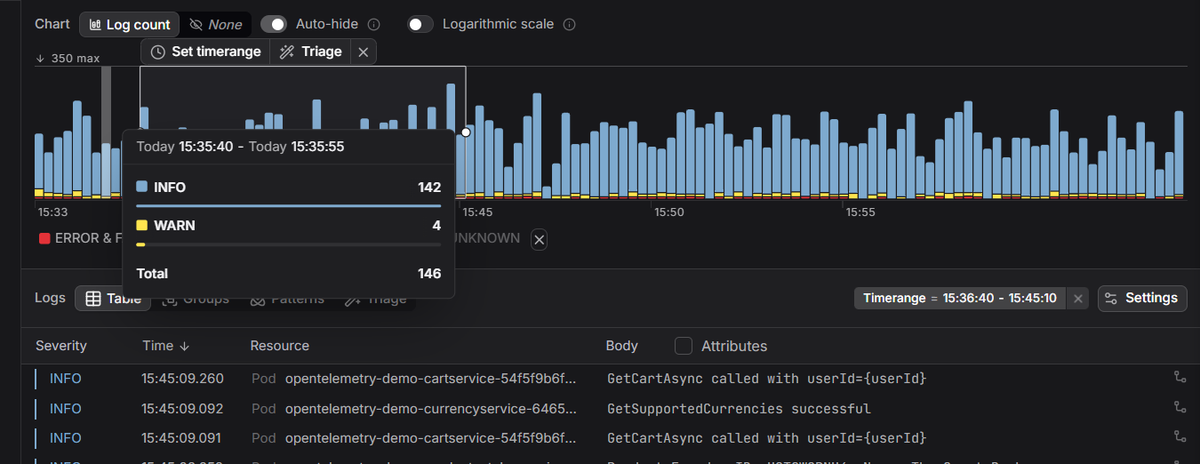
Dash0's Kubernetes monitoring gives you that, surfacing cluster and workload health alongside real-time logs and distributed traces on an OpenTelemetry-native backend, so you can tell whether the orchestrator is healing your app or hiding a problem.
 Start a free trial to see your cluster's metrics, logs, and traces in a single view. No credit card required.