
A Kubernetes cluster is a set of machines, virtual or physical, that work together to run containerized workloads. When you deploy Kubernetes, you're deploying a cluster. There's no Kubernetes without one.
It has two jobs: decide what should run and where (the control plane), and actually run it (the worker nodes). Every other concept in Kubernetes, pods, deployments, services, ingress, sits on top of this split.
The control plane
The control plane doesn't run your application containers. It manages cluster state and makes scheduling decisions. Four components do the work.
kube-apiserver is the only entry point into the cluster. Every request, from kubectl, from controller loops, from the kubelet on each worker node, goes through it. It authenticates, authorizes, and validates requests before writing state to etcd. Because it's stateless, you can run multiple replicas behind a load balancer. API server health is cluster health: if it's saturated, nothing in the cluster makes progress.
etcd holds the cluster's entire state. Every object you've created, pods, secrets, configmaps, deployments, lives here as key-value pairs. It's the only stateful component in the control plane, and losing it without a backup means losing everything. etcd uses the Raft consensus algorithm, so writes need agreement from a majority of members before they're committed. A five-node etcd cluster can tolerate two simultaneous failures; three nodes can tolerate one. For production, five is safer.
kube-scheduler watches for pods that don't yet have a node assignment. For each one, it scores available nodes against resource availability, taints, tolerations, affinity rules, and topology constraints, then writes the assignment back through the API server. The scheduler doesn't talk to the kubelet, or to etcd directly. Nothing in the control plane does — all of it flows through the API server.
kube-controller-manager is a set of reconciliation loops packed into a single binary. The node controller notices when nodes go dark. The replication controller checks replica counts. The endpoints controller tracks which pods back which services. Each loop runs independently; they just happen to ship together.
Worker nodes
Worker nodes run your actual workloads. Each has three components.
kubelet is an agent on every node. It watches the API server for pod assignments targeting that node, instructs the container runtime to start the containers, and reports back health and resource usage. If a container fails its liveness probe, the kubelet restarts it.
kube-proxy maintains the network rules that let traffic reach your pods via Kubernetes Services. By default it uses iptables; larger clusters often switch to IP Virtual Server (IPVS) for better performance at scale.
Container runtime pulls images and runs containers. containerd is the most widely used runtime since Kubernetes 1.24 removed the Docker shim.
How a request flows through the cluster
When you run kubectl apply -f deployment.yaml, here's what happens:
- kubectl sends the manifest to the API server.
- The API server runs authentication, Role-Based Access Control (RBAC) authorization, admission controllers, and validation. If all four gates pass, it writes the Deployment object to etcd.
- The Deployment controller (inside kube-controller-manager) sees the new Deployment and creates ReplicaSet and Pod objects via the API server.
- kube-scheduler sees unscheduled pods, scores nodes, and writes node assignments back to the API server.
- The kubelet on the assigned node sees the pod assignment, pulls the container images, and starts the containers.
- The pod's status is written back to the API server, where it becomes visible to
kubectl get pods.
No component talks to another directly. Everything goes through the API server. That makes the architecture predictable and auditable, but it also means the API server is a choke point at scale.
How many nodes does a cluster need?
A cluster requires at least one control plane node and one worker node. Production clusters typically run three control plane nodes to tolerate failures, with worker nodes sized to the workload.
The official Kubernetes scalability limits allow up to 5,000 nodes and 150,000 pods per cluster, though things get difficult to manage reliably past around 500 nodes. For most teams, the more practical question isn't "how big can this cluster get" but "how many clusters should we run." Separate clusters for dev, staging, and production are standard.
Common pitfalls
Stacked etcd in production. The default kubeadm setup runs etcd on the same nodes as the API server and control plane components. For dev clusters, fine. For a cluster that actually handles load, it's trouble waiting for the right moment. Under pressure, a big rollout or an operator doing a lot of work, etcd and the API server compete for disk I/O. etcd writes slow down, the API server queues up requests, those queued requests retry, which generates more writes. The degradation is gradual and then suddenly it isn't. For any cluster running serious workloads, put etcd on dedicated nodes with fast NVMe (Non-Volatile Memory Express) storage.
Treating the cluster as a single failure domain. Your control plane is only as available as its quorum. If you're running three control plane nodes and two go down, Kubernetes can no longer make scheduling decisions. Already-running pods keep running, but nothing new can be scheduled and no configuration changes go through. Control plane nodes should span availability zones.
Skipping etcd backups. etcd holds everything. Lose it without a backup and you lose the cluster state entirely. Automate regular snapshots with etcdctl snapshot save (with the appropriate endpoint and TLS certificate flags) and, more importantly, test restores periodically before you actually need them.
Final thoughts
The two-tier split, control plane managing state and worker nodes running workloads, is the right starting point for diagnosing most Kubernetes problems. Pods not scheduling usually means the scheduler or API server. Nodes not joining usually means the kubelet or network. A fully unresponsive cluster almost always means etcd. That's not a complete troubleshooting guide, but it's the right mental map to start from.
Your cluster also generates a lot of telemetry: node resource pressure, pod restart rates, API server latency, etcd write performance. Dash0's OpenTelemetry-native Kubernetes monitoring brings all of it into one view alongside distributed traces, so you can follow a slow request back to the node it ran on. The Dash0 Kubernetes Operator handles instrumentation automatically, so you're not wiring up exporters by hand.
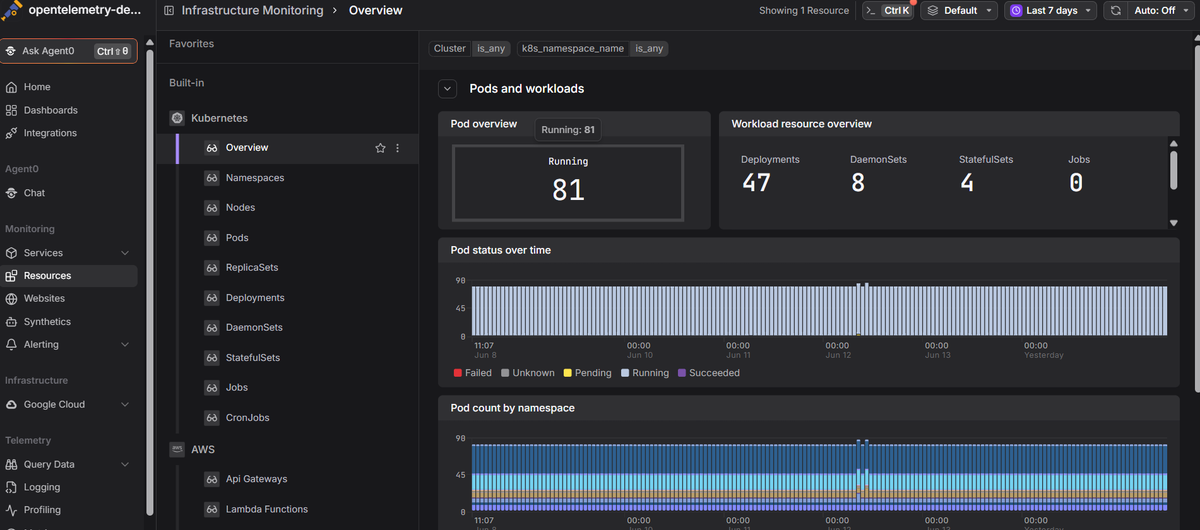 Start a free trial to see your cluster metrics, logs, and traces together. No credit card required.