
"Kubernetes vs. Docker" is the wrong question, even though it's the one everyone types into Google. The two aren't competitors fighting over the same job. Docker builds and runs containers on a single machine. Kubernetes schedules and manages containers across a fleet of machines. You can use one without the other, but in most production setups they sit on top of each other rather than next to each other.
The confusion is understandable, because both deal with containers and both have a command-line tool you poke at all day. Once you see which layer each one operates at, though, the "versus" dissolves and the only thing left to decide is practical: do you even need an orchestrator yet? This article covers the layer model that makes the relationship obvious, the real story behind Kubernetes "dropping Docker" (your images are fine), and a straight answer on which one you need.
Different layers, not different teams
There are two distinct problems hiding inside the container lifecycle, and Docker and Kubernetes each own one of them.
The first problem is packaging and running a single application reliably. You take your code, its runtime, and its dependencies, bundle them into an image, and run that image as an isolated process. This is what Docker does. You write a Dockerfile, run docker build, and run docker run. Everything happens on one host: the Docker daemon builds the image, starts the container, wires up its network, and mounts its volumes.
Here's that single-host workflow in practice:
123docker build -t myapp:1.0 .docker run -d --name myapp -p 8080:80 myapp:1.0docker ps
12CONTAINER ID IMAGE COMMAND CREATED STATUS PORTS NAMESa4f8c9e12345 myapp:1.0 "/docker-entrypoint.…" 2 seconds ago Up 2 seconds 0.0.0.0:8080->80/tcp myapp
That works great until you need ten copies of that container spread across five servers, with automatic restarts when one dies, rolling updates when you ship a new version, and traffic balanced across all of them. Running docker run by hand on each server and writing your own scripts to babysit them is exactly the problem Kubernetes solves.
That's the second problem: orchestration. Kubernetes takes a desired state ("I want three replicas of this image running, always") and makes reality match it. You don't tell it to start a container on a specific machine. You declare what you want, and the control plane figures out where to place pods, restarts them when they crash, reschedules them when a node dies, and rolls out new versions without downtime.
Save the manifest below as deployment.yaml, then apply it:
12345678910111213141516171819apiVersion: apps/v1kind: Deploymentmetadata:name: myappspec:replicas: 3selector:matchLabels:app: myapptemplate:metadata:labels:app: myappspec:containers:- name: myappimage: myapp:1.0ports:- containerPort: 80
1kubectl apply -f deployment.yaml
Kubernetes keeps three copies of myapp:1.0 alive across whatever nodes it manages. Notice that the image is the same myapp:1.0 you built with Docker. That's the key relationship: Docker (or something like it) produces the artifact, and Kubernetes runs it at scale.
So the honest comparison isn't Docker against Kubernetes. It's Docker against the run-it-on-one-box approach, and Kubernetes against other orchestrators. The thing that actually competes with Kubernetes is Docker Swarm, Docker's own built-in clustering mode. Swarm is simpler and fine for small clusters, but Kubernetes won the orchestration war years ago and is the default target for nearly all cloud-native tooling.
"Wait, didn't Kubernetes remove Docker?"
This is where most people get tripped up, and the confusion is the direct result of a genuinely bad piece of communication back in 2020. You may have seen headlines saying Kubernetes was deprecating Docker. Half-remembered, that sounds like "my Docker images won't run on Kubernetes anymore." That is not what happened. Your images are fine.
To understand what actually changed, you need one more distinction. Inside a Kubernetes node, the component that pulls images and starts containers is called the container runtime. Kubernetes talks to that runtime through a standard interface, the Container Runtime Interface (CRI). Runtimes like containerd and CRI-O implement CRI directly.
Docker Engine predates CRI and never implemented it. So early Kubernetes shipped an adapter called dockershim that translated CRI calls into commands Docker Engine understood. Maintaining that adapter inside the Kubernetes codebase was ongoing work for a runtime that, ironically, did far more than Kubernetes needed (Docker Engine is a whole developer toolkit, not just a runtime). So the project removed dockershim in Kubernetes v1.24, released in 2022.
Here's the part everyone missed in the panic. Container images are standardized by the Open Container Initiative (OCI). An image built by docker build is an OCI image, and containerd, CRI-O, and Docker all run OCI images. Removing dockershim changed which runtime kubelet talks to on the node. It changed nothing about the images you build. As the Kubernetes docs themselves say, Docker-built images run unchanged on a cluster that has no dockershim at all.
You can check which runtime your nodes actually use:
12kubectl get nodes \-o jsonpath='{range .items[*]}{.metadata.name}{"\t"}{.status.nodeInfo.containerRuntimeVersion}{"\n"}{end}'
123node-01 containerd://2.0.5node-02 containerd://2.0.5node-03 containerd://2.0.5
On a modern managed cluster (EKS, GKE, AKS) you'll almost always see containerd here rather than Docker, and you never had to think about it. If you genuinely need Docker Engine as the node runtime, the cri-dockerd adapter (maintained by Mirantis) keeps it working. Most teams don't need it.
Which one do you actually need?
For local development and building images, you want Docker, or a compatible builder like Podman or nerdctl. It's the fast inner loop: edit code, docker build, docker run, verify, repeat. Nothing about Kubernetes replaces that workflow.
You need Kubernetes when the operational questions start outnumbering the development ones. Running a single container or a handful on one box? An orchestrator is overkill, and docker compose will handle multi-container local setups without the cluster overhead. Reach for Kubernetes when you need horizontal scaling across machines, self-healing, zero-downtime rollouts, service discovery, and infrastructure that survives a node failure at 3 a.m. without paging you.
For most production teams the answer is "both, at different stages." Developers build images with Docker, a CI pipeline pushes those images to a registry, and Kubernetes pulls and runs them in production. The two tools never actually compete for the same job.
Final thoughts
Docker and Kubernetes solve adjacent problems. Docker packages and runs a container; Kubernetes runs many containers across many machines and keeps them healthy. The "versus" framing comes from both touching containers, but they live at different layers and most real systems use them together. The dockershim removal didn't break that relationship, because OCI images are portable across every CRI runtime.
Once you're running workloads on Kubernetes, the next problem is seeing what's happening inside the cluster: which pods are restarting, where latency is coming from, and how a single request flows across services. That visibility doesn't come for free with an orchestrator.
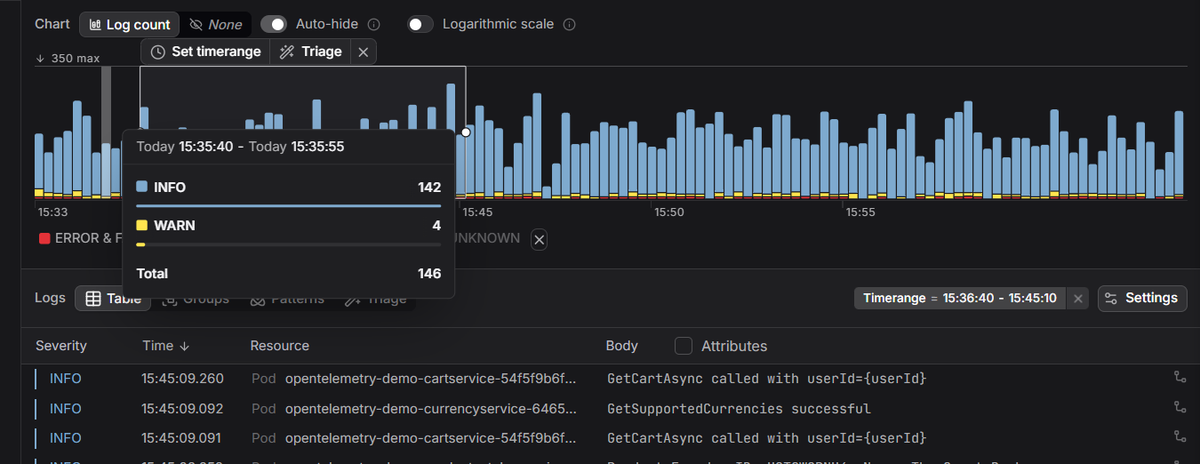
Dash0's Kubernetes monitoring surfaces pod health, container resource usage, and node status alongside live logs and distributed traces, so you can correlate a failing deployment with the underlying cause from a single place. Built on OpenTelemetry, it works the same whether your nodes run containerd, CRI-O, or anything else CRI-compatible.
 Start a free trial to see your cluster's metrics, logs, and traces in one view. No credit card required.