
A ConfigMap is a Kubernetes API object that holds non-confidential configuration as key-value pairs. Your application reads settings like a database hostname or log level from the cluster instead of having them baked into the container image.
The same image should run in dev, staging, and production without a rebuild. A ConfigMap is how you inject the per-environment differences at runtime. Creating one is easy. What trips teams up is understanding what actually happens to a running pod when a value changes, and that depends entirely on how the pod consumes the ConfigMap.
Creating a ConfigMap
A ConfigMap manifest needs almost nothing: a name and a data field with your key-value pairs. Keys may contain only alphanumeric characters plus ., -, and _. Here's one storing three application settings:
12345678910apiVersion: v1kind: ConfigMapmetadata:name: app-configdata:database_host: "db.production.svc.cluster.local"log_level: "info"feature_flags.yaml: |new_checkout: truedark_mode: false
Notice the two styles. database_host and log_level are simple property-style values. feature_flags.yaml uses the | block scalar to store an entire file's contents under one key, useful when your app expects a config file rather than individual variables.
Apply it like any other object:
1kubectl apply -f app-config.yaml
If you'd rather skip the YAML, kubectl create configmap builds one from literals or files. From literal values:
123kubectl create configmap app-config \--from-literal=log_level=info \--from-literal=database_host=db.production.svc.cluster.local
From an existing file, where the filename becomes the key and the file contents become the value:
1kubectl create configmap app-config --from-file=feature_flags.yaml
To confirm what landed, describe it:
1kubectl describe configmap app-config
123456789101112131415161718Name: app-configNamespace: defaultLabels: <none>Annotations: <none>Data====database_host:----db.production.svc.cluster.localfeature_flags.yaml:----new_checkout: truedark_mode: falselog_level:----info
Each key is separated by a horizontal line with its value beneath it. It's the fastest way to catch a mistyped key before a pod fails to find it.
How pods consume a ConfigMap
A ConfigMap does nothing until a pod references it. There are three patterns, and which one you pick determines where the value shows up inside the container and what has to happen before a changed value reaches the running process.
As individual environment variables
Use valueFrom.configMapKeyRef to pull a single key into a named environment variable:
12345678910spec:containers:- name: appimage: my-app:latestenv:- name: LOG_LEVELvalueFrom:configMapKeyRef:name: app-configkey: log_level
Inside the container, $LOG_LEVEL is now info. Clean and explicit when your app reads a handful of well-known variables.
As a bulk environment import
If you want every key in the ConfigMap exposed as an environment variable, envFrom saves the per-key boilerplate:
1234567spec:containers:- name: appimage: my-app:latestenvFrom:- configMapRef:name: app-config
Every key becomes an environment variable of the same name. The catch: keys with dots in them, like feature_flags.yaml, aren't valid environment variable names, so they get silently skipped. The kubelet logs an event rather than failing the pod. If a value seems to be missing from the environment, this is the first thing to check.
As files in a mounted volume
Mounting the ConfigMap as a volume projects each key as a file, with the key as the filename and the value as the file contents:
1234567891011spec:containers:- name: appimage: my-app:latestvolumeMounts:- name: config-volumemountPath: /etc/app/configvolumes:- name: config-volumeconfigMap:name: app-config
The container now sees /etc/app/config/database_host, /etc/app/config/log_level, and /etc/app/config/feature_flags.yaml. Use this pattern when your application expects to read a config file. It's also the only consumption method that can update a running pod without a restart, though "can" is doing some heavy lifting there, as the next section explains.
What actually happens when you change a ConfigMap
Editing a ConfigMap does not restart your pods or send any signal to your application. What the running workload sees depends on how it consumes the data.
Environment variables don't update. Whether you used configMapKeyRef or envFrom, the values are copied into the container's environment at pod startup. Change the ConfigMap afterward and nothing happens to running pods. You have to restart them. kubectl rollout restart deployment/my-app is the clean way to do it. The kubectl restart pod guide covers the alternatives if that's not an option.
Mounted volumes update eventually. The kubelet periodically syncs mounted ConfigMap files, so a changed value propagates into the container's filesystem without a restart, typically within about a minute. But Kubernetes only updates the file. It doesn't tell your application. Unless your app watches the file for changes or you trigger a reload externally (nginx's nginx -s reload, a sidecar that sends a signal), the new value sits on disk unread.
subPath mounts don't update at all. This one catches people off guard more than it should, given how commonly subPath is used. It's the natural choice when you want to drop a single config file into a directory that already has other files in it. But pods using subPath never receive ConfigMap updates. The file is frozen at pod start, just like an environment variable. Nothing warns you. If you need live reloading, mount the whole directory.
ConfigMap vs Secret
ConfigMaps store data in plain text. Anyone with read access to the namespace can see every value, which is expected and fine for non-sensitive config. Passwords, API keys, and certificates belong in a Secret.
Secrets aren't dramatically more secure by themselves. Base64 is encoding, not encryption, and a determined cluster admin can read a Secret just as easily as a ConfigMap. What Secrets do is integrate with encryption at rest, tighter role-based access control (RBAC) defaults, and external secret stores in ways ConfigMaps don't. Keeping the two separate also means you can't accidentally print a password into your logs when you dump a ConfigMap during debugging, which happens more than you'd think.
Common pitfalls
A few things that aren't obvious until they've bitten you.
The 1 MiB limit is a hard ceiling, not a soft guideline. ConfigMaps are stored in etcd, and etcd caps request sizes at 1 MiB with no override flag. If you're pushing large files through a ConfigMap, use a volume or a dedicated config store instead. Even well below the limit, large ConfigMaps slow pod startup and add etcd load.
Everything is a string. ConfigMaps have no type system, so a value like true or 3 is text, and your application has to parse it. YAML's implicit typing makes this easy to miss: write enabled: true without quotes and the API server coerces it, but the container still receives the string "true". Quote your values.
A missing key silently blocks pod startup. If a pod references a ConfigMap key that doesn't exist via configMapKeyRef, the pod won't start. It sits unready rather than crashing, which can be baffling when you're staring at an event stream waiting for a reason. Set optional: true on the reference if a missing value is acceptable. The same problem applies when referencing a ConfigMap that hasn't been created yet, and depending on how your app initializes, it can surface as a CrashLoopBackOff once it eventually starts.
Immutable ConfigMaps require more ceremony but pay off at scale. Setting immutable: true prevents any edits after creation, which eliminates the kubelet's periodic watches on that object and cuts API server load in large clusters. The workflow changes: updating means creating a new ConfigMap (often with a version suffix like app-config-v2) and pointing your deployment at it. That's extra steps, but it also gives you a clean rollback path and removes the risk of an accidental edit cascading across every consuming pod at once.
Final thoughts
The ConfigMap model is simple. What's less simple is the gap between "the ConfigMap changed" and "my application picked up the change." That gap behaves differently depending on whether you used environment variables or a mounted volume, and the subPath edge case means volume mounts aren't a reliable shortcut either. Get this wrong and you end up with a config value that's correct in etcd and wrong in your running container, with no error to show for it.
In production, that situation, config updated but application oblivious, is one of the harder incidents to trace. The ConfigMap update and the error often happen minutes apart, and if you're not correlating config rollouts with your observability data, you're reconstructing the timeline after the fact.
Dash0's Kubernetes monitoring surfaces pod health and restart behavior next to real-time logs and distributed traces, so when a ConfigMap rollout coincides with new errors you can see it in one place. Because it's OpenTelemetry-native, those signals line up with the rest of your telemetry rather than sitting in a separate silo.
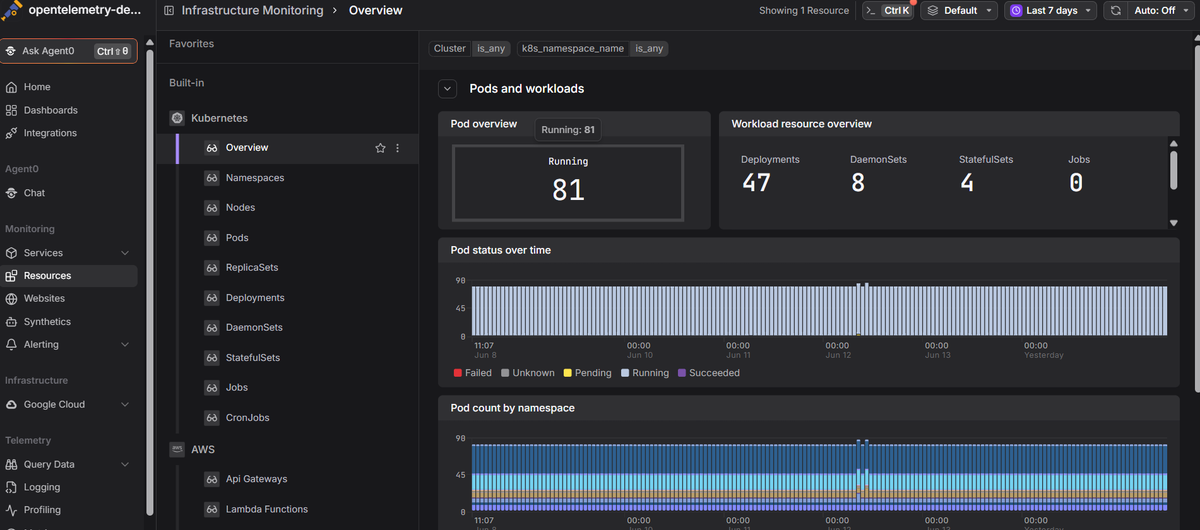 Start a free trial to see your cluster's metrics, logs, and traces in a single view. No credit card required.