
Last updated: May 30, 2026
About Log AI
Even today, the majority of logs are typically not structured very well, or not structured at all. They are written to files as plain text, and any system that needs to work with them has to parse that text — typically through a painful web of regular expressions that nobody wants to maintain.
This creates two key problems:
- Missing severity: Many log records don't include a severity field (e.g., error, warning, info). The severity information is buried somewhere in the log body, making it invisible to any tool that relies on structured fields. Without it, you can't filter for errors, you can't alert on them, and you don't even know they exist.
- No structured attributes: Important data — IDs, names, status codes, parameters — is embedded in free-text log messages. You can't filter by it, you can't group by it, and you can't run any meaningful analysis over it.
Log AI in Dash0 solves both of these problems automatically, without requiring you to define a single regular expression.
What Log AI Does
Log AI eliminates the need to maintain regular expressions for parsing unstructured logs. It automatically infers severity when it's missing, mines meaningful patterns from your log data, and extracts named attributes from dynamic log segments — all without any configuration. If you've ever had to maintain regex-based log parsing, Log AI handles it for you.
Log AI has two core capabilities that work together: severity inference and log pattern mining.
Severity Inference
When Dash0 receives a log record that has no known severity, Log AI analyzes the content of the log body and infers what the severity should be.
For example, a log line that clearly describes an error condition will be classified as an error — even if the original log record didn't include a severity field.
Without Log AI, that record would show up as "unknown" severity, and you'd never find it when filtering for errors.
Log Pattern Mining
Log AI analyzes your incoming logs and mines patterns from them. But it goes beyond simple pattern detection — it also extracts the dynamic segments within each pattern and assigns them sensible, meaningful names.
For example, given log messages like these:

Log AI will:
- Identify the log pattern:
Product Found - ID: *, Name: * - Extract the dynamic segments and name them meaningfully, such as
product_id,product_name, rather than using generic labels, such asparameter_1ordynamic_segment_1.
You can see this in the Log Explorer's Patterns tab, where dash0.log.pattern is used:
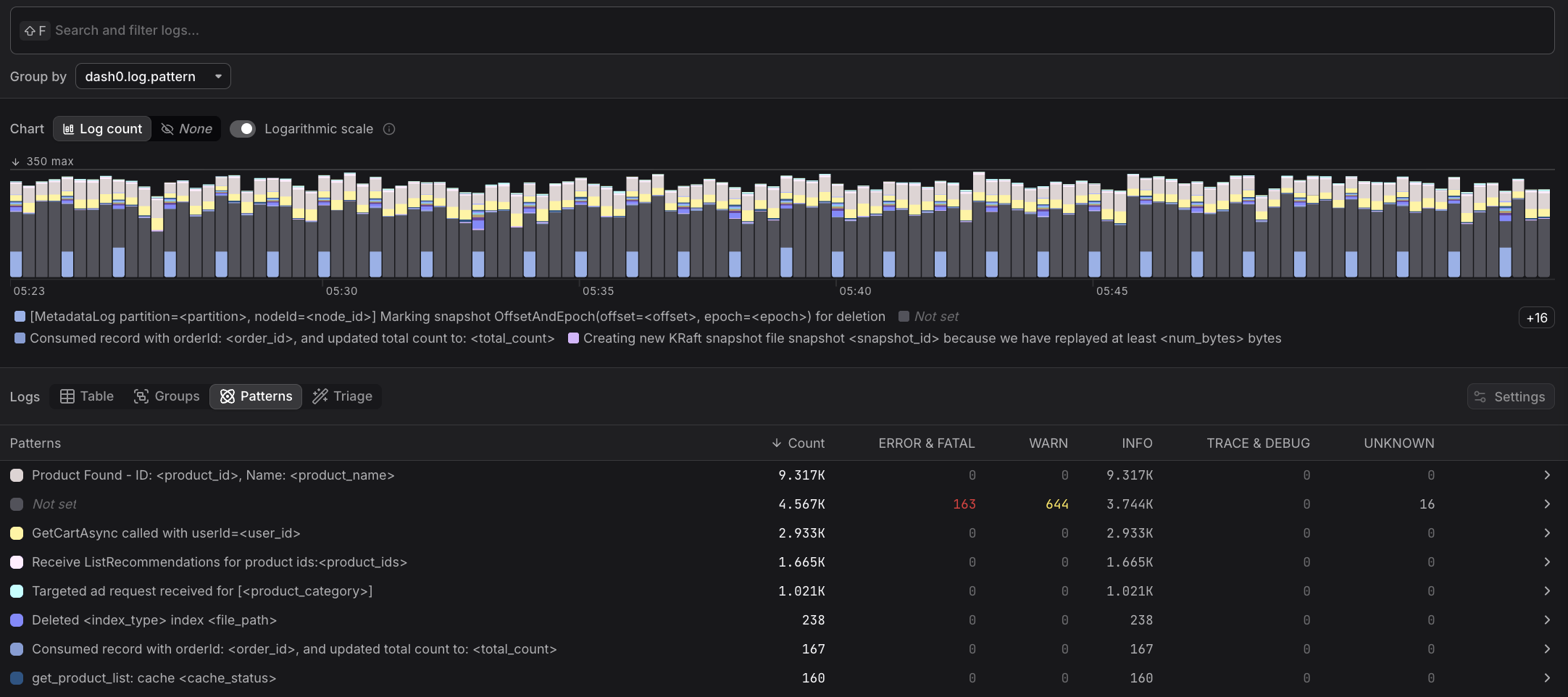
Once these dynamic parts have names, they become real attributes you can filter, group, and run pattern analysis on.