Dash0 acquires Polar Signals

Connect to Dash0 securely over AWS PrivateLink for private connectivity without exposing telemetry data to the public internet.
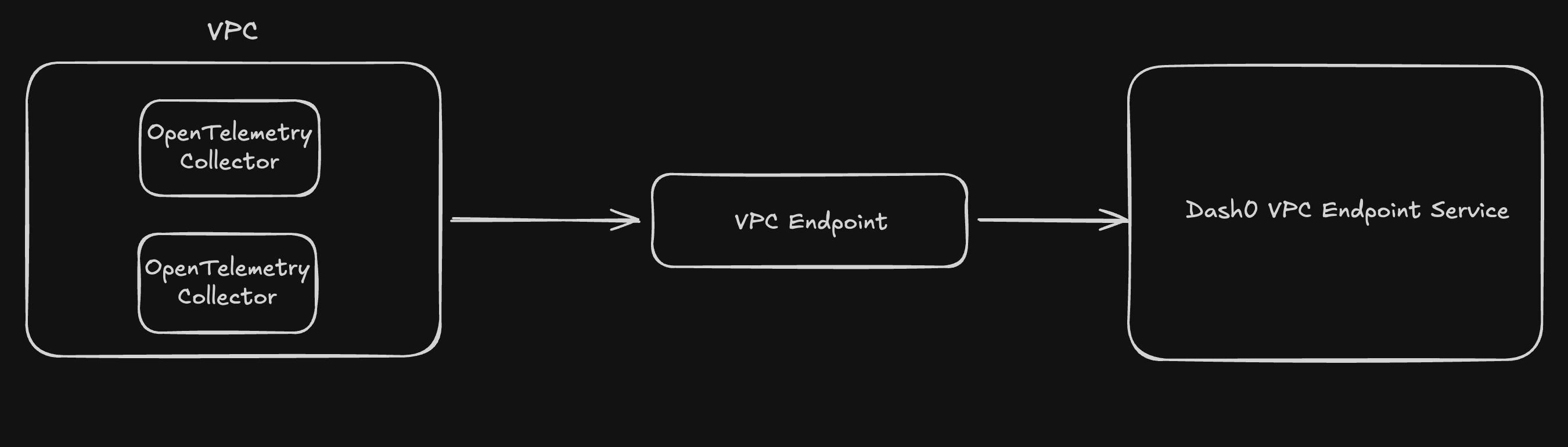
AWS PrivateLink provides private connectivity between your VPC and Dash0's ingestion endpoints, ensuring that your telemetry data never traverses the public internet. By establishing a VPC endpoint connection, you can send traces, metrics, and logs to Dash0 through Amazon's private network backbone, enhancing security and reducing exposure to internet-based threats.
This integration enables you to maintain compliance with data security policies while benefiting from Dash0's observability platform. Traffic flows directly from your AWS resources to Dash0's service endpoints through a secure, private connection managed entirely within the AWS network infrastructure.
This guide walks you through setting up AWS PrivateLink to establish a private connection between your AWS VPC and Dash0's ingestion endpoints. With PrivateLink, your telemetry data travels through Amazon's private network backbone without traversing the public internet.
This guide focuses on same-region connectivity, where your workloads and the Dash0 ingestion endpoint are in the same AWS region.
Before setting up AWS PrivateLink for Dash0, ensure:
Dash0 currently supports AWS PrivateLink connections in the following regions:
| Region | Endpoint Service Name |
|---|---|
| eu-west-1 | com.amazonaws.vpce.eu-west-1.vpce-svc-0046745eec6c61a3f |
| us-west-2 | com.amazonaws.vpce.us-west-2.vpce-svc-024e2cd84acbadbc0 |
After creating the VPC endpoint, you'll use the according private DNS name as the endpoint in your OpenTelemetry Collector configuration.
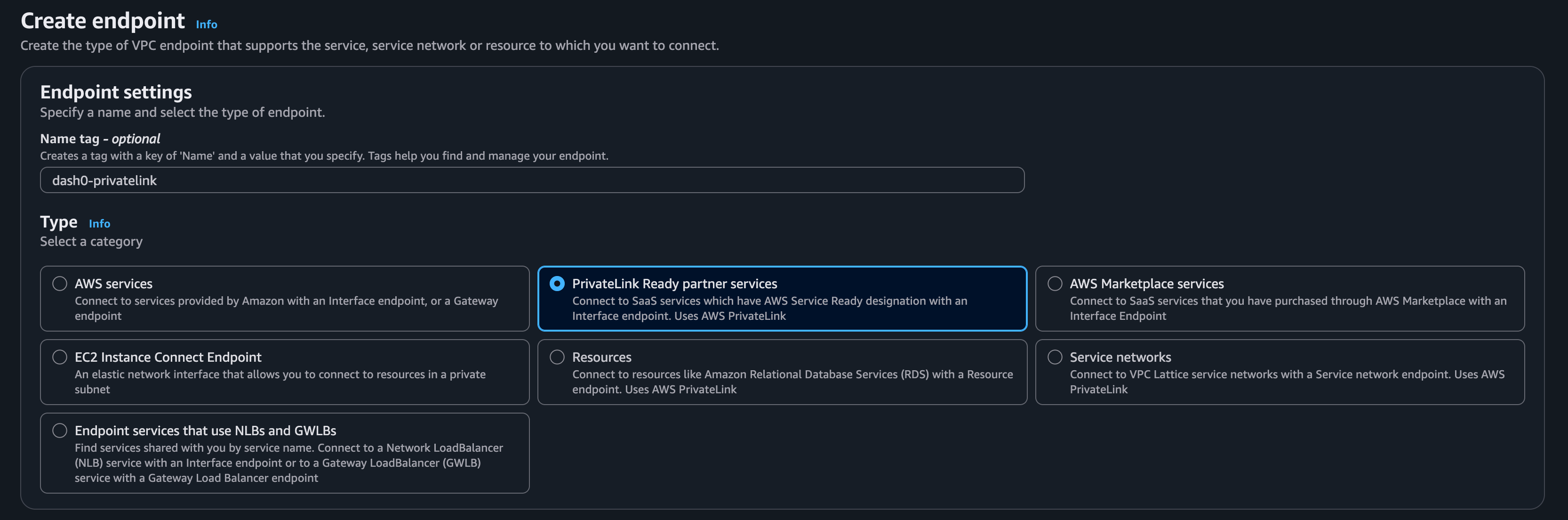
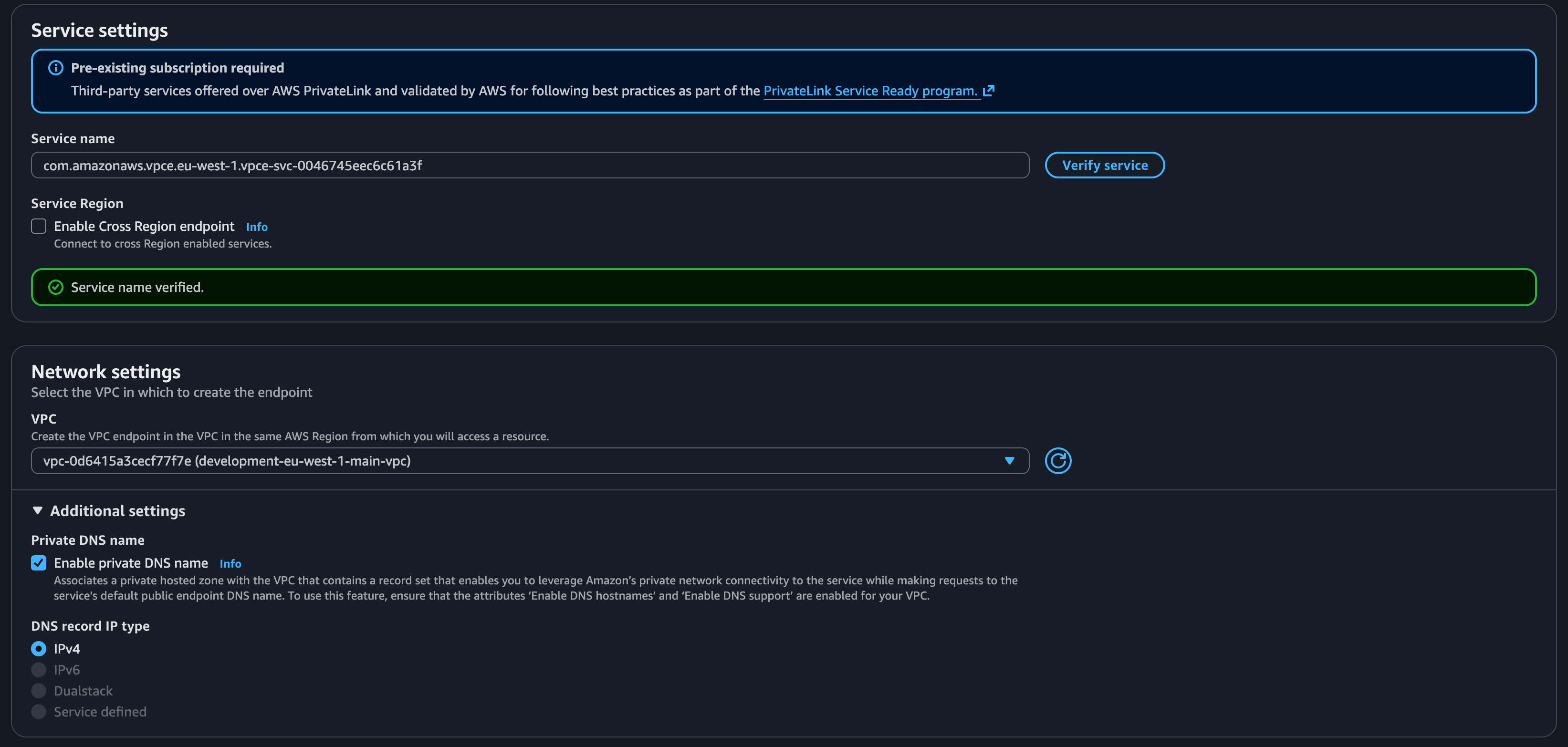
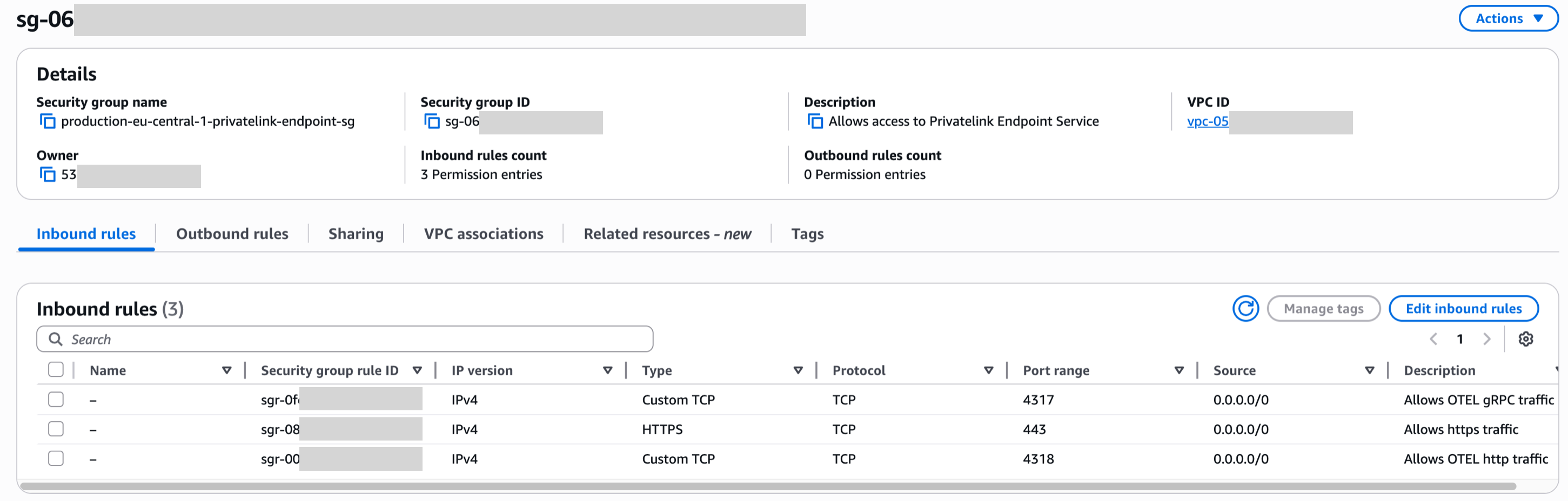
When you enable private DNS for your VPC endpoint, AWS automatically creates DNS records that resolve the Dash0 endpoint hostname to the private IP addresses of your VPC endpoint network interfaces.
After creating the VPC endpoint, verify that DNS resolution is working correctly:
For private DNS to work correctly, ensure your VPC has:
You can verify and enable these settings:
Once your VPC endpoint is created and DNS is configured, update your OpenTelemetry Collector configuration to use the PrivateLink endpoint:
If you're using the Dash0 Operator for Kubernetes, update the operator configuration:
After configuring your OpenTelemetry Collector or Dash0 Operator, verify the connection: