Last updated:
What Is Docker Compose?
Docker Compose lets you describe your entire stack in a single YAML file (compose.yaml) and start everything with one command. It handles networking, volumes, startup order, and environment variables. It's useful because managing a multi-container app with raw docker run commands gets old fast. You need to wire up networks, pass the right environment variables, mount volumes, and remember the exact flags every time. With two containers it's annoying. With five, it becomes a bash script that only you understand and that breaks when you're on vacation.
How Compose works
Everything in Compose is a service. Each service maps to one container (or a group of identical ones if you scale it) and declares which image to use, which ports to expose, what environment variables to inject, and what it depends on.
Here's a working example: a Node.js app backed by Postgres and Redis.
services:
  app:
    build: .
    ports:
      - "3000:3000"
    environment:
      DATABASE_URL: postgres://app:secret@db:5432/myapp
      REDIS_URL: redis://cache:6379
    depends_on:
      db:
        condition: service_healthy
      cache:
        condition: service_healthy

  db:
    image: postgres:16
    environment:
      POSTGRES_USER: app
      POSTGRES_PASSWORD: secret
      POSTGRES_DB: myapp
    volumes:
      - db_data:/var/lib/postgresql/data
    healthcheck:
      test: ["CMD-SHELL", "pg_isready -U app -d myapp"]
      interval: 10s
      timeout: 5s
      retries: 5
      start_period: 30s

  cache:
    image: redis:7
    healthcheck:
      test: ["CMD", "redis-cli", "ping"]
      interval: 10s
      timeout: 3s
      retries: 5

volumes:
  db_data:
Run docker compose up -d and Compose creates a shared network, starts all three containers, and waits for db and cache to pass their health checks before starting app. Tear it all down with docker compose down.
A few things happen automatically that are worth knowing. Every service in a compose.yaml can reach any other service by its service name as a hostname. The app above connects to Postgres at db:5432, no IP address needed, no custom network config. Named volumes like db_data persist between restarts, so your database survives a docker compose down. And if you change a service's config and re-run docker compose up, only the containers that actually changed get recreated.
Key commands
Commands you'll use daily once you're running a Compose stack:
docker compose up -d          # Start all services in detached mode
docker compose down           # Stop and remove containers and the default network
docker compose down -v        # Same, plus remove named volumes (deletes data)
docker compose ps             # Show running services and their status
docker compose logs -f app    # Stream logs from a specific service
docker compose exec app sh    # Open a shell in a running container
docker compose restart app    # Restart one service without touching the others
docker compose exec is the go-to for live debugging. It drops you into an already-running container without starting a new one.
For structured logging, shipping logs to a collector, and filtering output across services, see the Docker Compose logs guide.
Common pitfalls
depends_on doesn't mean "wait until ready." The basic form only waits for the container to start, not for the service inside it to be ready. A Postgres container can be "started" while still initializing its data directory and rejecting connections. Use condition: service_healthy with an actual healthcheck on the dependency, like the example above does. Without it, you get race conditions that look like app bugs.
Your health check command has to exist inside the container. curl is missing from most Alpine-based images. If your health check calls curl and the image doesn't have it, Docker marks the container permanently unhealthy, and any dependent service never starts. The error isn't obvious. Use wget or a service-native probe (pg_isready for Postgres, redis-cli ping for Redis). When in doubt, run docker compose exec <service> which curl to check.
Dollar signs in health check commands bite people. If your health check references a container environment variable like $POSTGRES_PASSWORD, Compose tries to resolve it from your host machine before the container starts. It probably resolves to nothing. Write $$POSTGRES_PASSWORD instead. The double dollar sign tells Compose to leave it alone and let the container shell handle it.
Volumes outlive docker compose down. Named volumes don't get deleted when you bring the stack down. Usually that's what you want (your data survives restarts), but it surprises people expecting a fresh state. Add -v when you actually mean to wipe everything: docker compose down -v. Be deliberate about it, because there's no undo.
Drop the version field if you're working from old tutorials. You'll still see version: '3.8' at the top of a lot of Compose files. Compose v2 ignores it and logs a warning. Remove it. The modern Compose Specification replaces the old 2.x and 3.x split with a single schema that's active by default.
Compose vs. Kubernetes
Compose is the right tool for local development and single-host deployments. The YAML stays readable, the mental model is simple, and you can get a full stack running in minutes. For production workloads that need automatic failover, rolling deployments, or scheduling across multiple nodes, Kubernetes is the better fit. If you're using Compose locally and Kubernetes in production, the CNCF's Kompose tool can convert a compose.yaml to Kubernetes manifests to bridge the gap.
Final thoughts
The practical win from Compose is that your environment becomes a file in the repo. New team member? docker compose up. Debugging a staging issue? docker compose up. No wiki page listing the right docker run flags, no "works on my machine" conversations.
Once you're running containers in production, you'll want to know what they're actually doing. Start with monitoring your container resource usage to catch memory leaks and CPU spikes early. For a complete picture across logs, metrics, and distributed traces, Dash0's infrastructure monitoring collects all three signals from your containerized services using OpenTelemetry, with no vendor lock-in.
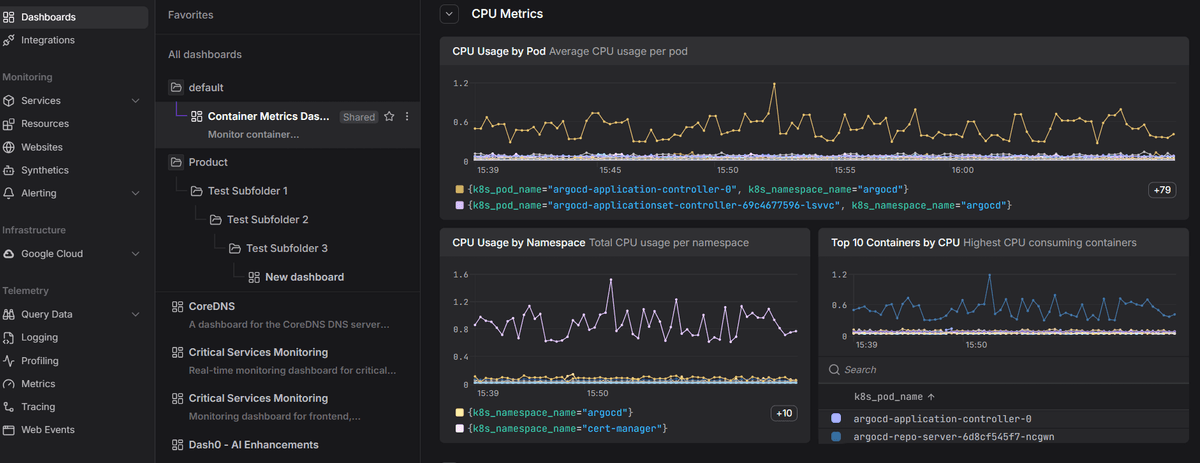 Start a free trial to see your container telemetry in one place. No credit card required.