What does observability mean in the context of agentic applications? When you add a large language model to your application, you're introducing a component that behaves non-deterministically: its outputs vary, it makes decisions about which tools to invoke, and it can consume wildly different amounts of tokens depending on the conversational context. Without the right observability in place, debugging these applications feels like working in the dark.
I built the Spring Merch Store as a concrete example to explore this: a Spring Boot 4 application powered by Spring AI that lets users chat their way through a Spring merchandise catalog. Users can plug in their own LLM model, send conversational prompts, and watch as the agent queries inventory, creates orders, and checks out, all through natural language.
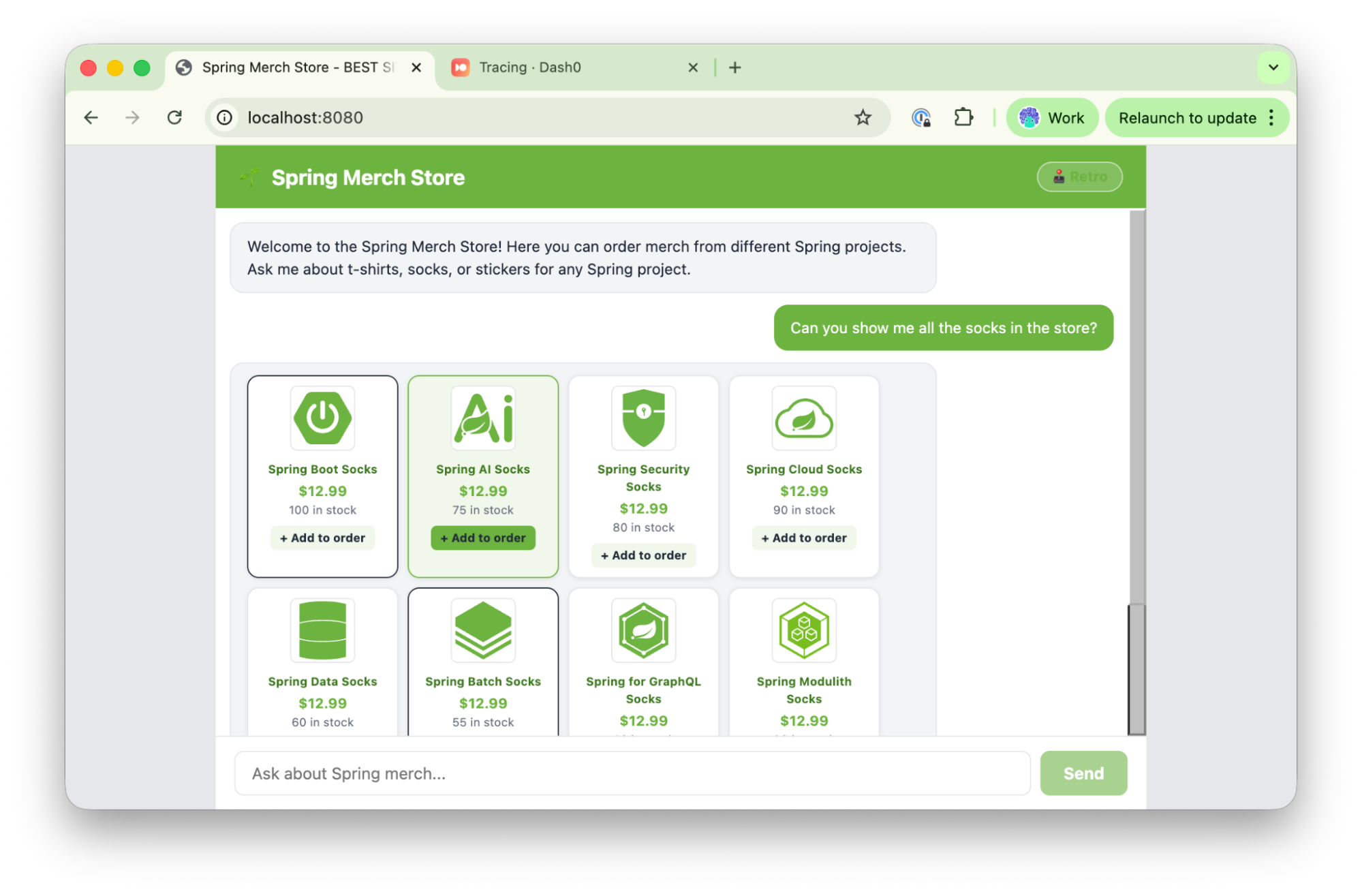
The Spring Merch Store
The application lets you chat with an agent that queries the store inventory (socks, t-shirts, and stickers) and creates and places orders.
The store allows a multi-step interaction between the LLM acting as an agent, the local tools defined inside the application, and you. These interactions can span multiple requests containing different payloads, and that multi-step, non-deterministic flow is exactly what we want to observe.
Prerequisites
- Java 21+
- Git
- An Anthropic API key
- A Dash0 account for exporting telemetry
Running the application
1234git clone https://github.com/salaboy/observing-ai.gitcd observing-ai/java/spring-ai/spring-merch-storeexport ANTHROPIC_API_KEY=sk-ant-..../mvnw spring-boot:run
You should see output ending with something like:
1Started Spring MerchStore Application in 4.2s
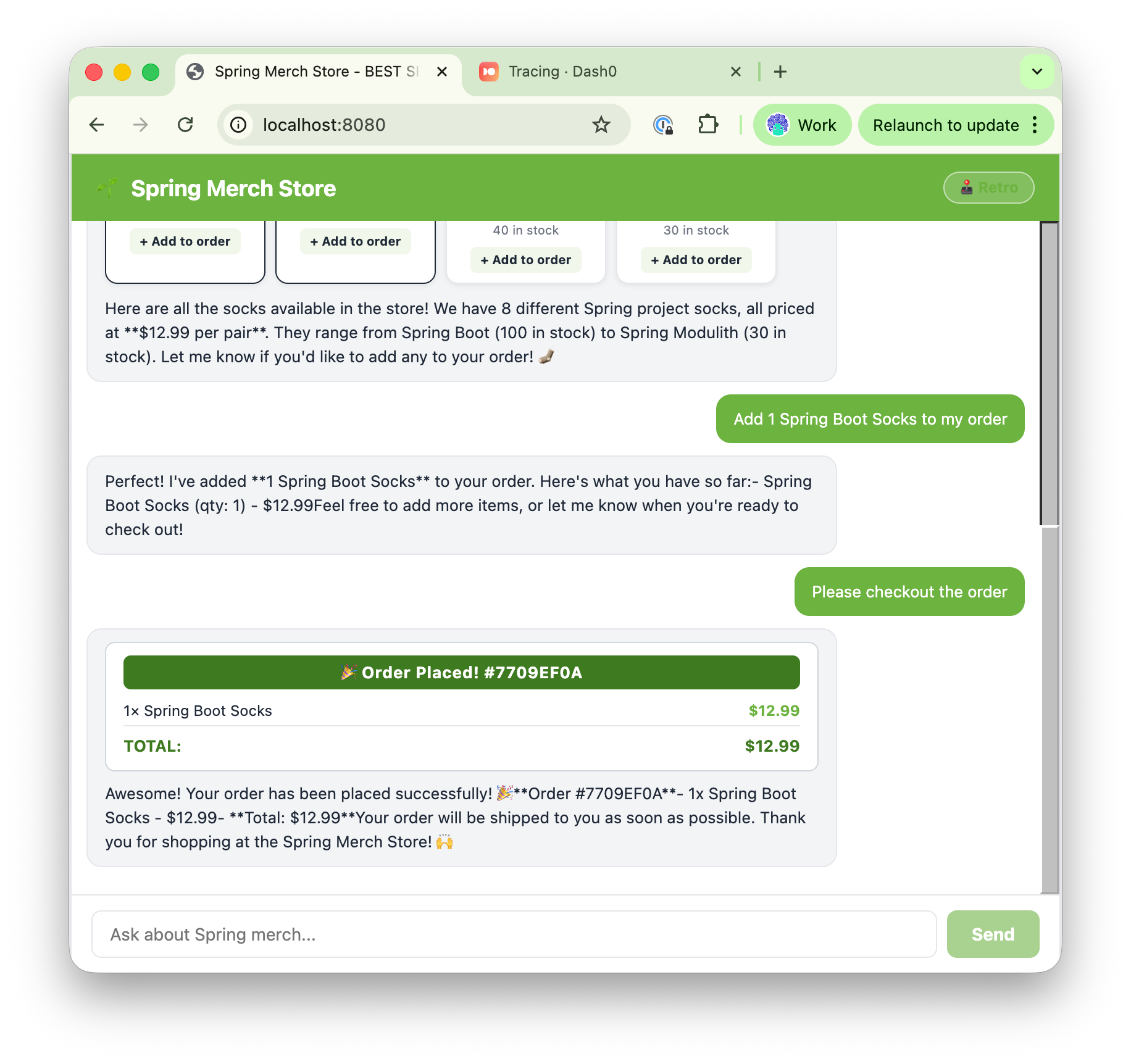
Open http://localhost:8080 and try the following prompts:
- "Show me all the available socks in the store" — product cards should stream in as the response arrives.
- Select one of the socks displayed. This creates a new message like: "Add 1 Spring Boot Socks to my order."
Check out the order by typing something like *"*Checkout the order."
OpenTelemetry in Spring Boot 4: what's new
If you've instrumented a Spring Boot 3 application with OpenTelemetry before, you'll notice something right away in the pom.xml: there's a single dependency doing almost all the work.
pom.xml1234<dependency><groupId>org.springframework.boot</groupId><artifactId>spring-boot-starter-opentelemetry</artifactId></dependency>
Spring Boot 4 consolidates traces, metrics, and logs into one starter. In Spring Boot 3, you'd wire together Micrometer Tracing, a Brave or OpenTelemetry bridge, and a separate OTLP exporter manually. Here, spring-boot-starter-opentelemetry handles auto-configuration for all three signals, and each one is independently configurable through management.* properties in application.properties.
If you've done this wiring before, you know how tedious it was. One starter replacing three or four dependencies and a page of configuration is a real improvement. For the full list of options, see the Spring Boot OpenTelemetry reference documentation.
What you get for free
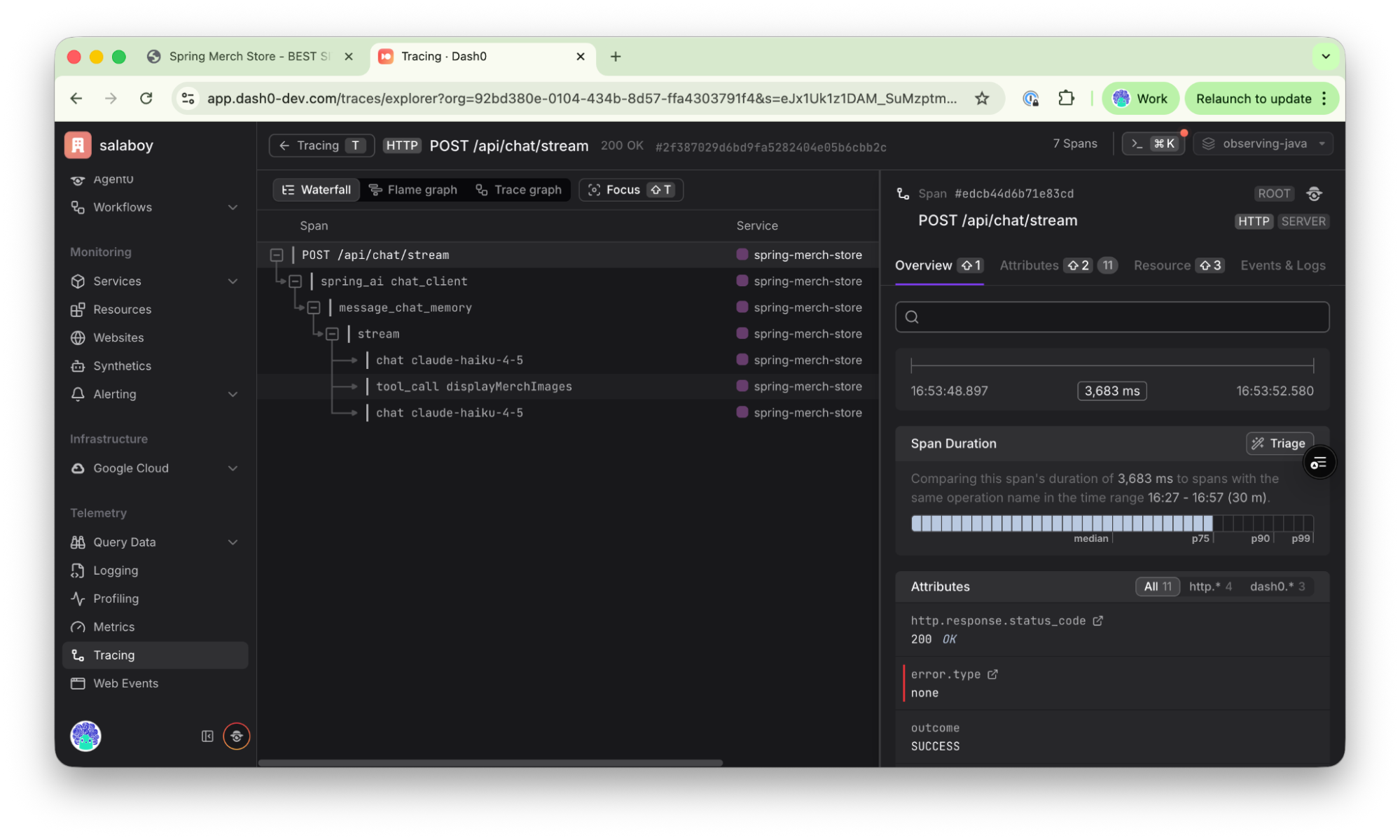
Before we configure any exporter, let's look at what the Spring Boot instrumentation actually captures. When a user sends a message and the assistant decides to call a tool, you get a span hierarchy like this:
123456POST /api/chat/stream ← HTTP servlet span└── spring_ai chat_client ← ChatClient.stream()└── message_chat_memory ← MessageWindowChatMemory advisor└── chat claude-haiku-4-5 ← First LLM call (decides tools)└── tool_call displayMerchImages ← Tool execution└── chat claude-haiku-4-5 ← Second LLM call (formats response)
Each chat span carries gen_ai.* attributes following the OpenTelemetry GenAI semantic conventions:
gen_ai.request.model / gen_ai.response.modelgen_ai.usage.input_tokens / gen_ai.usage.output_tokensgen_ai.response.finish_reasons
These gen_ai.* conventions are still experimental in OpenTelemetry, so attribute names may change in future releases. Worth keeping in mind if you build dashboards or alerts on top of them.
The tool_call spans capture spring.ai.tool.call.arguments and spring.ai.tool.call.result, so you can see exactly what the LLM decided to pass into your tool and what came back. You get all of this without writing a single line of instrumentation code.
One thing worth watching closely: as a conversation progresses, gen_ai.usage.input_tokens grows significantly. MessageWindowChatMemory keeps prior conversation turns in context, so by turn four you might see 3,700 input tokens where turn one used 1,300. That's invisible without instrumentation, and it directly maps to cost.
Connecting all three signals to Dash0
To ship telemetry to Dash0, an OTel-native observability platform, you need three things: an OTLP endpoint, an authorization token, and a dataset name to keep your data easy to filter. You can get all of these from your Dash0 account settings after signing up.
Set them as environment variables before starting the application:
123export OTEL_EXPORTER_OTLP_ENDPOINT=https://<your otel endpoint from Dash0>export OTEL_EXPORTER_OTLP_HEADERS_AUTHORIZATION=<your-token-here>export DASH0_DATASET=<your-dataset-here>
The application.properties is already wired to read from these. Here's how each signal is configured:
Traces:
123456management.opentelemetry.tracing.export.otlp.endpoint=${OTEL_EXPORTER_OTLP_ENDPOINT}/v1/tracesmanagement.opentelemetry.tracing.export.otlp.headers.Authorization=Bearer ${OTEL_EXPORTER_OTLP_HEADERS_AUTHORIZATION}management.opentelemetry.tracing.export.otlp.headers.Dash0-Dataset=${DASH0_DATASET}
Metrics:
12345management.otlp.metrics.export.url=${OTEL_EXPORTER_OTLP_ENDPOINT}/v1/metricsmanagement.otlp.metrics.export.headers.Authorization=Bearer ${OTEL_EXPORTER_OTLP_HEADERS_AUTHORIZATION}management.otlp.metrics.export.headers.Dash0-Dataset=${DASH0_DATASET}
Logs:
123456management.opentelemetry.logging.export.otlp.endpoint=${OTEL_EXPORTER_OTLP_ENDPOINT}/v1/logsmanagement.opentelemetry.logging.export.otlp.headers.Authorization=Bearer ${OTEL_EXPORTER_OTLP_HEADERS_AUTHORIZATION}management.opentelemetry.logging.export.otlp.headers.Dash0-Dataset=${DASH0_DATASET}
The log export is backed by a Logback appender defined in logback-spring.xml. InstallOpenTelemetryAppender, an InitializingBean, installs it into Logback at startup, bridging Spring's log output directly into the OTel pipeline. Every log line now carries a trace_id and span_id, which means you can jump from a log entry in Dash0 directly to the trace it belongs to.
Restart the application with the environment variables set, send a few chat messages, and within seconds you'll see data flowing into Dash0.
Exploring your application in Dash0
This application is simple, but it hides some interesting patterns. Let's look at the traces generated by these interactions.
Every time you send a message via the chat, the frontend sends a request to the /api/chat/stream endpoint that streams the responses coming back from the LLM.
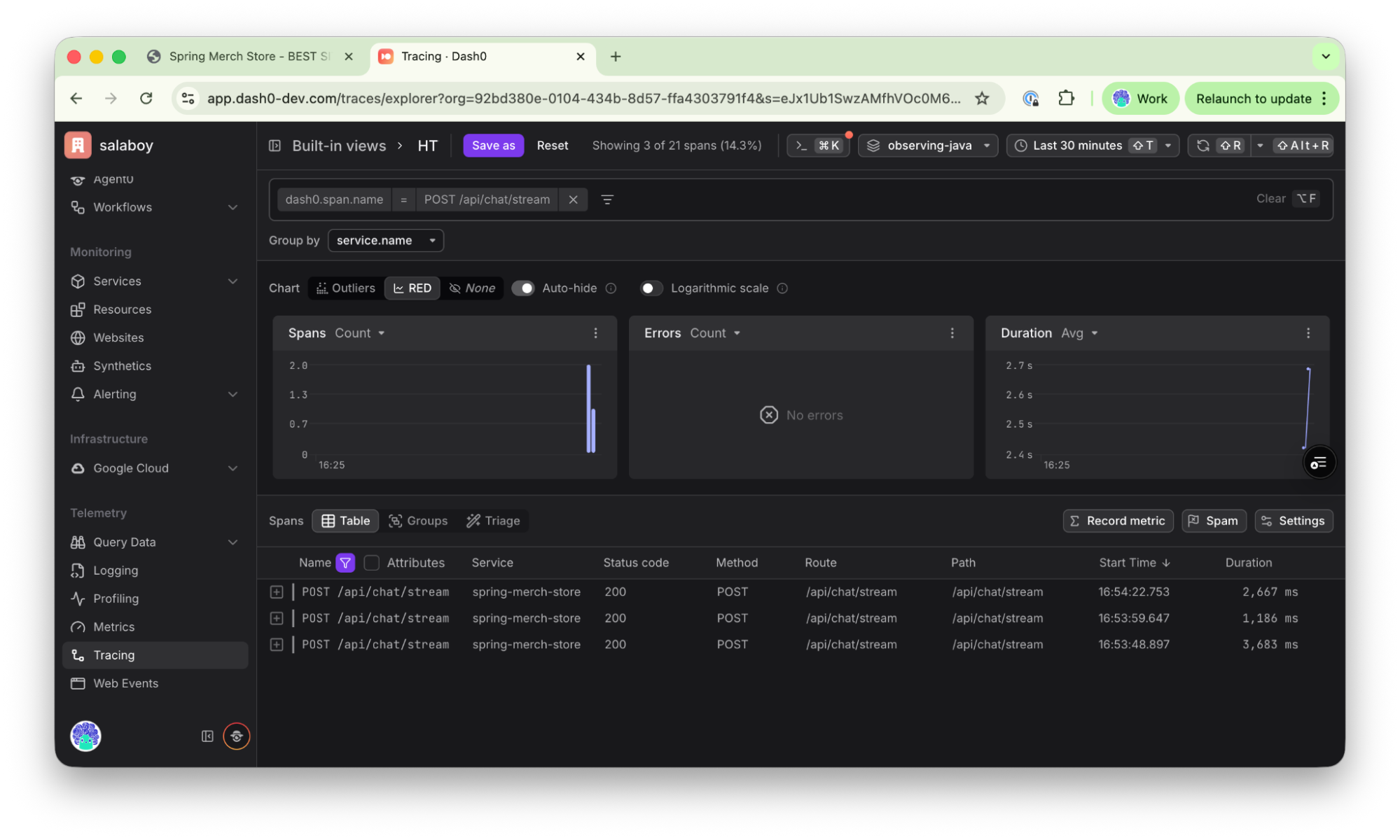
Let's dig into one of the traces. We'll start with the first interaction: "Show me all the available socks in the store."
We can see that Spring AI creates a span when the prompt is sent, followed by a message_chat_memory span, then the chat sent to claude-haiku-4-5 (Anthropic LLM). In this case the LLM returns requesting a tool call (displayMerchImages), the tool is called, and the result is sent back to the LLM which responds "end turn", meaning there are no more actions to take.
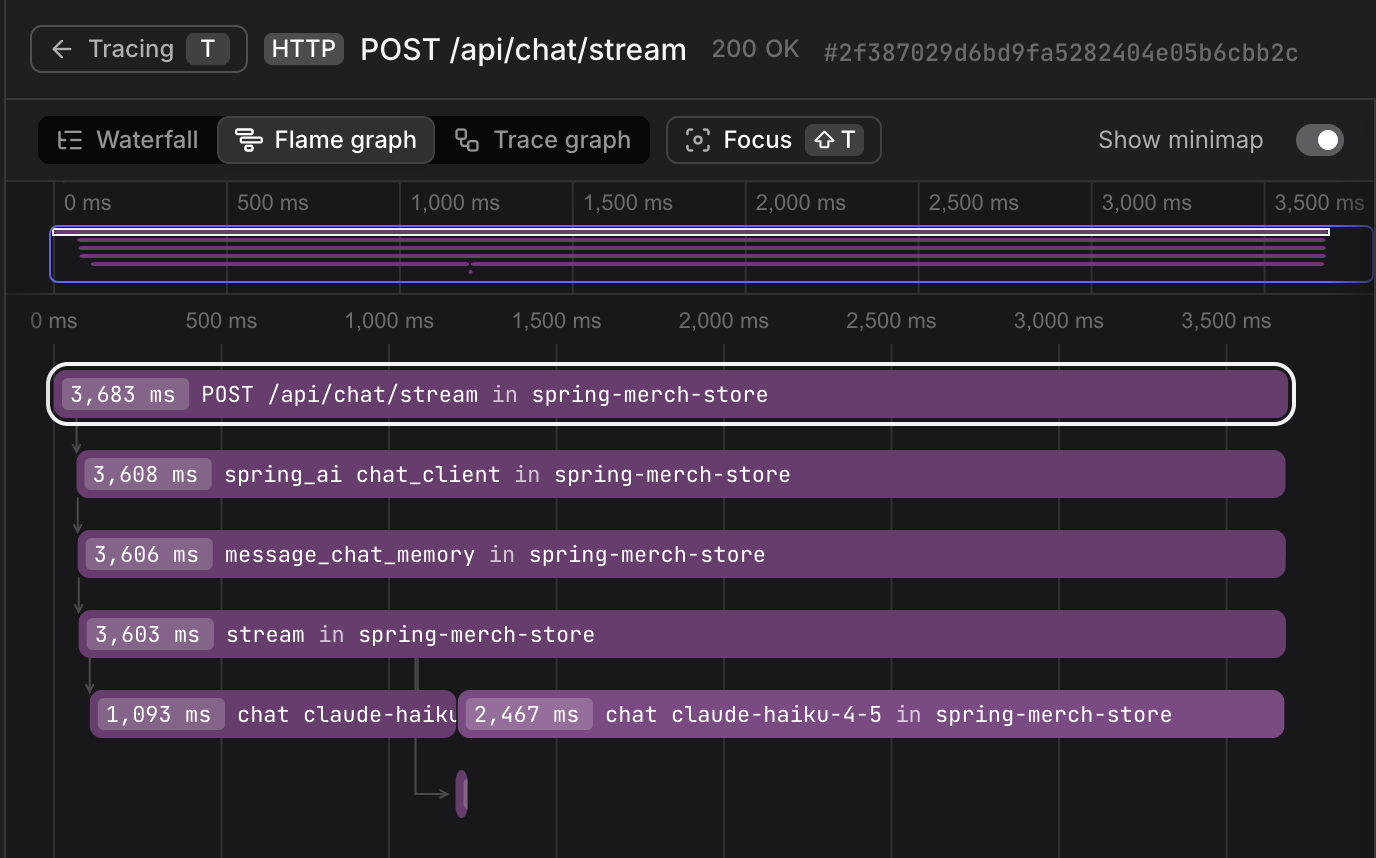
Depending on how complex the prompts are, the flamegraph can give you a sense of how long the model is taking to respond.
For this example, we can see how fast the tool call was compared with the results being streamed by the LLM.
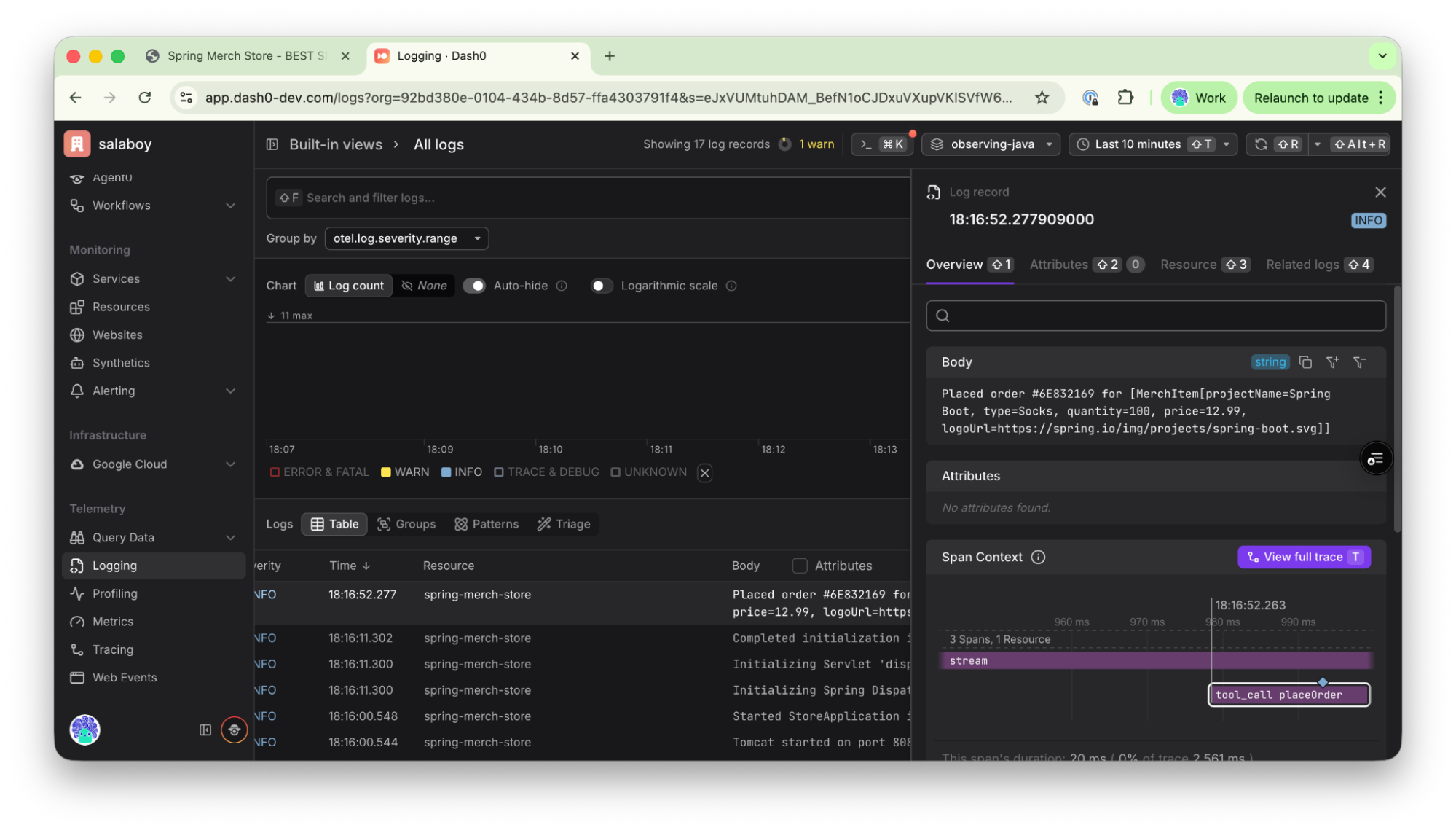
You can also switch to logs to see how the log for the order being placed ("Placed order #6E832169..") correlates to the trace of the placeOrder tool call.
Spring Boot OpenTelemetry defaults
By default spring-boot-starter-opentelemetry provides quite a lot of wiring, but the application adds three custom pieces that are worth understanding and borrowing for your own Spring AI projects. Check the following blog post from Moritz from the Spring team about other recommended configurations to look at when using Spring Boot 4 with OpenTelemetry.
The X-Trace-Id response header
TraceIdFilter (an OncePerRequestFilter) reads the current trace ID from Micrometer's Tracer and injects it as a response header on every request.
The React frontend can surface this to users, so when someone files a support ticket they can paste a trace ID rather than try to describe what happened. That's a direct line from a user complaint to the exact execution trace.
Prompt and completion text in span attributes
Spring AI can log and include data related to prompts, completions, and the content exchanged when interacting with an LLM. Turning the following properties on in application.properties gives you a more detailed view of these interactions:
123spring.ai.chat.observations.log-prompt=truespring.ai.chat.observations.log-completion=truespring.ai.tools.observations.include-content=true
Prompt text and LLM responses are not added to traces by default because they can become large and consume a lot of resources. You can extend Spring AI to add more data if needed for debugging.
ChatObservationConventionConfig extends Spring AI's default observation convention and overrides getHighCardinalityKeyValues() to inject gen_ai.prompt and gen_ai.completion as span attributes. By default, Spring AI doesn't include the full message text in spans because it's high-cardinality and can get verbose in long conversations. Enabling it explicitly lets you see exactly what the model was sent and what it replied, which is invaluable when debugging prompt engineering issues.
Reactor context propagation
Streaming responses use Project Reactor's Flux, which means trace context can get lost as execution hops across threads. ContextPropagationConfiguration enables Hooks.enableAutomaticContextPropagation() and registers a ContextPropagatingTaskDecorator to carry span context through async boundaries. Without this, your streaming spans appear disconnected from their parent HTTP span in the trace waterfall. It's a subtle issue that's easy to miss until you see a broken trace hierarchy.
Final thoughts
Spring Boot 4's spring-boot-starter-opentelemetry turns getting all three observability signals wired up into a matter of configuration, not assembly. One starter replaces the multiple dependencies and manual bridging that Spring Boot 3 required. Combined with Spring AI's built-in gen_ai.* semantic conventions, you get visibility into LLM token usage, tool calls, and multi-turn conversations without writing custom instrumentation.
The full source code of the application is at github.com/salaboy/observing-ai. Clone it, run it, and see what your AI application is actually doing. If you have questions or want to share what you built on top of it, find me on X or LinkedIn.